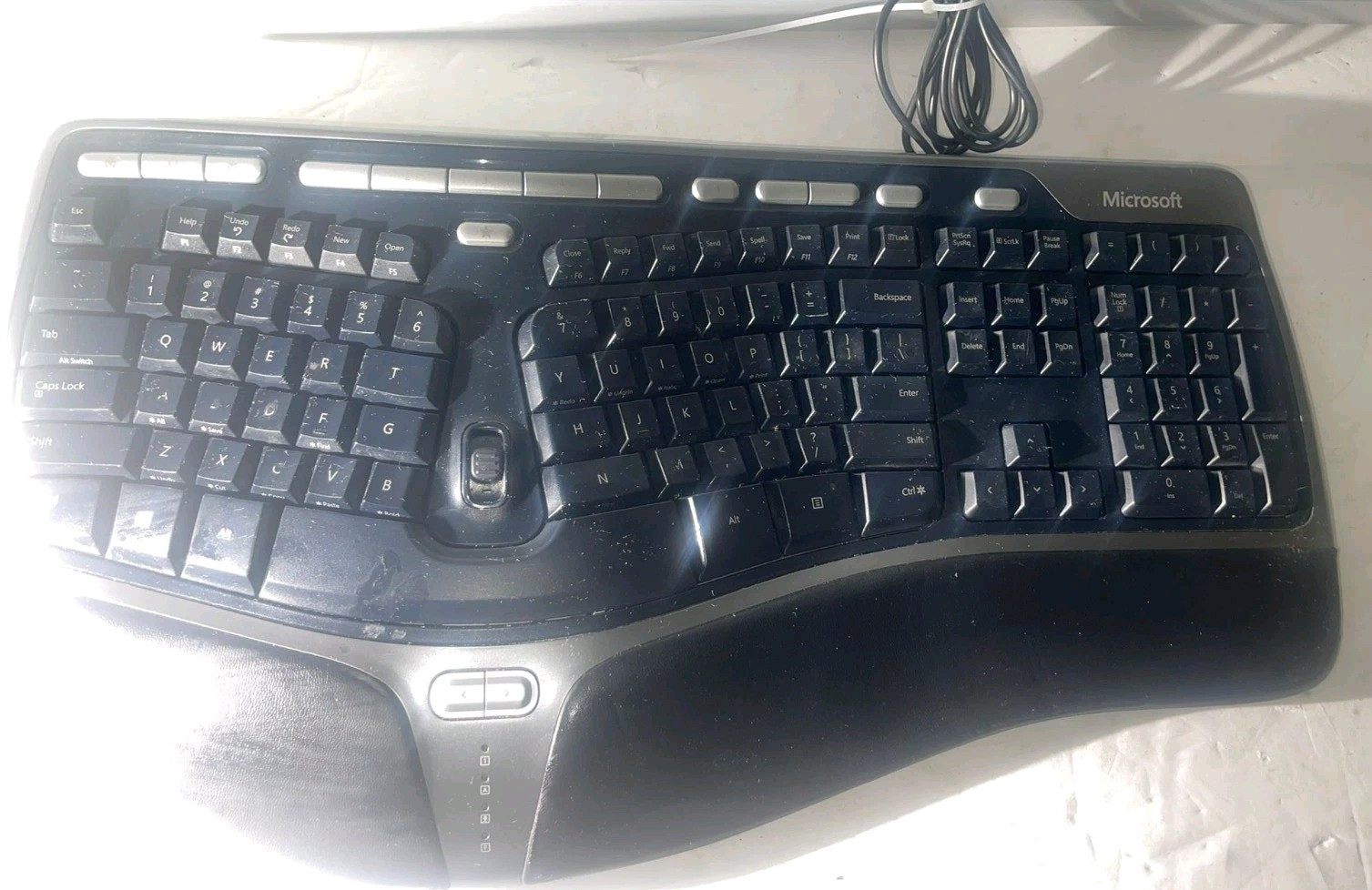

Photos from current listings. Actual item, color, and included accessories may vary.
Microsoft natural ergonomic keyboard Buying Guide
The Microsoft Natural Ergonomic Keyboard is a split-angle, tented keyboard family designed to reduce wrist pronation and ulnar deviation versus a flat rectangular board. The decisive trade-off is between the classic fixed-gadget 4000-series membrane layout and the newer Sculpt Ergonomic domed design: buy the 4000 for a full-size layout with a detachable palm lift, or the Sculpt for a compact reverse-tilt dome with a separate number pad. Skip any "ergonomic" board that is merely curved without a genuine split keyfield and negative-tilt option — those are style, not ergonomics.
Key takeaways
- Genuine split-keyfield geometry: left and right alphanumeric blocks are angled apart to keep forearms in a neutral handshake position, unlike curved-but-unsplit 'comfort' boards.
- Natural 4000 uses a 7-degree reverse tilt with a detachable palm riser; the Sculpt Ergonomic uses a fixed 3-piece domed design with a detached numeric keypad.
- Membrane dome switches with standard 19mm key pitch and full-size F-key row; the 4000 adds a curved inverted-T arrow cluster and built-in wrist pad.
At a glance
- Category
- Computers & Peripherals
- Status
- Listings available
- Last updated
- Nov 28, 2026
Current offers
Highlights
- Genuine split-keyfield geometry: left and right alphanumeric blocks are angled apart to keep forearms in a neutral handshake position, unlike curved-but-unsplit 'comfort' boards.
- Natural 4000 uses a 7-degree reverse tilt with a detachable palm riser; the Sculpt Ergonomic uses a fixed 3-piece domed design with a detached numeric keypad.
- Membrane dome switches with standard 19mm key pitch and full-size F-key row; the 4000 adds a curved inverted-T arrow cluster and built-in wrist pad.
- Connection tiers differ by generation: 4000 is USB wired only; Sculpt Ergonomic is 2.4GHz wireless via a USB dongle with Bluetooth on later revisions.
Best use cases
- Best fit: full-time typists with wrist or forearm strain — pick the Natural 4000 wired for zero-latency, no-battery, full-size layout with number pad.
- Best fit: desk-space-limited or laptop-dock users — pick the Sculpt Ergonomic for the compact dome plus detachable numpad you can place where needed.
- Wrong fit: gamers needing fast actuation and per-key rollover — skip both; membrane domes and split geometry slow competitive input.
- Wrong fit: users wanting adjustable split angle or mechanical switches — skip the Microsoft line entirely and look at adjustable-split mechanical boards.
Buying tips
- Measure your desk depth first: the Natural 4000 is a deep full-size board (~20 in wide) and needs ~10 in of depth including the palm riser.
- Check the wrist rest height relative to your desk: the 4000's riser adds roughly 1 in; pair it with a flat desk, not a thick gel pad, to preserve negative tilt.
- For wireless, confirm the Sculpt revision includes Bluetooth if you need multi-device pairing; early units are 2.4GHz-dongle only.
- Buy used only when keycaps and membrane are intact — the 4000's domes wear and the spacebar stabilizer is the first failure point; test all keys before purchase.
Specs
| Layout | Split keyfield, full-size vs compact |
|---|---|
| Tilt | 7° reverse (4000) / fixed dome (Sculpt) |
| Connection | USB wired vs 2.4GHz/Bluetooth |
| Switch Type | Membrane dome, 19mm pitch |
Alternatives to compare

Related searches
What to check before buying
- Measure desk width and depth: confirm at least 20 x 10 in clear for the 4000, or 16 x 8 in for the Sculpt plus separate numpad space.
- Confirm a USB-A port (or USB-C adapter) for the wired 4000 or the Sculpt's 2.4GHz dongle.
- Check your chair/desk height so forearms sit near 90 degrees; the board's tilt only helps if your elbows are at desk height.
- For used units, verify all keys register and the palm riser detaches/reattaches without cracks.
FAQ
Data sources: eBay / Amazon listings and product attribute feeds. Updated Nov 28, 2026.
Some links on this page are affiliate links. If you buy after clicking one, we may earn a commission at no extra cost to you. This does not change which products appear here or their order. Affiliate disclosure.