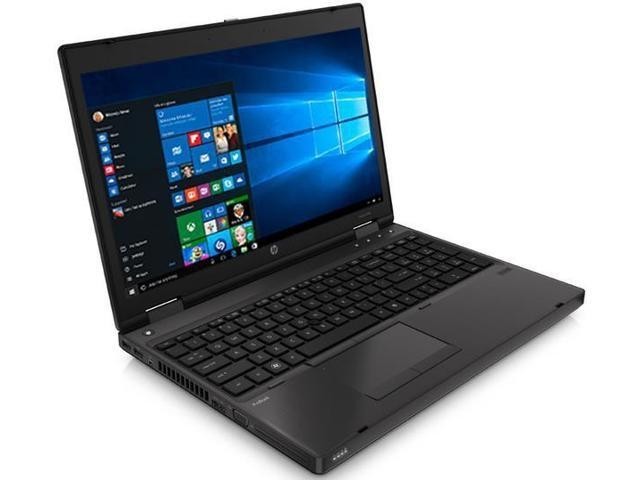

Photos from current listings. Actual item, color, and included accessories may vary.
HP Laptop Buying Guide
HP laptops span budget Pavilion plastic builds through MIL-STD-810H EliteBook business machines and RTX-powered Omen gaming rigs, so the real trade-off is panel quality and chassis rigidity versus price. The decisive rule: pick the CPU/GPU tier and panel type first, because chassis material and hinge quality track the product family, not the spec sheet.
Chassis Material:Polycarbonate / Aluminum / MagnesiumDisplay Panel:TN / IPS / OLED (FHD to 2.8K)GPU Tier:Integrated / GTX / RTX 40-seriesBusiness Durability:MIL-STD-810H on EliteBook only
Typical price range$119.00
Key takeaways
- EliteBook is the only HP line rated to MIL-STD-810H; Pavilion and consumer 15-inch models are not drop/shock tested to that standard.
- Panel tiers are decisive: TN panels wash out at off-angles, IPS fixes color shift, and OLED gives true blacks but adds burn-in risk on static taskbars.
- GPU tier splits cleanly: integrated graphics for office/web, GTX-class for 1080p esports, RTX 40-series for AAA gaming and GPU-accelerated creative work.
At a glance
- Category
- Computers & Peripherals
- Status
- Listings available
- Last updated
- Nov 28, 2026
Current offers
Highlights
- EliteBook is the only HP line rated to MIL-STD-810H; Pavilion and consumer 15-inch models are not drop/shock tested to that standard.
- Panel tiers are decisive: TN panels wash out at off-angles, IPS fixes color shift, and OLED gives true blacks but adds burn-in risk on static taskbars.
- GPU tier splits cleanly: integrated graphics for office/web, GTX-class for 1080p esports, RTX 40-series for AAA gaming and GPU-accelerated creative work.
- Chassis materials track family: magnesium on premium EliteBook/Spectre, aluminum on mid-range and Omen, polycarbonate on entry Pavilion and 15-inch budget lines.
Best use cases
- Pick an EliteBook (magnesium, MIL-STD-810H, IPS) for field, travel, or shared-office duty where drops and vibration are real; skip Pavilion plastic if the laptop leaves a desk daily.
- Pick an Omen with RTX 40-series discrete graphics for AAA gaming or video editing; skip integrated-graphics Pavilion models that throttle under sustained GPU load.
- Pick a Spectre or Envy with OLED and aluminum for media consumption and design work; skip OLED if you leave a static spreadsheet or taskbar on-screen for hours daily.
- Pick a 15-inch Pavilion with IPS and integrated graphics for home office and school; skip the TN panel variant and any 'special edition' listing with vague ATI Radeon graphics.
Buying tips
- Match GPU to workload: integrated for documents and streaming, GTX for 1080p 60fps esports, RTX 40-series for ray tracing and 1440p-plus gaming.
- Require IPS or OLED on any 15.6-inch panel; TN at that size produces severe vertical color shift and is the single biggest visual downgrade.
- For business durability, buy EliteBook specifically — MIL-STD-810H testing is not transferable to Pavilion, Envy, or ProBook by model name alone.
- Check the hinge and lid flex in reviews for polycarbonate models; aluminum and magnesium chassis resist palm-rest flex and screen wobble far better over years.
Specs
| Chassis Material | Polycarbonate / Aluminum / Magnesium |
|---|---|
| Display Panel | TN / IPS / OLED (FHD to 2.8K) |
| GPU Tier | Integrated / GTX / RTX 40-series |
| Business Durability | MIL-STD-810H on EliteBook only |
Alternatives to compare


Related searches
hp laptophp laptop touchscreenhp touchscreen laptophp probook laptophp stream laptophp victus gaming laptophp envy laptoppink hp laptophp 14 inch laptophp 14 laptophp envy x360 laptophp spectre laptopbest hp laptophp mini laptophp pavilion gaming laptophp envy 17 laptophp 15 laptophp 17 inch laptophp pavilion 15 laptophp i7 laptop
What to check before buying
- Measure your bag or desk footprint: 15.6-inch HP models run roughly 14.1 x 9.5 inches and 3.5-4.5 lb, so confirm sleeve and stand fit before choosing size.
- Confirm the panel resolution and type in the model number suffix — FHD IPS, FHD OLED, and 2.8K OLED are distinct SKUs with different battery draw.
- Verify the charger is USB-C PD or barrel-plug and match wall voltage; HP ships both 45W and 65W+ adapters depending on GPU tier.
- For gaming, confirm the RTX 40-series GPU wattage rating, not just the model name, since low-wattage variants lose significant frame rate.
FAQ
Data sources: eBay / Amazon listings and product attribute feeds. Updated Nov 28, 2026.
Some links on this page are affiliate links. If you buy after clicking one, we may earn a commission at no extra cost to you. This does not change which products appear here or their order. Affiliate disclosure.