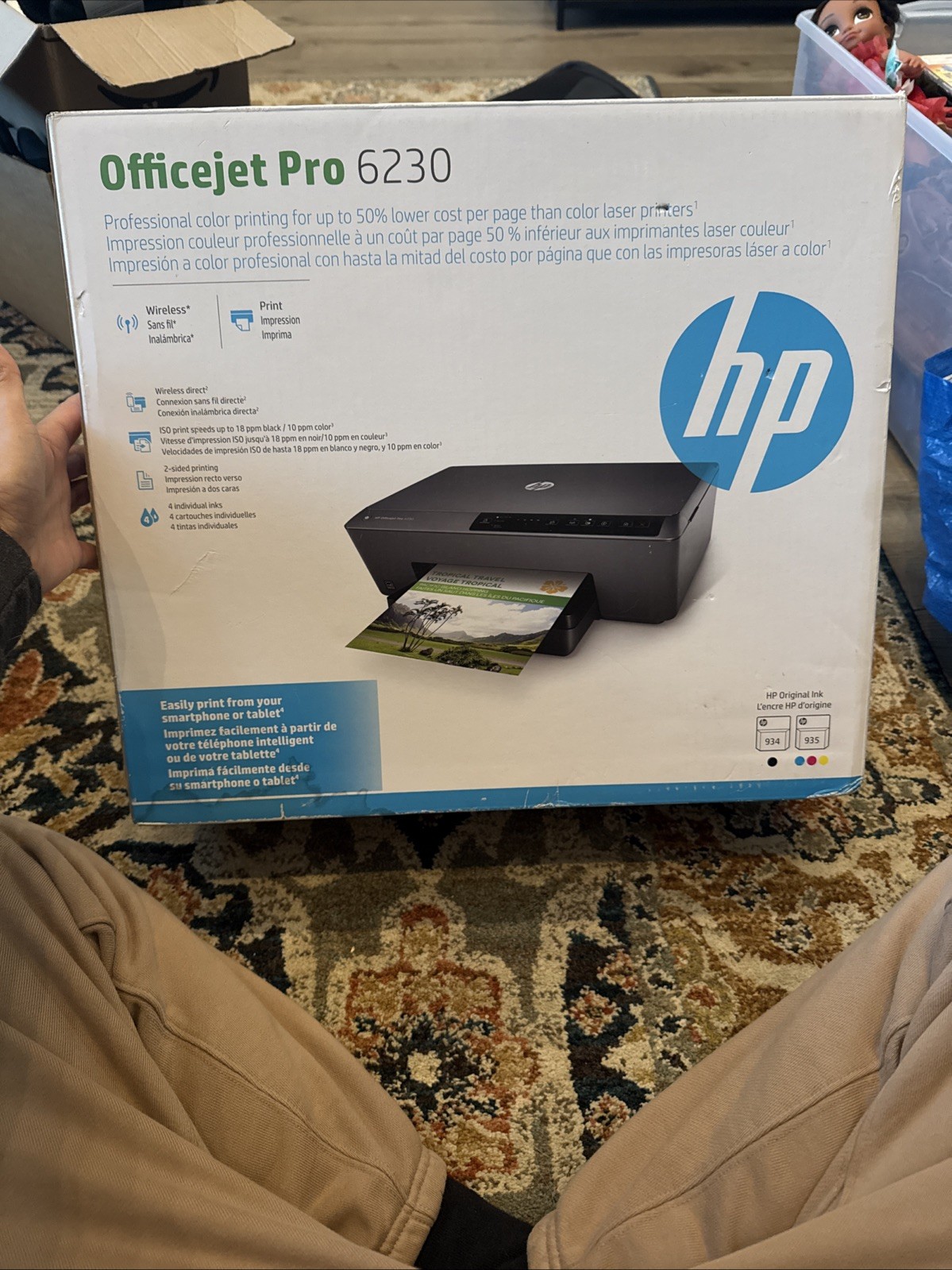

Photos from current listings. Actual item, color, and included accessories may vary.
HP OfficeJet Pro 6230 Buying Guide
The HP OfficeJet Pro 6230 is a compact wireless color inkjet built for small offices and home workers who need fast borderless prints and mobile connectivity without a flatbed scanner. It suits buyers who already scan with a phone or separate flatbed and prioritize speed-per-dollar over multifunction features. Skip it if you need copy/scan/fax in one chassis or high-volume duplex output.
Key takeaways
- Print engine is color inkjet with up to 29 ppm black and 24 ppm color in draft mode, dropping to roughly 10 ppm black and 7 ppm color in ISO laser-comparable mode.
- Wireless 802.11b/g/n plus Wi-Fi Direct and HP ePrint support mobile printing from iOS and Android; a USB 2.0 port handles direct wired connection.
- Single-sheet rear feed handles plain paper, photo paper, and envelopes up to 8.5x14 legal, with borderless printing on photo sizes up to 8.5x11.
At a glance
- Category
- Computers & Peripherals
- Status
- Listings available
- Last updated
- Nov 28, 2026
Current offers
Highlights
- Print engine is color inkjet with up to 29 ppm black and 24 ppm color in draft mode, dropping to roughly 10 ppm black and 7 ppm color in ISO laser-comparable mode.
- Wireless 802.11b/g/n plus Wi-Fi Direct and HP ePrint support mobile printing from iOS and Android; a USB 2.0 port handles direct wired connection.
- Single-sheet rear feed handles plain paper, photo paper, and envelopes up to 8.5x14 legal, with borderless printing on photo sizes up to 8.5x11.
- Uses HP 952 and 952XL cartridges in four individual color tanks (black, cyan, magenta, yellow), so a depleted color can be replaced without discarding the rest.
Best use cases
- Best fit: a home-office desk printing 50-300 color pages per month needing fast draft output and phone-based printing; pair with HP 952XL cartridges to cut cost per page.
- Best fit: a small team that already owns a scanner or copier and wants a low-footprint dedicated color printer for flyers, labels, and borderless photos.
- Wrong fit: anyone expecting scan, copy, or fax from the same unit — the 6230 is print-only; step up to an OfficeJet Pro 8000-series all-in-one instead.
- Wrong fit: high-volume duplex document workflows — there is no automatic duplexer, so two-sided printing is manual and slow at volume.
Buying tips
- Confirm the unit is the print-only 6230 ePrinter, not a 6200-series all-in-one; the model number on the top label should read E3E03A.
- Choose HP 952XL high-yield cartridges for any workload above roughly 100 pages per month; standard 952 tanks run dry quickly on color-heavy jobs.
- Check that your router broadcasts 2.4 GHz, since the 6230's Wi-Fi radio does not support 5 GHz-only networks.
- Avoid open-box units missing the setup cartridges or power adapter; replacement HP 952 cartridges and a compatible adapter add real cost to the deal.
Specs
| Printer Function | Print-only single function |
|---|---|
| Print Technology | Color inkjet, 4 individual tanks |
| Rated Speed | 29 ppm black / 24 ppm color draft |
| Connectivity | Wi-Fi 802.11b/g/n, Wi-Fi Direct, USB 2.0 |
Alternatives to compare
Related searches
What to check before buying
- Measure desk depth: the printer is roughly 17.8 x 16.1 x 5.6 inches with the rear feed extended, so leave rear clearance for legal-size paper.
- Verify a nearby 2.4 GHz Wi-Fi signal or a free USB port on your computer if you plan wired printing.
- Confirm 100-240V AC input with the supplied regional plug; the external power adapter handles voltage conversion, not the printer itself.
- Check your monthly page volume against the 952XL yield: standard tanks suit light use, XL tanks suit steady office output.
FAQ
Data sources: eBay / Amazon listings and product attribute feeds. Updated Nov 28, 2026.
Some links on this page are affiliate links. If you buy after clicking one, we may earn a commission at no extra cost to you. This does not change which products appear here or their order. Affiliate disclosure.