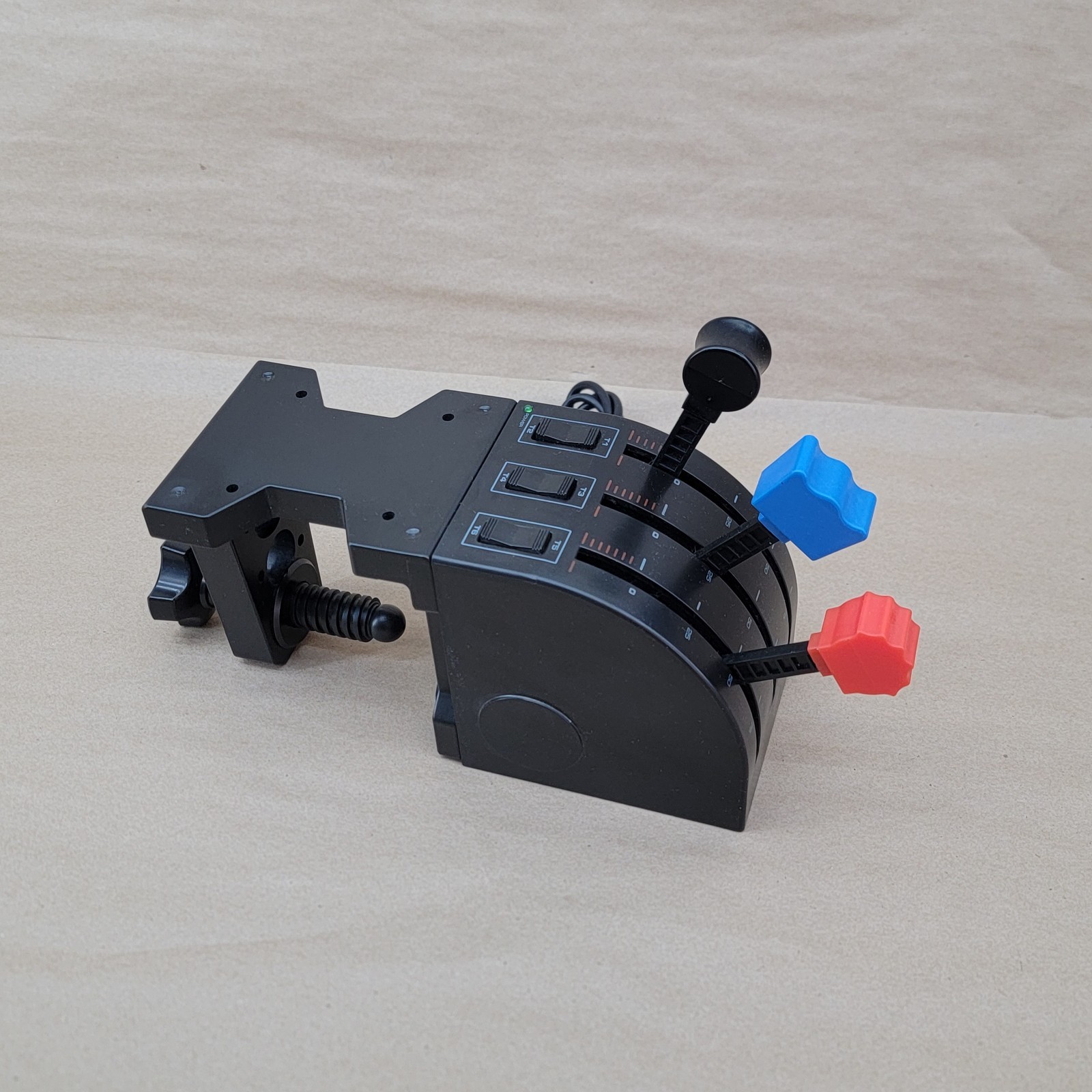

Photos from current listings. Actual item, color, and included accessories may vary.
Saitek Pro Flight Throttle Buying Guide
The Saitek Pro Flight Throttle is a three-lever USB throttle quadrant built for PC flight simulators, originally by Saitek and now sold under Logitech. The key trade-off is potentiometer-based plastic construction versus modern Hall-effect sensors: it is durable enough for casual and mid-level simming but will develop spiking pots under heavy use. Buy it only if you want a low-cost, plug-and-play multi-engine quadrant and accept eventual cleaning or replacement of the potentiometers.
Median $35.00
Key takeaways
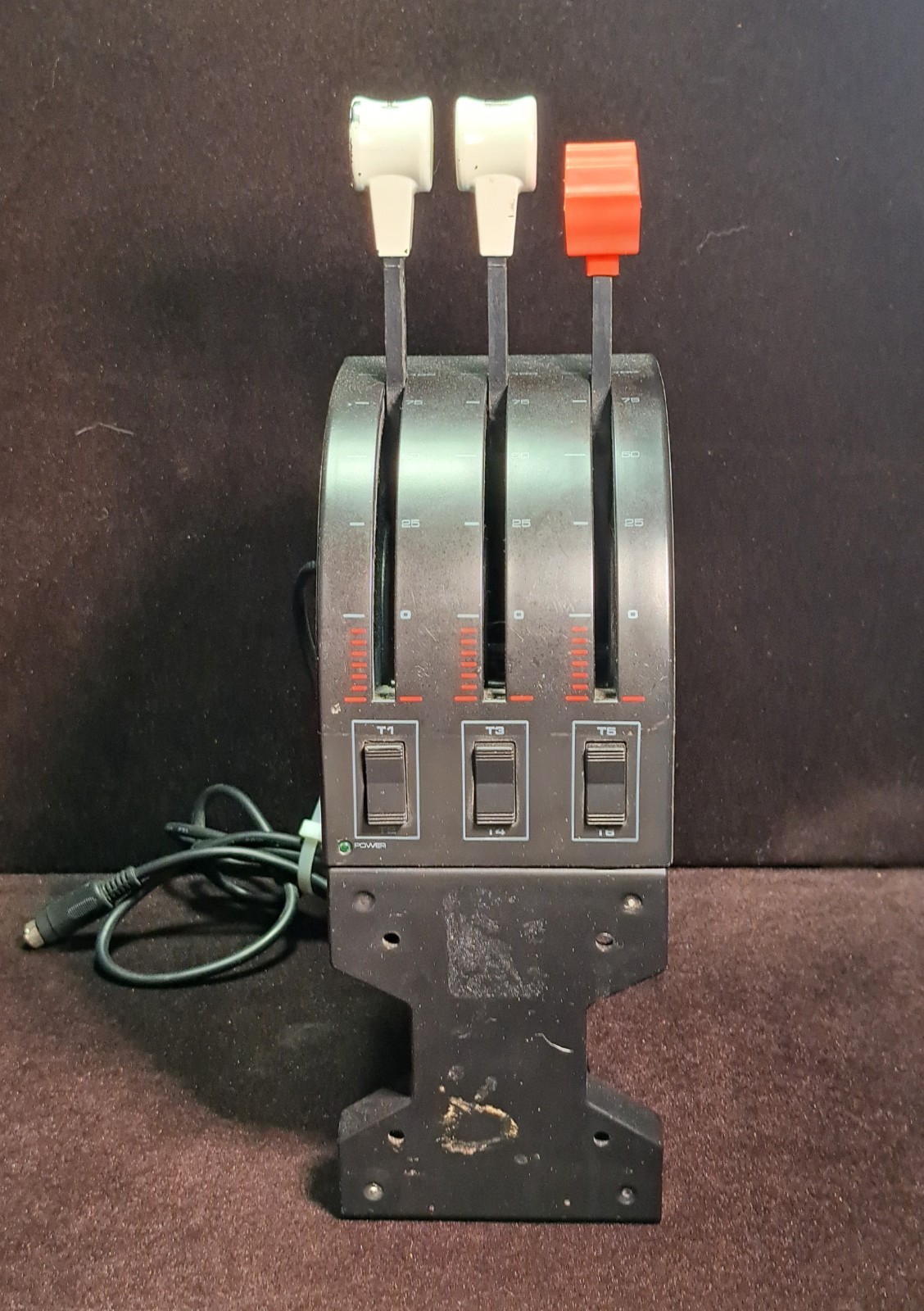
- Three independent levers cover throttle, prop RPM, and mixture for single-engine aircraft, or throttle for up to three engines.
- Uses potentiometer (analog resistor) position sensing rather than Hall-effect magnetic sensors; pots wear and spike over years of use.
- Plastic housing and lever arms with detents and friction adjusters; no metal gimbal or ball bearings like premium quadrants.
At a glance
- Category
- Flight Sim Yokes & Throttles
- Last updated
- Nov 24, 2026
Current offers
Highlights
- Three independent levers cover throttle, prop RPM, and mixture for single-engine aircraft, or throttle for up to three engines.
- Uses potentiometer (analog resistor) position sensing rather than Hall-effect magnetic sensors; pots wear and spike over years of use.
- Plastic housing and lever arms with detents and friction adjusters; no metal gimbal or ball bearings like premium quadrants.
- Connects via USB and appears as a standard game controller in Windows, so it works without proprietary drivers in most sims.
Best use cases
- Best fit: budget-minded simmers flying single-engine props or twin-engine GA aircraft in MSFS, X-Plane, or FSX who need mixture and prop control.
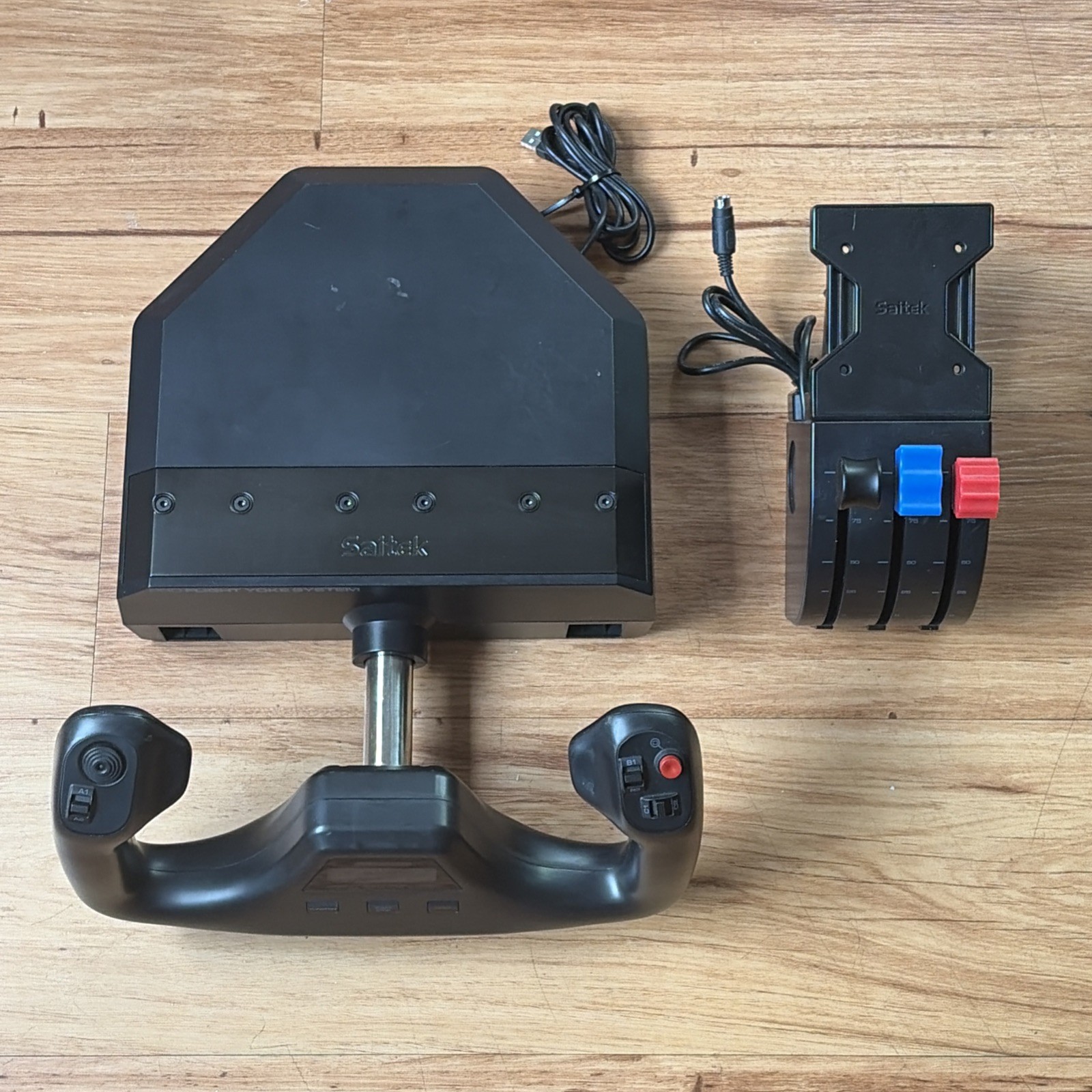
- Best fit: buyers pairing it with the Saitek/Logitech Pro Flight Yoke as a bundle, since the yoke's own thrust levers are limited to one axis.
- Wrong fit: airliner or multi-engine jet simmers who need four or more thrust levers, reverse detents, and Hall-effect precision—look at a dedicated Airbus/Boeing-style throttle.
- Wrong fit: competitive or long-session users who will wear out plastic pots; a Hall-effect quadrant from a modern brand is the durable choice.
Buying tips
- Confirm you are getting the standalone USB quadrant, not just the throttle handle from a yoke bundle—the yoke system listing often includes a different throttle module.
- Buy the Logitech-branded version over older Saitek-labeled stock when possible; it is the same design with later production and better driver support.
- Check for the three lever caps and the clamp/stand hardware; used units frequently ship missing levers or the mounting bracket.
- Plan on a USB-A port and Windows 10/11; the quadrant is plug-and-play, but calibration in Windows Game Controllers is required for full travel.
Specs
| Lever Count | 3 levers (throttle/prop/mixture) |
|---|---|
| Sensor Type | Potentiometer (analog, not Hall) |
| Connection | USB-A, plug-and-play Windows |
| Housing Material | Plastic body and lever arms |
Related searches
What to check before buying
- Measure your desk edge thickness for the included C-clamp; the quadrant mounts under or on the desk, not freestanding.
- Verify your simulator supports multiple USB input devices simultaneously; all modern sims do, but older titles may need add-on software.
- Confirm you have a free USB-A port and that the unit is the standalone quadrant, not a yoke-bundle throttle module.
- Check the listing photos for all three levers, lever caps, and the clamp—used units often lack these small parts.
FAQ
Data sources: eBay / Amazon listings and product attribute feeds. Updated Nov 24, 2026.
Some links on this page are affiliate links. If you buy after clicking one, we may earn a commission at no extra cost to you. This does not change which products appear here or their order. Affiliate disclosure.