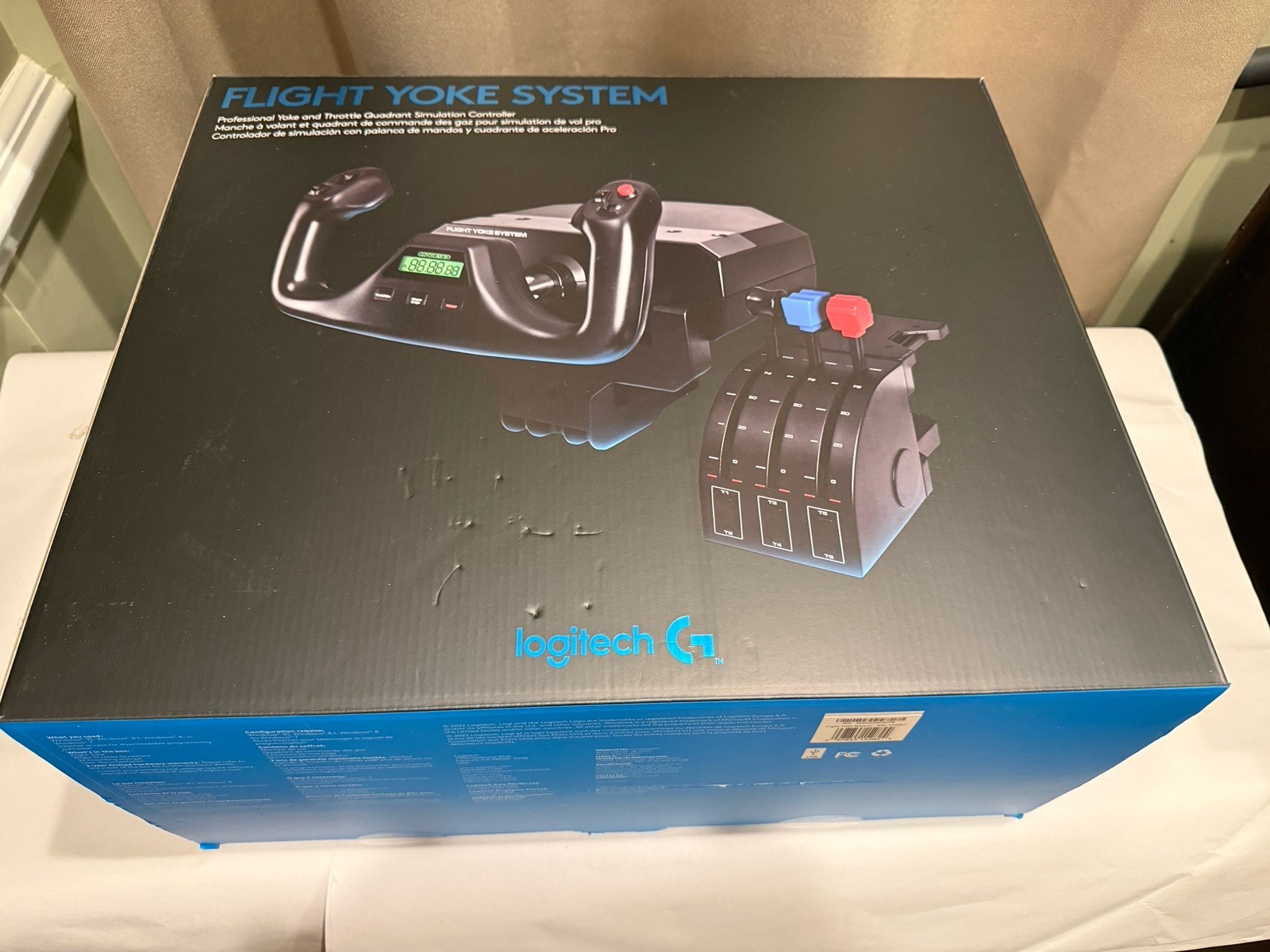

Photos from current listings. Actual item, color, and included accessories may vary.
Control Yoke Buying Guide
A control yoke is the primary pitch-and-roll interface for flight simulators, and the core trade-off is between plastic-bodied potentiometer yokes with limited travel and metal-shaft Hall-effect yokes with full 180-degree rotation. Buy a Hall-effect, metal-shaft yoke with at least 180° rotation and separate throttle quadrant if you want lasting precision; skip plastic potentiometer yokes unless you only need occasional casual flying.
Key takeaways
- Hall-effect (magnetic) sensors resist dust and wear indefinitely, while cheap potentiometers develop spiking dead zones after months of use.
- Full 180° yoke rotation (±90°) matches real aircraft control travel; budget yokes often stop at 90° total and feel twitchy in pitch.
- Metal internal shafts and ball-bearing gimbals eliminate the center detent and wobble that plague all-plastic yoke mechanisms.
At a glance
- Category
- Flight Sim Yokes & Throttles
- Last updated
- Nov 24, 2026
Current offers
Highlights
- Hall-effect (magnetic) sensors resist dust and wear indefinitely, while cheap potentiometers develop spiking dead zones after months of use.
- Full 180° yoke rotation (±90°) matches real aircraft control travel; budget yokes often stop at 90° total and feel twitchy in pitch.
- Metal internal shafts and ball-bearing gimbals eliminate the center detent and wobble that plague all-plastic yoke mechanisms.
- Integrated switch panels and separate throttle quadrants (prop/mixture/gear) distinguish full sim cockpits from bare two-axis yokes.
Best use cases
- Best fit: airliner and GA cockpit builders should pick a yoke with a bundled throttle quadrant and at least 6 assignable switches for gear, flaps, and trim.
- Best fit: desk-based casual flyers should choose a clamp-mount yoke under 5 lb with 90–180° rotation and USB plug-and-play, skipping rudder pedals initially.
- Wrong fit: helicopter or fighter-jet simmers should skip yokes entirely and buy a cyclic stick, since yokes cannot replicate collective or side-stick control.
- Wrong fit: buyers with glass desks or thin monitor shelves should avoid heavy metal yokes exceeding 8 lb without a reinforced clamp or permanent mount.
Buying tips
- Demand at least 180° of yoke rotation (±90°); anything less than 90° total travel makes pitch inputs overly sensitive and unrealistic.
- Choose Hall-effect or magnetic sensors over potentiometers — potentiometers wear out and cause jitter within a year of regular use.
- Match the yoke's clamp opening to your desk thickness: most clamp mounts accept 1–2 inches (25–50 mm) and need a flat, unobstructed edge.
- Confirm USB 2.0 plug-and-play with Windows 10/11 or macOS; avoid yokes requiring proprietary drivers or serial adapters that break on OS updates.
Specs
| Sensor Type | Hall-effect (magnetic) vs potentiometer |
|---|---|
| Yoke Rotation | 180° total (±90°) vs 90° total |
| Build Material | Metal shaft/ball-bearing vs all-plastic |
| Throttle Quadrant | Included 3-axis vs sold separately |
Related searches
What to check before buying
- Measure desk edge thickness and clearance — clamp yokes need 1–2 in (25–50 mm) flat lip and 6 in (150 mm) behind for cable routing.
- Verify PC OS compatibility: Windows 10/11 or macOS with native USB HID; avoid legacy gameport or serial yokes.
- Check whether a throttle quadrant and rudder pedals are included or sold separately, since bare yokes lack mixture/prop control.
- Confirm the yoke's footprint fits your sim rig or desk — full-size yokes run 12–16 in wide and need room for 180° rotation swing.
FAQ
Data sources: eBay / Amazon listings and product attribute feeds. Updated Nov 24, 2026.
Some links on this page are affiliate links. If you buy after clicking one, we may earn a commission at no extra cost to you. This does not change which products appear here or their order. Affiliate disclosure.