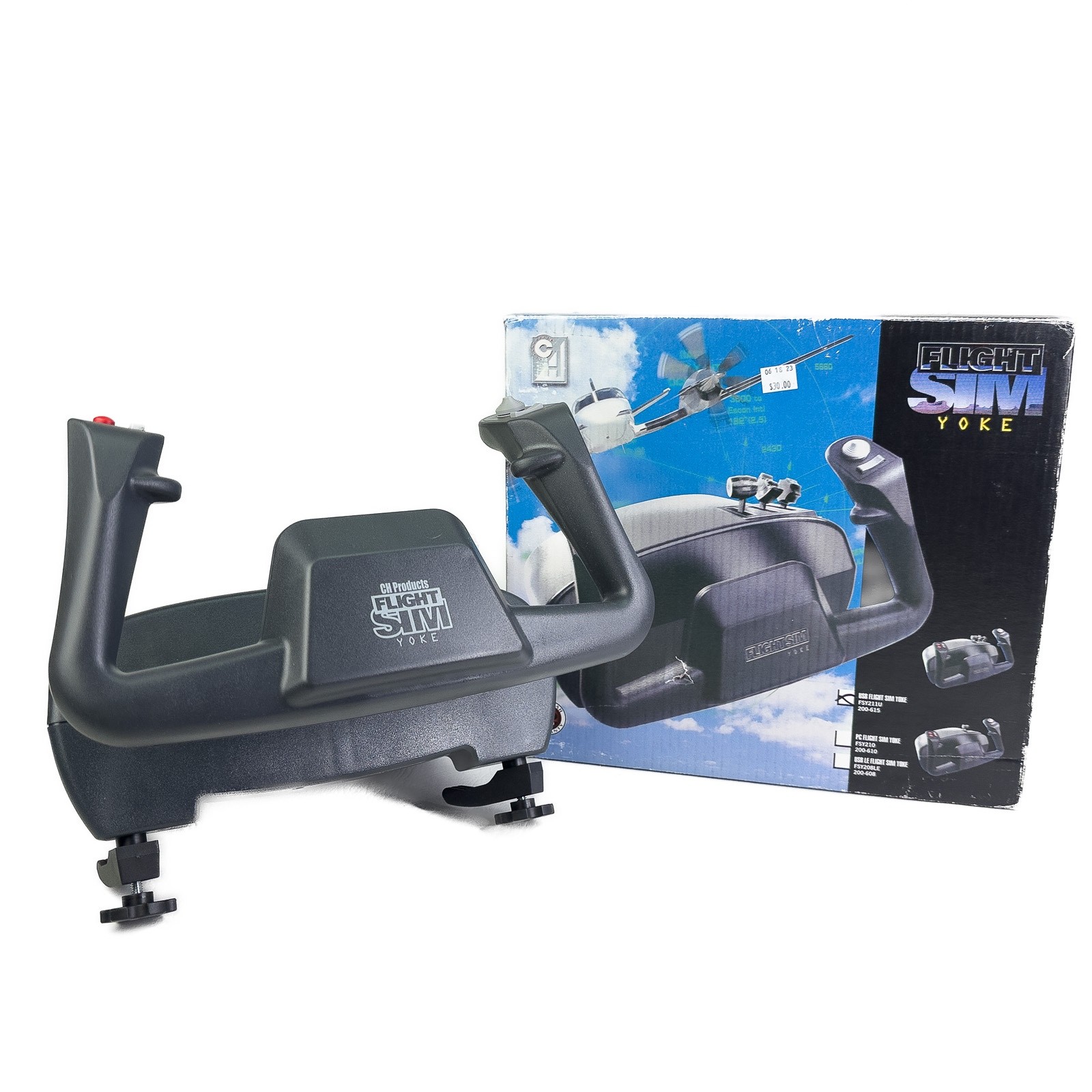

Photos from current listings. Actual item, color, and included accessories may vary.
Ch Product Flight Simulator Yoke Buying Guide
A CH Products flight simulator yoke is a USB plug-and-play control unit built around a spring-centered, plastic-bodied yoke with integrated throttle/mixture/prop levers, distinguished from modern force-feedback and hall-effect yokes by its legacy potentiometer sensors and light plastic construction. The core trade-off is durability and sensor resolution versus cost and instant compatibility: older FSY211U-class yokes work driver-free on modern sims but suffer potentiometer wear and center dead zones. Buy the newest USB revision if you want zero-setup legacy control; skip any used unit with unverified potentiometer condition or missing pedals if you need rudder authority.
Median $77.48
Key takeaways
- FSY211U is the USB revision of CH's classic yoke; earlier game-port versions require a USB adapter and lack native plug-and-play support in modern simulators.
- Sensor type is potentiometer-based, not hall-effect or force-feedback, so centering accuracy degrades with dust and wiper wear over years of use.
- Yoke travel is approximately 180 degrees of pitch/roll with integrated three-axis throttle/mixture/prop lever cluster on the base, not a separate quadrant.
At a glance
- Category
- Flight Sim Yokes & Throttles
- Last updated
- Nov 24, 2026
Current offers
Highlights
- FSY211U is the USB revision of CH's classic yoke; earlier game-port versions require a USB adapter and lack native plug-and-play support in modern simulators.
- Sensor type is potentiometer-based, not hall-effect or force-feedback, so centering accuracy degrades with dust and wiper wear over years of use.
- Yoke travel is approximately 180 degrees of pitch/roll with integrated three-axis throttle/mixture/prop lever cluster on the base, not a separate quadrant.
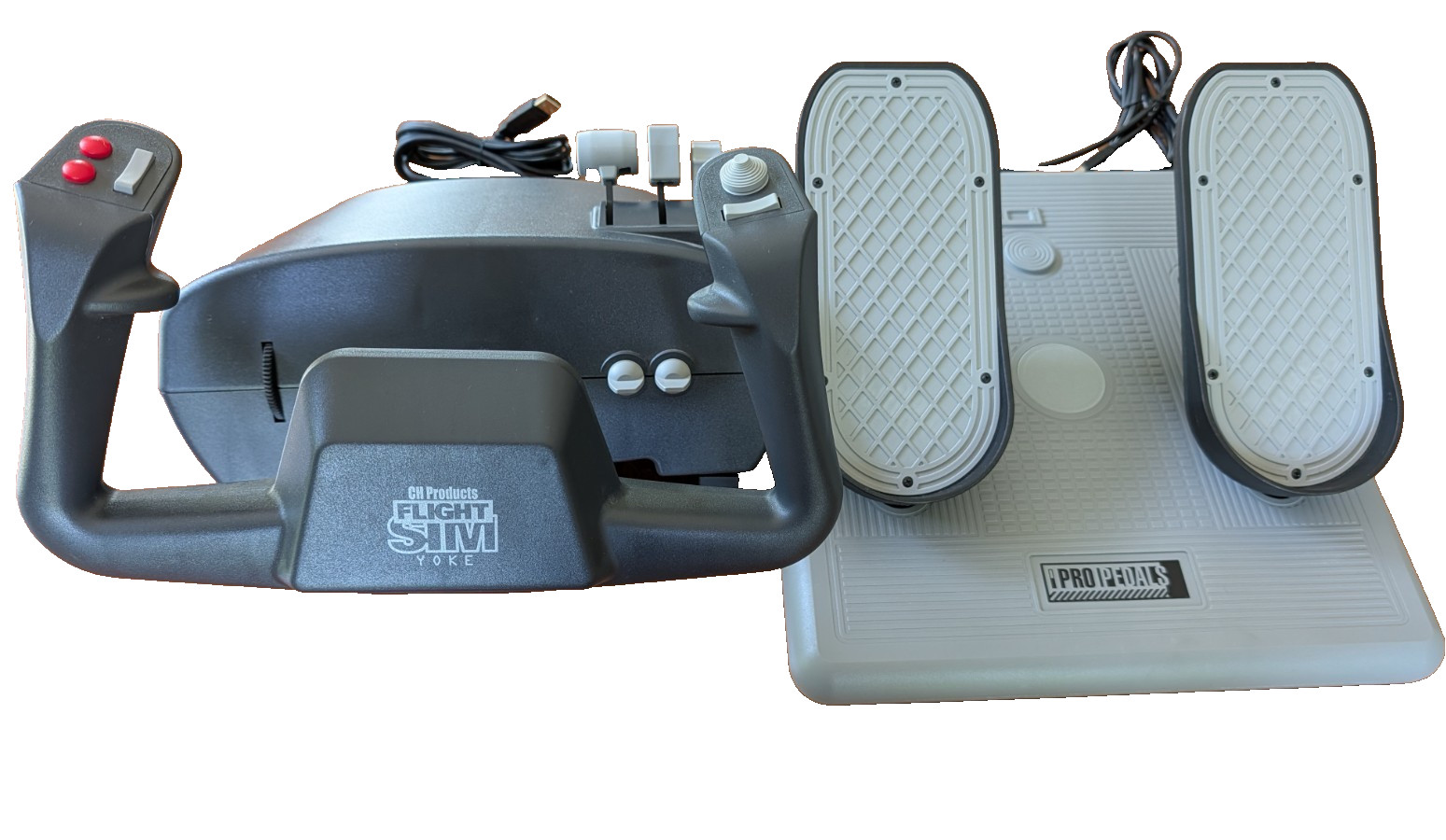
- Plastic-body construction with metal shaft and spring centering; bundled PPU995 Pro Pedals add rudder and differential braking via a second USB connection.
Best use cases
- Best fit: budget desktop simmers flying Microsoft Flight Simulator or X-Plane who want a plug-and-play yoke plus built-in levers and will accept potentiometer maintenance.
- Best fit: buyers pairing the FSY211U with PPU995 Pro Pedals for a complete rudder-and-brake setup without buying a separate throttle quadrant.
- Wrong fit: force-feedback or airliner-grade cockpit builders needing hall-effect sensors, 90+ degree yoke rotation, or motorized control loading—skip CH and look at force-feedback or high-end yoke systems.
- Wrong fit: competitive combat-sim users needing precise small-deflection input; the plastic gimbal and potentiometers make fine tracking harder than modern hall-effect sticks.
Buying tips
- Choose the USB FSY211U revision specifically; game-port yokes need a USB adapter and may not calibrate correctly in current Windows simulators.
- Confirm the unit includes the base clamp or desk mount—CH yokes are designed for desktop clamping, and missing hardware makes mounting unstable.
- If buying used, test all three lever axes and full pitch/roll travel for spiking or dead zones, which indicate worn potentiometers.
- Buy the yoke-plus-pedals bundle only if you need rudder; otherwise the standalone yoke saves desk space and one USB port.
Specs
| Connection | USB-A plug-and-play (FSY211U) |
|---|---|
| Sensor Type | Potentiometer, spring-centered |
| Yoke Travel | ~180° pitch/roll rotation |
| Included Axes | Pitch, roll, 3 lever axes |
Related searches
What to check before buying
- Measure desk thickness and overhang: CH yoke clamps need a flat edge with roughly 1.5–2 inches of clear lip and enough depth for the base footprint.
- Verify a free USB-A port (or powered hub) for the yoke and a second port if adding PPU995 pedals, which enumerate as a separate device.
- Check your simulator's controller support: MSFS and X-Plane recognize the FSY211U natively; some older titles need manual axis mapping.
- Confirm floor and desk space for pedals if bundled—PPU995 pedals require a stable floor surface and roughly shoulder-width stance.
FAQ
Data sources: eBay / Amazon listings and product attribute feeds. Updated Nov 24, 2026.
Some links on this page are affiliate links. If you buy after clicking one, we may earn a commission at no extra cost to you. This does not change which products appear here or their order. Affiliate disclosure.