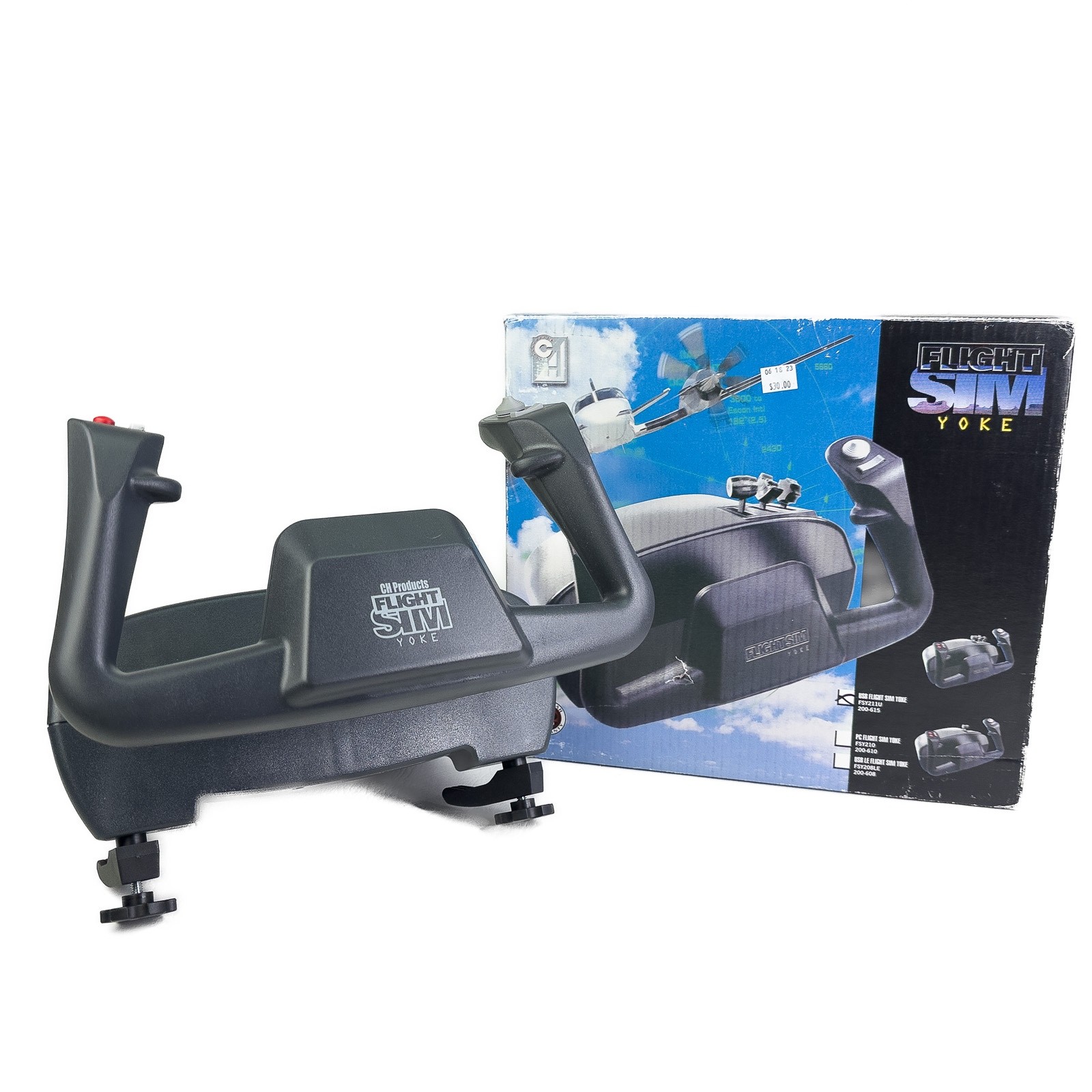

Photos from current listings. Actual item, color, and included accessories may vary.
Ch Product Flight Sim Yoke USB Buying Guide
A CH Products Flight Sim Yoke USB is a legacy-style, spring-centered yoke that connects via a built-in USB interface, offering plug-and-play compatibility without drivers. The primary trade-off is between the durable but dated potentiometer-based sensor design and modern Hall-effect sticks, with the USB model being the only version that avoids gameport adapters. Choose a USB-native FSY211U for hassle-free PC use; skip any gameport-era variant unless you already own a compatible adapter.
Median $77.48
Key takeaways
- FSY211U is the USB-native revision of CH's classic yoke; earlier gameport versions require a USB adapter and lack out-of-box plug-and-play.
- Uses potentiometers on all three axes (pitch, roll, and throttle lever), which are wear items that can be cleaned or replaced but drift over time.
- Built-in USB controller handles axis enumeration and button mapping; no separate driver CD is needed on modern Windows.
At a glance
- Category
- Flight Sim Yokes & Throttles
- Last updated
- Nov 24, 2026
Current offers
Highlights
- FSY211U is the USB-native revision of CH's classic yoke; earlier gameport versions require a USB adapter and lack out-of-box plug-and-play.
- Uses potentiometers on all three axes (pitch, roll, and throttle lever), which are wear items that can be cleaned or replaced but drift over time.
- Built-in USB controller handles axis enumeration and button mapping; no separate driver CD is needed on modern Windows.
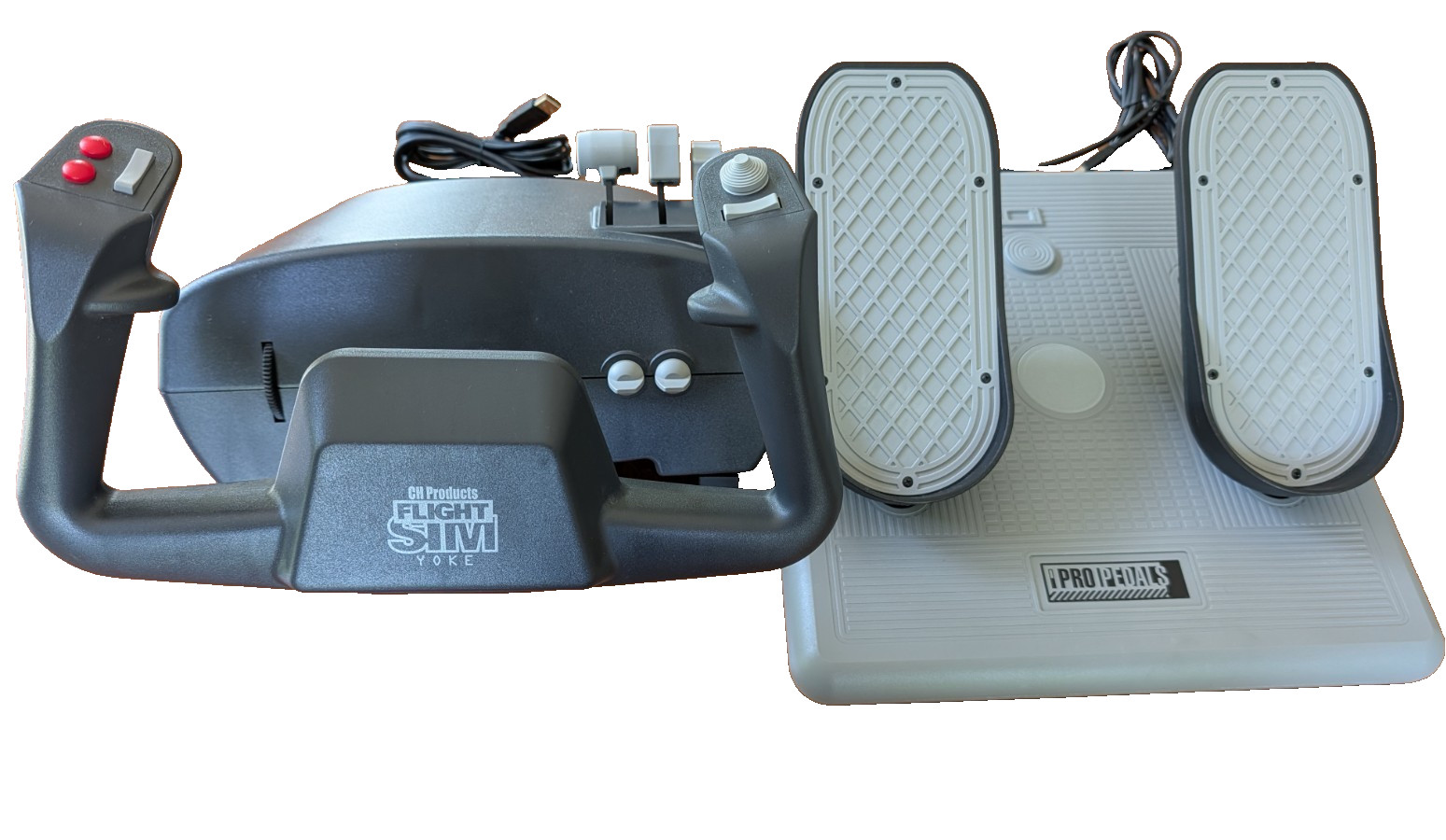
- Pro Pedals PPU995 connect through the yoke's pass-through port when bundled, saving a USB port and keeping axis mapping consistent.
Best use cases
- Best fit: Buy the FSY211U alone if you fly airliners or GA aircraft and need a budget USB yoke for pitch/roll with a built-in throttle lever; add the PPU995 bundle only if you want rudder and toe-brake control.
- Wrong fit: Skip this yoke if you require Hall-effect sensors, 900-degree rotation, or force feedback—those features are absent and cannot be added without hardware modification.
- Best fit: Choose the Pro Pedals bundle for taildragger or crosswind landings where rudder authority matters; skip the pedals if you only fly auto-coordinated or arcade-style sims.
- Wrong fit: Do not buy a gameport-era CH yoke for a modern PC unless you already own a working USB adapter and accept limited button mapping.
Buying tips
- Confirm the model number ends in U (FSY211U) before buying; gameport yokes look identical but will not enumerate as a USB HID device on modern PCs.
- Inspect potentiometer condition on used units: a clean, jitter-free center and smooth full-travel sweep indicate low wear; noisy or sticky axes mean replacement is imminent.
- If bundling with Pro Pedals, verify the pedal cable terminates in the yoke's pass-through port, not a separate gameport connector, to keep the single-USB setup.
- Check that the yoke's clamp spans your desk thickness (typically up to 2 inches) and that the base footprint fits without overhanging the desk edge.
Specs
| Connection | USB-A HID (FSY211U only) |
|---|---|
| Sensor Type | Potentiometer (3 axes) |
| Included Controls | Yoke + throttle lever + buttons |
| Pedal Bundle | PPU995 via yoke pass-through |
Related searches
What to check before buying
- Measure desk thickness and edge clearance: the yoke's C-clamp needs a flat, unobstructed lip and roughly 2 inches of thickness to grip securely.
- Confirm your PC has a free USB-A port and that you are not relying on a USB-C-only laptop without a hub.
- Verify the unit includes the USB cable and, if buying the bundle, that both the yoke and PPU995 pedals are present with their interconnect cable.
- Check floor surface and chair stability if adding pedals; a rolling chair on a hard floor will slide under rudder input without a mat or brake.
FAQ
Data sources: eBay / Amazon listings and product attribute feeds. Updated Nov 24, 2026.
Some links on this page are affiliate links. If you buy after clicking one, we may earn a commission at no extra cost to you. This does not change which products appear here or their order. Affiliate disclosure.