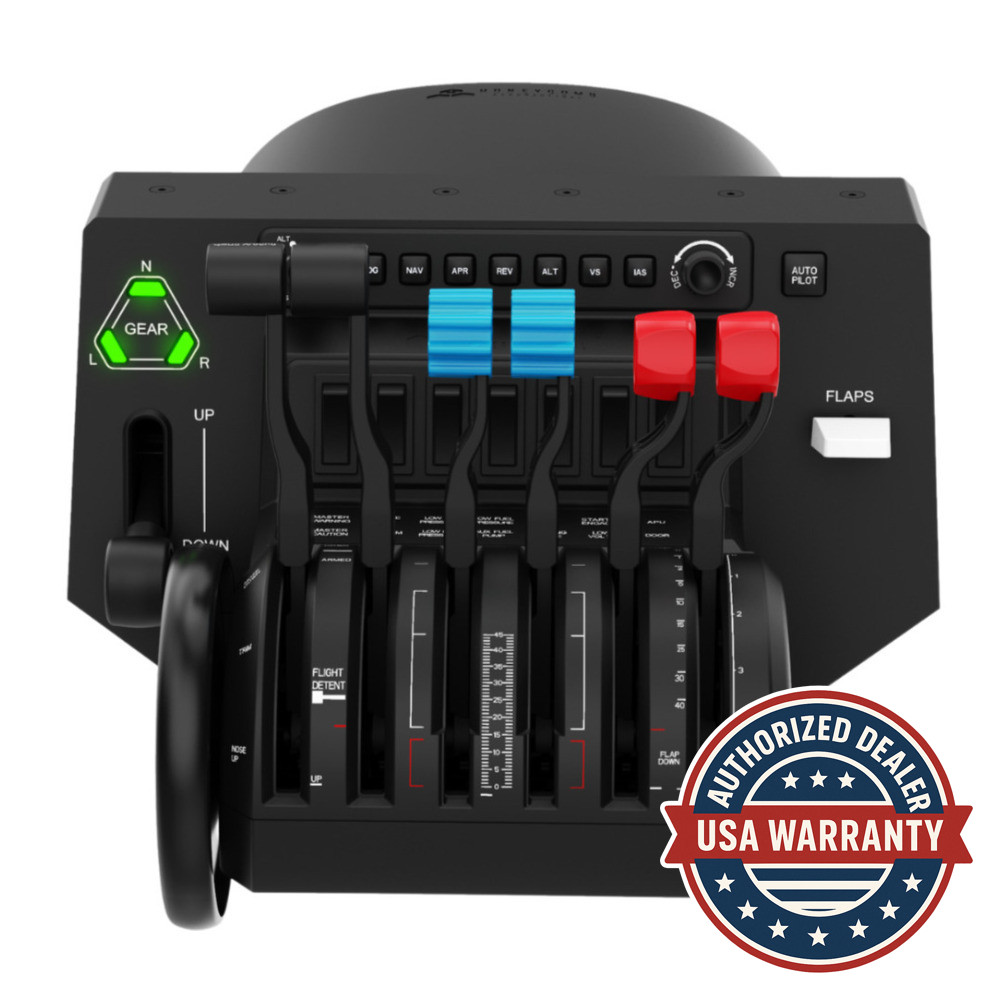

Photos from current listings. Actual item, color, and included accessories may vary.
Bravo Throttle Quadrant Buying Guide
The Bravo Throttle Quadrant is a modular, six-lever flight simulator throttle unit built for multi-engine and jet cockpit fidelity, distinguishing itself from single-lever throttles through configurable lever caps and optional add-on handles. The primary trade-off is between its broadly compatible plug-and-play USB architecture and the plastic housing and lever feel versus metal-bodied premium quadrants. The decision rule: buy the Bravo if you need six axes and modular GA/airliner configurations out of the box; skip it if you require force-feedback, hall-effect sensor longevity specs, or all-metal construction.
Key takeaways
- Six lever axes: two throttle, one prop, one mixture, plus two configurable levers for spoilers, flaps, or speedbrakes.
- Plug-and-play USB connection with built-in drivers; no external power supply or proprietary hub required.
- Configurable lever caps and detents for GA (throttle/prop/mixture) and airliner (throttle/speedbrake/flaps) profiles.
At a glance
- Category
- Flight Sim Yokes & Throttles
- Last updated
- Nov 24, 2026
Current offers
Highlights
- Six lever axes: two throttle, one prop, one mixture, plus two configurable levers for spoilers, flaps, or speedbrakes.
- Plug-and-play USB connection with built-in drivers; no external power supply or proprietary hub required.
- Configurable lever caps and detents for GA (throttle/prop/mixture) and airliner (throttle/speedbrake/flaps) profiles.
- Plastic housing and lever construction; compatible with add-on handles and mounting via standard clamp or bolt pattern.
Best use cases
- Best fit: multi-engine GA and airliner simmers needing six axes and swappable lever caps for prop, mixture, spoiler, and flap control—pick the Bravo.
- Wrong fit: helicopter or space-sim pilots needing collective or twist-rudder axes—skip the Bravo and choose a dedicated collective or HOTAS.
- Best fit: desk-mounted sim rigs with USB-A ports and clamp-friendly surfaces—the Bravo's plug-and-play design works without a hub.
- Wrong fit: buyers requiring all-metal lever feel or force feedback—skip the Bravo and look at metal-bodied quadrants or force-feedback yokes.
Buying tips
- Count your required axes: six levers cover twin-engine throttle, prop, mixture, plus spoiler and flap—fewer axes means a cheaper single-lever throttle is sufficient.
- Confirm USB-A port availability and cable routing space; the Bravo is bus-powered and needs no external adapter.
- Check lever cap and detent compatibility if you fly both GA and airliner profiles—swappable caps and configurable detents are the Bravo's key differentiator.
- Measure desk thickness and clamp clearance before mounting; plastic housing means avoid overtightening clamps to prevent stress cracks.
Specs
| Lever Axis Count | 6 axes (2 throttle, prop, mixture, 2 aux) |
|---|---|
| Connection | USB-A plug-and-play, bus-powered |
| Housing Material | Plastic body and levers |
| Lever Configuration | Swappable caps + configurable detents |
Related searches
What to check before buying
- Desk or rig surface must accommodate the quadrant footprint and clamp or bolt mounting pattern.
- Verify at least one free USB-A port within cable reach; no powered hub is required.
- Confirm your sim supports multi-axis throttle mapping (MSFS, X-Plane, Prepar3D) for all six levers.
- Check whether add-on lever handles or detent kits are needed for your aircraft profile before purchase.
FAQ
Data sources: eBay / Amazon listings and product attribute feeds. Updated Nov 24, 2026.
Some links on this page are affiliate links. If you buy after clicking one, we may earn a commission at no extra cost to you. This does not change which products appear here or their order. Affiliate disclosure.