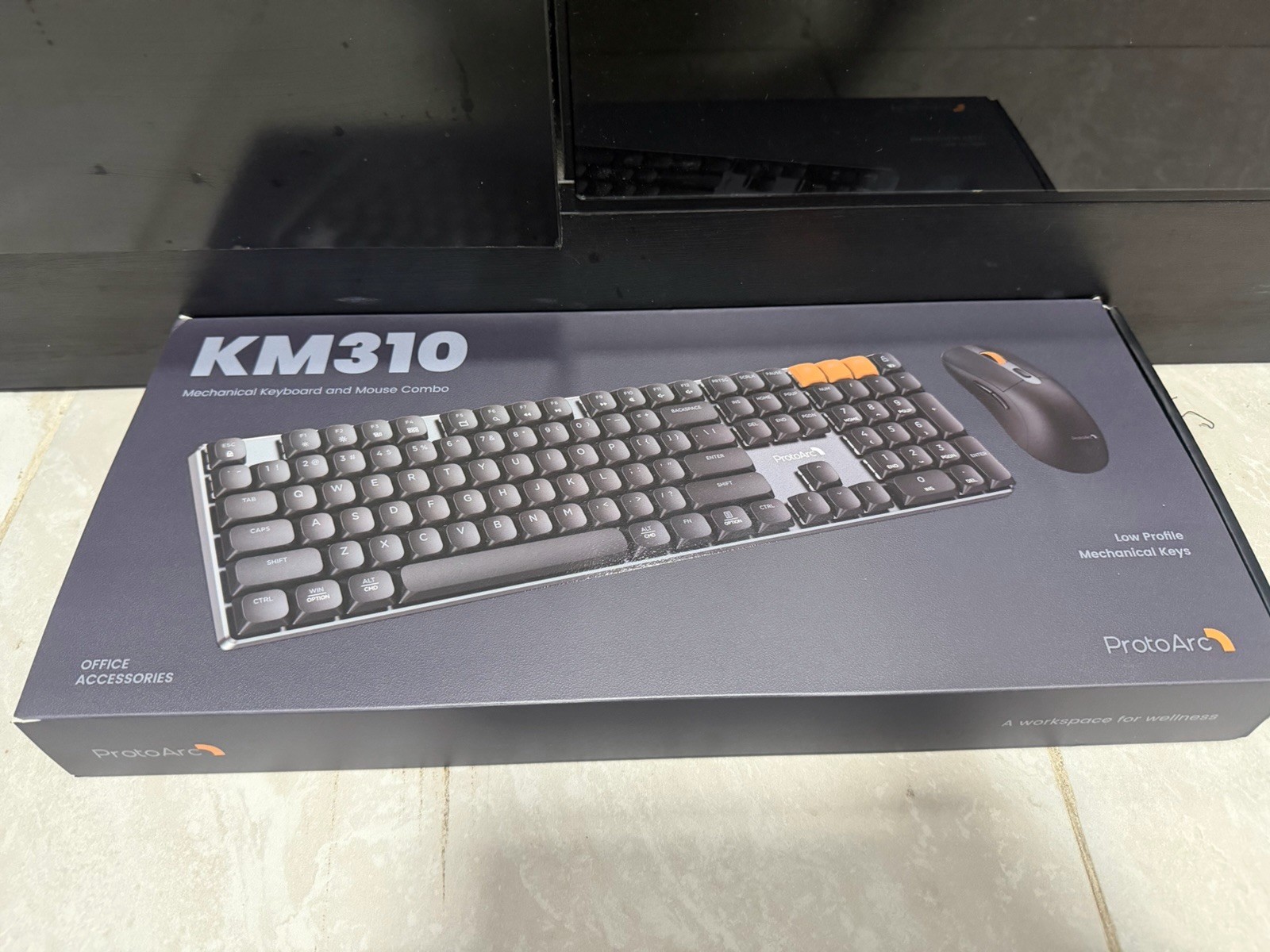

Photos from current listings. Actual item, color, and included accessories may vary.
Wireless Mouse And Keyboard Buying Guide
Wireless mouse and keyboard bundles span from membrane-and-optical combos to true mechanical keyboards with high-polling mice, where the primary trade-off is wireless latency/reliability versus battery life and build materials. The decisive rule: choose a bundle with a dedicated 2.4 GHz dongle (or dual-mode Bluetooth) and user-replaceable or high-capacity rechargeable cells, and skip any set that relies solely on Bluetooth for the keyboard or uses non-replaceable coin cells.
Key takeaways
- Connection architecture: 2.4 GHz USB dongle delivers sub-10 ms latency and stable polling; Bluetooth 5.0+ adds device switching but adds 15-30 ms and is unsuitable for competitive gaming.
- Keyboard switch type: mechanical (hot-swappable or soldered) with 50-100 million keystroke lifespan versus membrane domes rated 5-10 million cycles; aluminum top plates reduce chassis flex.
- Mouse sensor and polling: optical sensors at 1000 Hz polling (1 ms report) and 400-1600 DPI are standard; 125 Hz polling mice feel laggy for fast cursor work.
At a glance
- Category
- Mechanical Keyboards
- Last updated
- Nov 24, 2026
Current offers
Highlights
- Connection architecture: 2.4 GHz USB dongle delivers sub-10 ms latency and stable polling; Bluetooth 5.0+ adds device switching but adds 15-30 ms and is unsuitable for competitive gaming.
- Keyboard switch type: mechanical (hot-swappable or soldered) with 50-100 million keystroke lifespan versus membrane domes rated 5-10 million cycles; aluminum top plates reduce chassis flex.
- Mouse sensor and polling: optical sensors at 1000 Hz polling (1 ms report) and 400-1600 DPI are standard; 125 Hz polling mice feel laggy for fast cursor work.
- Power system: rechargeable Li-ion (500-1500 mAh) in keyboard and mouse versus AA/AAA cells; USB-C charging is now the standard, micro-USB indicates older generation.
Best use cases
- Best fit for shared home office: dual-mode (2.4 GHz + Bluetooth) keyboard with 3-device switching and a 1000 Hz optical mouse; skip single-Bluetooth sets that lag on wake.
- Best fit for competitive gaming: 2.4 GHz dongle-only bundle with 1000 Hz polling mouse and hot-swappable mechanical keyboard; skip Bluetooth-only combos and membrane keyboards.
- Best fit for travel/portable: low-profile mechanical or scissor keyboard with built-in rechargeable battery and a compact 2.4 GHz mouse; skip full-size aluminum boards over 1 kg.
- Wrong fit: silent office or classroom use with loud clicky switches (Blue-style); choose linear (Red-style) or tactile (Brown-style) switches instead.
Buying tips
- Verify keyboard layout and size: full-size (104 keys) needs 17.5 in width, TKL (87 keys) 14.5 in, 75% (84 keys) 12.5 in; measure desk depth for wrist rest clearance.
- Check mouse sensor polling rate: 1000 Hz (1 ms) is required for gaming; 125 Hz (8 ms) is acceptable only for basic office work.
- Confirm switch hot-swap support: 3-pin or 5-pin hot-swap sockets accept aftermarket switches; soldered boards lock you into the original switch feel.
- Match battery capacity to use: keyboard 1000+ mAh and mouse 500+ mAh with USB-C charging; coin-cell (CR2032) mice need replacement every 6-12 months.
Specs
| Connection | 2.4 GHz dongle / Bluetooth 5.0+ |
|---|---|
| Keyboard Switch | Mechanical hot-swap / membrane |
| Mouse Polling | 1000 Hz gaming / 125 Hz office |
| Battery & Charging | Rechargeable Li-ion / USB-C |
Related searches
What to check before buying
- Measure desk width: full-size keyboard plus mouse needs at least 24 in of linear space; TKL or 75% frees 3-5 in.
- Confirm USB-A or USB-C port availability for the 2.4 GHz dongle; laptops with only USB-C need a hub or a USB-C dongle.
- Check wireless interference environment: 2.4 GHz dongles share spectrum with Wi-Fi and USB 3.0 ports; keep dongle on a front port or extension cable.
- Verify plug standard and voltage for any included charging cable: USB-C (5V) is universal; proprietary or micro-USB cables add clutter.
FAQ
Data sources: eBay / Amazon listings and product attribute feeds. Updated Nov 24, 2026.
Some links on this page are affiliate links. If you buy after clicking one, we may earn a commission at no extra cost to you. This does not change which products appear here or their order. Affiliate disclosure.