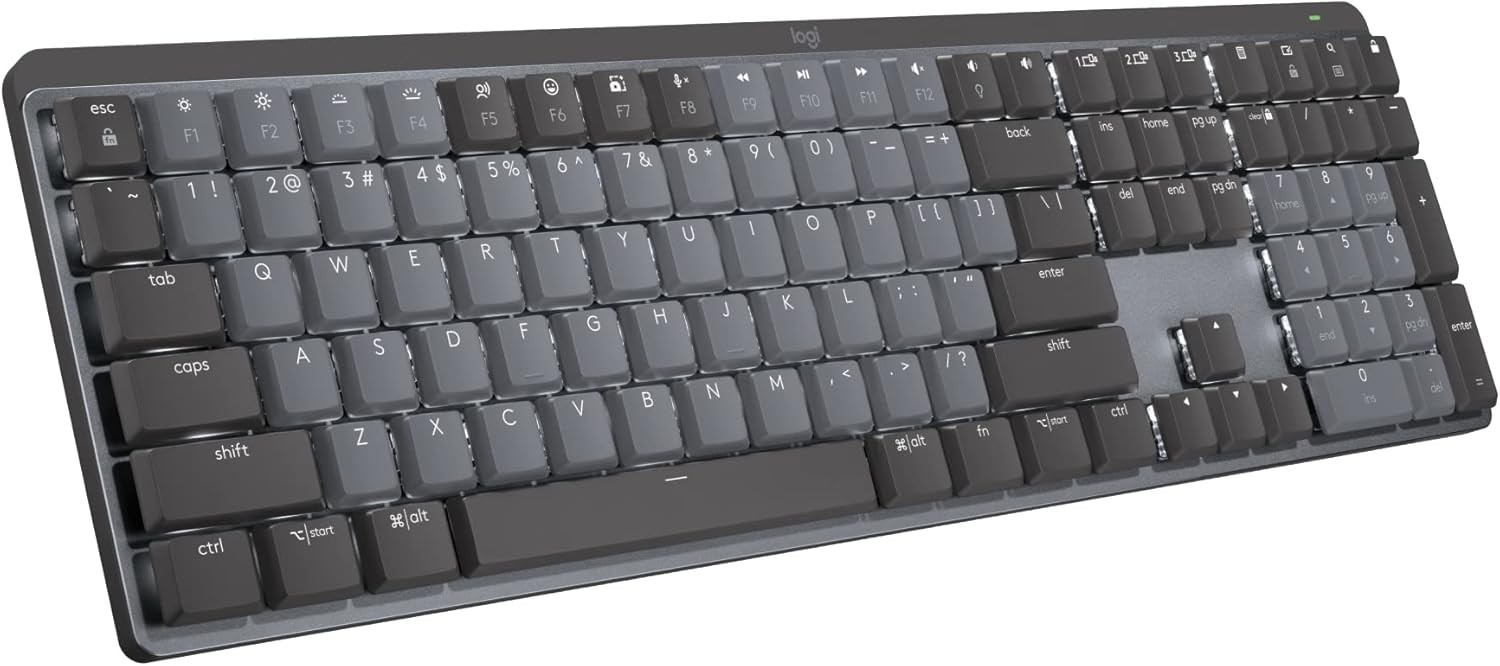

Photos from current listings. Actual item, color, and included accessories may vary.
Tactile Mechanical Keyboard Buying Guide
A tactile mechanical keyboard uses a switch with a distinct bump at actuation, giving physical feedback without the loud click of a blue switch. The core trade-off is switch feel versus noise and price: premium tactile switches (brown, clear, or custom) balance bump and sound, while budget boards often use scratchy clones or loud clicky-style bumps. Buy a board with hot-swappable sockets and a standard layout if you want to tune feel; skip non-swappable budget boards unless you are certain of the switch.
Key takeaways
- Switch type: tactile brown (moderate bump, quiet) vs clear/heavy tactile (stronger bump, heavier spring) vs clicky (bump plus audible click—wrong for shared offices)
- Hot-swap sockets (5-pin compatibility) let you change switches without soldering; non-swappable boards lock you into the stock switch forever
- Keycap material: PBT (thicker, textured, resistant to shine) vs ABS (smoother, develops shine faster); doubleshot PBT is the durability benchmark
At a glance
- Category
- Mechanical Keyboards
- Last updated
- Nov 24, 2026
Current offers
Highlights
- Switch type: tactile brown (moderate bump, quiet) vs clear/heavy tactile (stronger bump, heavier spring) vs clicky (bump plus audible click—wrong for shared offices)
- Hot-swap sockets (5-pin compatibility) let you change switches without soldering; non-swappable boards lock you into the stock switch forever
- Keycap material: PBT (thicker, textured, resistant to shine) vs ABS (smoother, develops shine faster); doubleshot PBT is the durability benchmark
- Build tiers: plastic case with plate mount vs gasket-mounted aluminum with foam damping; gasket and foam reduce resonance and improve tactile feel
Best use cases
- Best fit: shared office or open-plan home—choose a brown tactile switch with PBT keycaps and foam damping; skip clicky blue switches and loud hollow plastic cases.
- Best fit: heavy typist wanting pronounced feedback—pick clear or heavy tactile switches (60g+ actuation) in a gasket-mounted board; skip light linear or thin ABS keycaps.
- Best fit: first mechanical buyer or tinkerer—pick a hot-swap 5-pin board in 75% or TKL layout; skip soldered budget boards and non-standard layouts with few keycap options.
Buying tips
- Match switch weight to finger strength: 45–55g actuation for all-day typing, 60–70g for deliberate heavy typists; avoid 35g ultra-lights for tactile bumps.
- Choose PBT keycaps (1.4–1.5mm thick) over ABS for shine resistance; confirm doubleshot or dye-sublimated legends for long-term durability.
- Prioritize hot-swap sockets rated for 5-pin switches (Cherry MX style) so you can swap in any standard tactile switch without soldering.
- For noise control, look for gasket mounting with silicone or foam layers; a plastic tray-mount case amplifies the tactile bump into hollow ping.
Specs
| Switch Type | Tactile brown / clear / blue clicky |
|---|---|
| Hot-Swap | 5-pin socket vs soldered |
| Keycap Material | PBT doubleshot vs ABS |
| Mount Style | Gasket vs tray / plate mount |
Related searches
What to check before buying
- Measure desk space for your layout: full-size (104 keys) needs ~45cm width; TKL ~36cm; 75% ~32cm; 65% ~30cm—leave room for mouse movement.
- Confirm connectivity: USB-C wired for lowest latency and no charging; 2.4GHz dongle for wireless; Bluetooth for multi-device—check your devices' ports.
- Verify keycap compatibility: standard bottom row (1.25u modifiers) allows aftermarket keycaps; non-standard layouts limit replacement options.
- Check OS support: most boards support Windows and macOS, but confirm key legend and media key function for your primary OS before buying.
FAQ
Data sources: eBay / Amazon listings and product attribute feeds. Updated Nov 24, 2026.
Some links on this page are affiliate links. If you buy after clicking one, we may earn a commission at no extra cost to you. This does not change which products appear here or their order. Affiliate disclosure.