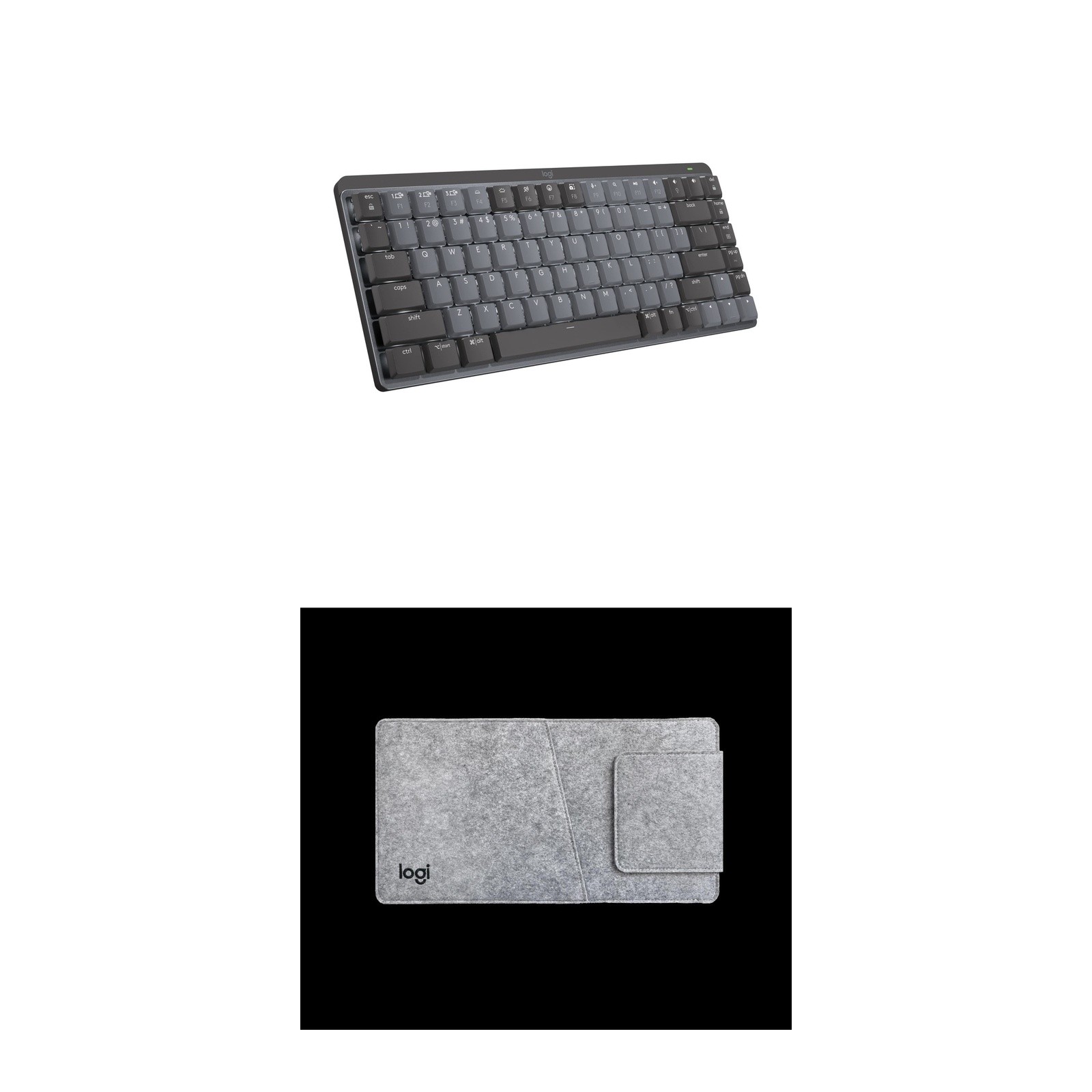

Photos from current listings. Actual item, color, and included accessories may vary.
Mx Mechanical Mini Mac Buying Guide
The MX Mechanical Mini for Mac is a low-profile wireless mechanical keyboard built specifically for macOS, using tactile or linear Choc-style switches and a compact 65% layout. The critical trade-off is switch feel versus portability: low-profile mechanical switches deliver faster actuation and a shorter travel than scissor switches but demand tighter keycap tolerance and battery management. Buy a genuine Mac-layout model with native media keys and Bluetooth multi-device pairing; skip any white-label 'mechanical mini' that lacks macOS keycaps or uses non-standard low-profile stems.
Key takeaways
- Low-profile mechanical switches (Kailh Choc V2 or Logitech ML) give 3.0–3.2 mm total travel versus 1.5–2.0 mm on scissor-switch Mac keyboards, improving tactile feedback without full-height key wobble.
- Native macOS layout includes Command and Option keycap legends plus a full F-row with Mission Control, Spotlight, and media functions—Windows-labeled Minis require software remapping and lose printed shortcuts.
- Bluetooth LE multi-device pairing (typically 3 channels) plus USB-C charging; battery life ranges 10–15 days with backlight on or up to 6 months with backlight off, depending on switch type and polling rate.
At a glance
- Category
- Mechanical Keyboards
- Last updated
- Nov 24, 2026
Current offers
Highlights
- Low-profile mechanical switches (Kailh Choc V2 or Logitech ML) give 3.0–3.2 mm total travel versus 1.5–2.0 mm on scissor-switch Mac keyboards, improving tactile feedback without full-height key wobble.
- Native macOS layout includes Command and Option keycap legends plus a full F-row with Mission Control, Spotlight, and media functions—Windows-labeled Minis require software remapping and lose printed shortcuts.
- Bluetooth LE multi-device pairing (typically 3 channels) plus USB-C charging; battery life ranges 10–15 days with backlight on or up to 6 months with backlight off, depending on switch type and polling rate.
- 65% layout drops the numpad and function row spacing but retains arrow keys and Delete; 75% adds a function row at the cost of ~20 mm extra width—measure desk depth before choosing.
Best use cases
- Best fit: MacBook or Mac mini users who want tactile mechanical feedback in a bag-friendly 65% footprint and will use Bluetooth switching between laptop and iPad—pick the tactile brown switch for typing, linear red for low-noise office use.
- Best fit: Writers and coders who need native Command/Option legends and media keys out of the box—choose the Mac-specific model rather than a Windows Mini plus remapping software.
- Wrong fit: Users who need a numpad for spreadsheets or CAD—step up to a 96% or full-size low-profile board; a 65% Mini will force an external numpad.
- Wrong fit: Competitive gamers needing sub-1 ms polling—low-profile Bluetooth mechanicals typically run 125 Hz–1000 Hz wired only; pick a wired 2.4 GHz gaming board instead.
Buying tips
- Confirm the keycap legend set: a true Mac Mini prints Command (⌘) and Option (⌥) and includes F3 Mission Control and F4 Spotlight—Windows-legend Minis require Karabiner-Elements remapping and lose resale value.
- Match switch type to noise environment: tactile brown switches (55–60 gf actuation) suit shared offices; linear red (45–50 gf) is quieter but offers no bump; clicky blue is too loud for open-plan or calls.
- Check Bluetooth version and channels: Bluetooth 5.1+ with 3 host channels enables laptop/tablet/phone switching; older 4.0 models drop connections and lack fast pairing.
- Verify charging standard: USB-C is mandatory for 2024+ buyers; micro-USB models are legacy stock and should be skipped even at a discount.
Specs
| Layout | 65% compact / 75% with F-row |
|---|---|
| Switch Type | Low-profile mechanical (Choc V2 / ML) |
| Connectivity | Bluetooth LE 5.1 / USB-C wired |
| Battery | 10-15 days backlit / ~6 mo off |
Related searches
What to check before buying
- Measure your desk or bag: 65% Mini is roughly 310–320 mm wide; confirm it fits beside a mouse or in a 13-inch laptop sleeve before buying.
- Confirm macOS version: native media keys and Logi Options+ / Logitech Bolt support require macOS 11 Big Sur or later; older Macs may need firmware updates.
- Check Bluetooth host support: ensure your Mac, iPad, or iPhone supports Bluetooth LE 4.2+ for multi-device pairing; Intel Macs pre-2017 may have weaker antennas.
- Verify keycap compatibility if you plan to swap: low-profile Choc stems (not MX cross) require Choc-specific keycaps—standard MX keycaps will not fit.
FAQ
Data sources: eBay / Amazon listings and product attribute feeds. Updated Nov 24, 2026.
Some links on this page are affiliate links. If you buy after clicking one, we may earn a commission at no extra cost to you. This does not change which products appear here or their order. Affiliate disclosure.