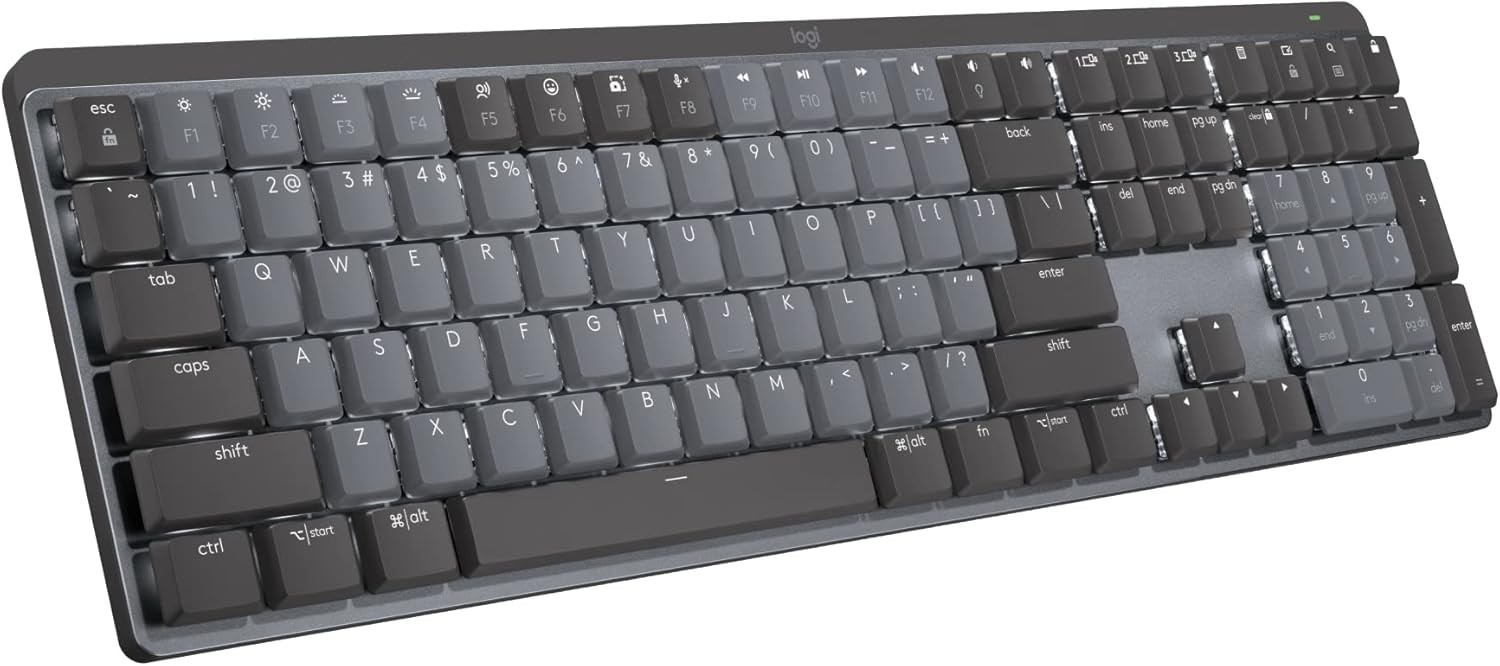

Photos from current listings. Actual item, color, and included accessories may vary.
Logitech Wireless Mechanical Keyboard Buying Guide
A Logitech wireless mechanical keyboard is a low-profile or full-height board using Logitech's proprietary Lightspeed or Bluetooth wireless, with switch type and build material being the primary performance and durability trade-offs. The clear rule: buy a Lightspeed model with genuine mechanical switches (MX Mechanical or G915/G815) for low-latency typing and multi-device use; skip membrane-hybrid 'mechanical-feel' boards or older micro-USB generations if you need current USB-C charging and multi-host reliability.
Key takeaways
- Logitech wireless mechanical lines split into Lightspeed 2.4 GHz (near-zero latency, dongle required) and Bluetooth-only boards; multi-host models pair up to three devices.
- MX Mechanical uses low-profile Tactile Quiet, Linear, or Clicky switches rated for roughly 50 million keystrokes, with an aluminum top plate and PBT or ABS keycaps depending on tier.
- G915/G815 full-height models use GL mechanical switches (Clicky, Tactile, Linear) with per-key LIGHTSYNC RGB and a dedicated media row plus metal top case.
At a glance
- Category
- Mechanical Keyboards
- Last updated
- Nov 24, 2026
Current offers
Highlights
- Logitech wireless mechanical lines split into Lightspeed 2.4 GHz (near-zero latency, dongle required) and Bluetooth-only boards; multi-host models pair up to three devices.
- MX Mechanical uses low-profile Tactile Quiet, Linear, or Clicky switches rated for roughly 50 million keystrokes, with an aluminum top plate and PBT or ABS keycaps depending on tier.
- G915/G815 full-height models use GL mechanical switches (Clicky, Tactile, Linear) with per-key LIGHTSYNC RGB and a dedicated media row plus metal top case.
- Charging generation matters: current models use USB-C, while older G613/G915 revisions and many secondhand units still ship micro-USB; battery life ranges from about 15 hours with RGB to over 10 months with backlighting off.
Best use cases
- Best fit: MX Mechanical or MX Mechanical Mini for office and multi-device typists who want low-profile mechanical feel plus easy Windows/macOS/iPad switching via Bluetooth or Bolt receiver.
- Best fit: G915 or G915 TKL for gamers needing Lightspeed latency, per-key RGB, and dedicated media controls; choose GL Linear for fast actuation or GL Tactile for feedback.
- Wrong fit: buyers wanting hot-swappable switches or custom keycap compatibility should skip Logitech's soldered low-profile designs and choose a standard MX-stem hot-swap board instead.
- Wrong fit: budget buyers should avoid the premium MX/G915 tiers if backlighting and multi-device pairing are unnecessary; a basic Bluetooth mechanical board delivers the same typing mechanics for less.
Buying tips
- Match switch to use: Tactile Quiet for shared offices and quiet calls, Linear for gaming and fast repeated keys, Clicky only if audible feedback is acceptable in your room.
- Confirm wireless module: Lightspeed requires the included USB-A dongle and offers the lowest latency; Bluetooth-only modes add wake latency and are best for productivity, not competitive play.
- Check charging port generation before buying used: USB-C models charge faster and share cables; micro-USB G613/G915 revisions need a dedicated cable.
- Size rule: full-size includes numpad and media row; TKL drops the numpad; Mini (75% or 60% layout) saves desk width but loses dedicated function and arrow clusters on some models.
Specs
| Switch Type | Low-profile Tactile/Linear/Clicky or GL |
|---|---|
| Wireless | Lightspeed 2.4 GHz / Bluetooth / Bolt |
| Layout Sizes | Full-size, TKL, 75% Mini |
| Charging Port | USB-C (current) vs micro-USB (older) |
Related searches
What to check before buying
- Measure desk depth and width: full-size G915 is about 18.7 inches wide, so confirm clearance for a mouse and monitor stand; TKL and Mini free 3 to 5 inches.
- Verify host ports: Lightspeed needs a free USB-A port (or USB-C adapter); Bluetooth needs an available radio and OS support for multi-device pairing.
- Check OS and app support: Logitech Options+ (MX series) and G HUB (G series) are required for remapping, backlight control, and firmware updates; confirm your OS version is supported.
- Plan for charging access: confirm a nearby USB-C or micro-USB cable route, and note battery life drops sharply with RGB or backlighting enabled.
FAQ
Data sources: eBay / Amazon listings and product attribute feeds. Updated Nov 24, 2026.
Some links on this page are affiliate links. If you buy after clicking one, we may earn a commission at no extra cost to you. This does not change which products appear here or their order. Affiliate disclosure.