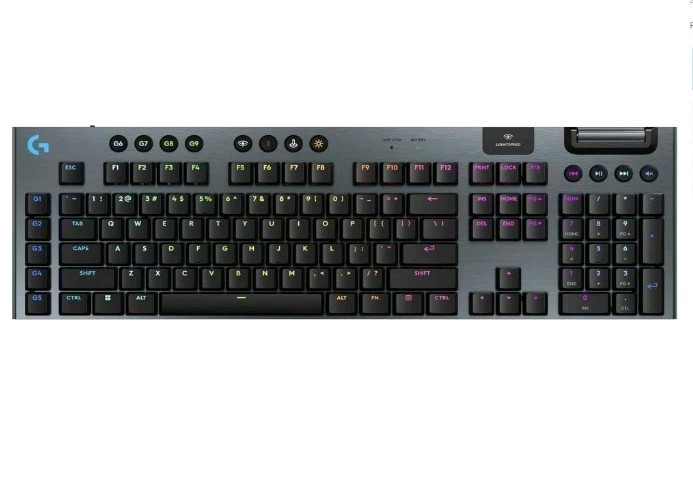

Photos from current listings. Actual item, color, and included accessories may vary.
Logitech Wireless Gaming Keyboard Buying Guide
A Logitech wireless gaming keyboard is a low-latency RF (Lightspeed) or Bluetooth board built for competitive play, with the core trade-off being switch type (mechanical vs. optical vs. membrane) and connection architecture (Lightspeed vs. Bluetooth-only) that dictates latency and battery life. Choose a Lightspeed mechanical model with hot-swap or verified switch life for durability; skip Bluetooth-only or membrane models if you need tournament-grade response.
Median $122.50
Key takeaways
- Lightspeed 2.4 GHz wireless delivers 1 ms report rate and is the only Logitech connection tier suitable for competitive gaming; Bluetooth adds latency and is for productivity only.
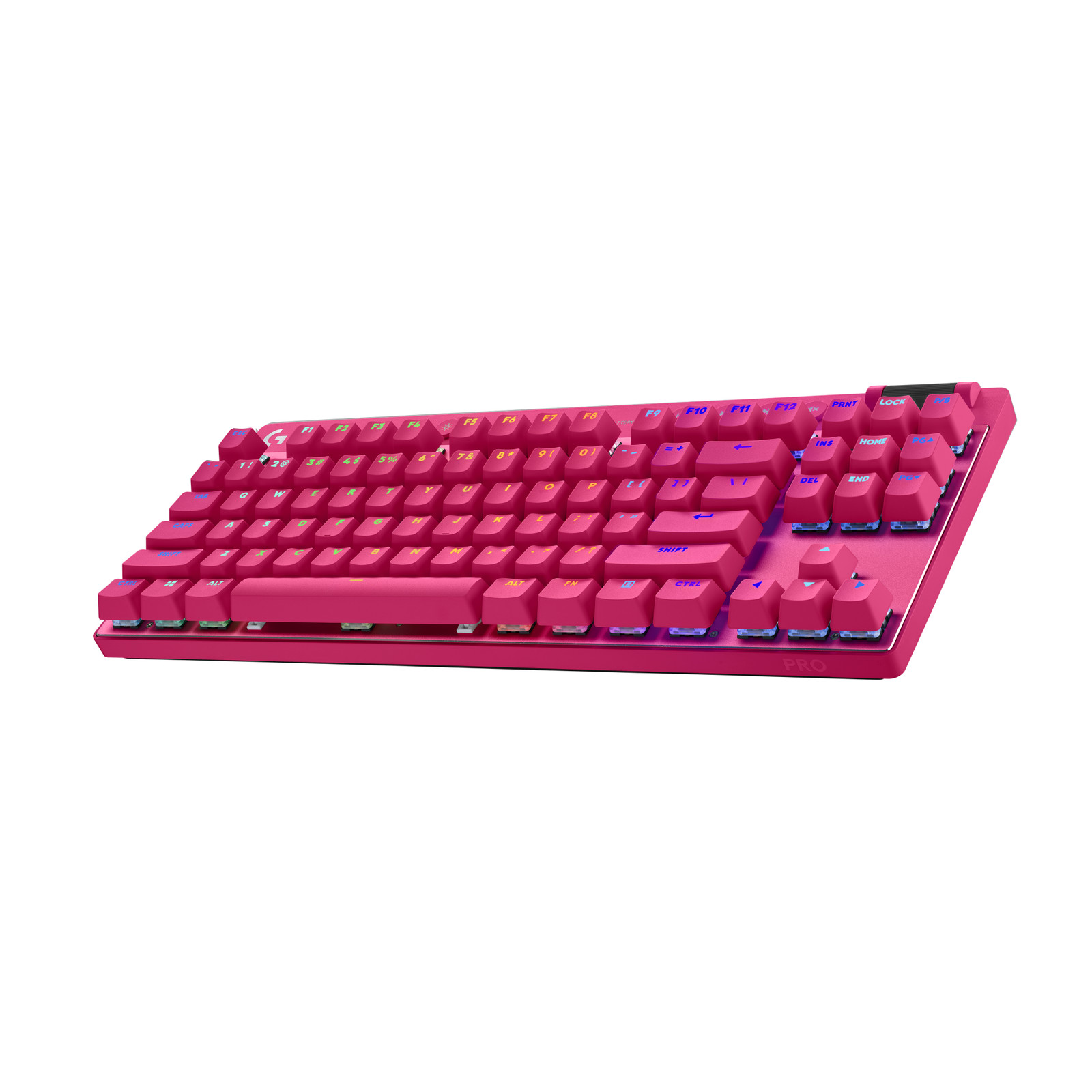
- G915 X uses low-profile GL mechanical switches (Tactile/Clicky/Linear) with 1.5 mm actuation; G Pro X TKL uses full-height GX switches with 1.9 mm actuation and standard MX-compatible keycaps.
- Switch durability: GX and GL mechanical switches are rated for 70 million keystrokes; membrane or scissor models drop to 10–20 million and are not repairable.
At a glance
- Category
- Mechanical Keyboards
- Last updated
- Nov 24, 2026
Current offers
Highlights
- Lightspeed 2.4 GHz wireless delivers 1 ms report rate and is the only Logitech connection tier suitable for competitive gaming; Bluetooth adds latency and is for productivity only.
- G915 X uses low-profile GL mechanical switches (Tactile/Clicky/Linear) with 1.5 mm actuation; G Pro X TKL uses full-height GX switches with 1.9 mm actuation and standard MX-compatible keycaps.
- Switch durability: GX and GL mechanical switches are rated for 70 million keystrokes; membrane or scissor models drop to 10–20 million and are not repairable.
- Battery life scales with backlight: G915 X runs up to 800 hours with lighting off, but only ~35–100 hours at full RGB; G Pro X TKL is similar, so budget for weekly USB-C charging under heavy RGB use.
Best use cases
- Competitive FPS/BR players: pick a Lightspeed mechanical TKL or full-size with 1 ms report rate and tactile/linear switches; skip Bluetooth-only boards and membrane models.
- Streamers and desktop battlestations: choose G915 X full-size for low-profile GL switches, media keys, and volume roller; skip TKL if you need dedicated macro and media controls.
- LAN/travel and small-desk setups: choose G Pro X TKL for compact footprint and detachable cable; skip full-size if your desk depth is under 60 cm or you pack the board weekly.
- Productivity-first buyers who occasionally game: Bluetooth multi-device models are fine, but skip them if you play ranked shooters—2.4 GHz Lightspeed is the non-negotiable tier.
Buying tips
- Confirm the connection tier in the model name: 'Lightspeed' means 2.4 GHz low-latency dongle; 'Bluetooth' or 'Multi-Device' models are productivity-first and not equivalent for gaming.
- Match switch height to keycap ecosystem: low-profile GL switches (G915/G915 X) use proprietary low-profile keycaps, while full-height GX switches (G Pro X TKL) accept standard MX-style keycaps for replacement or customization.
- Size rule: measure desk depth and mouse-swing space; full-size boards need ~45 cm width, TKL ~36 cm, and 75%/60% ~32 cm or less—pick TKL if your mouse hand crosses the numpad zone.
- Check wireless polling and battery: 1 ms report rate requires the Lightspeed dongle (not Bluetooth); expect 30–100 hours RGB-on, so choose a model with USB-C charging and use lighting-off profiles for multi-week battery.
Specs
| Connection | Lightspeed 2.4 GHz / Bluetooth |
|---|---|
| Switch Type | Mechanical GL low-profile / GX full-height |
| Form Factor | Full-size / TKL |
| Battery (RGB off) | Up to 800 hr |
Related searches
What to check before buying
- Desk measurement: confirm at least 45 cm width clearance for full-size, 36 cm for TKL, and 10 cm behind the board for dongle line-of-sight or USB extension.
- Connection environment: 2.4 GHz Lightspeed needs a free USB-A port or included extension; crowded USB hubs and metal desks can degrade signal, so plan a front-panel or extension-cable dongle placement.
- Switch and keycap ecosystem: decide whether you need hot-swap or standard MX keycap compatibility (G Pro X TKL) versus low-profile proprietary keycaps (G915 X) before committing.
- Power and OS: confirm USB-C charging is available at your setup and that Logitech G HUB software supports your OS for macro/lighting profiles; onboard memory matters if you swap between machines.
FAQ
Data sources: eBay / Amazon listings and product attribute feeds. Updated Nov 24, 2026.
Some links on this page are affiliate links. If you buy after clicking one, we may earn a commission at no extra cost to you. This does not change which products appear here or their order. Affiliate disclosure.