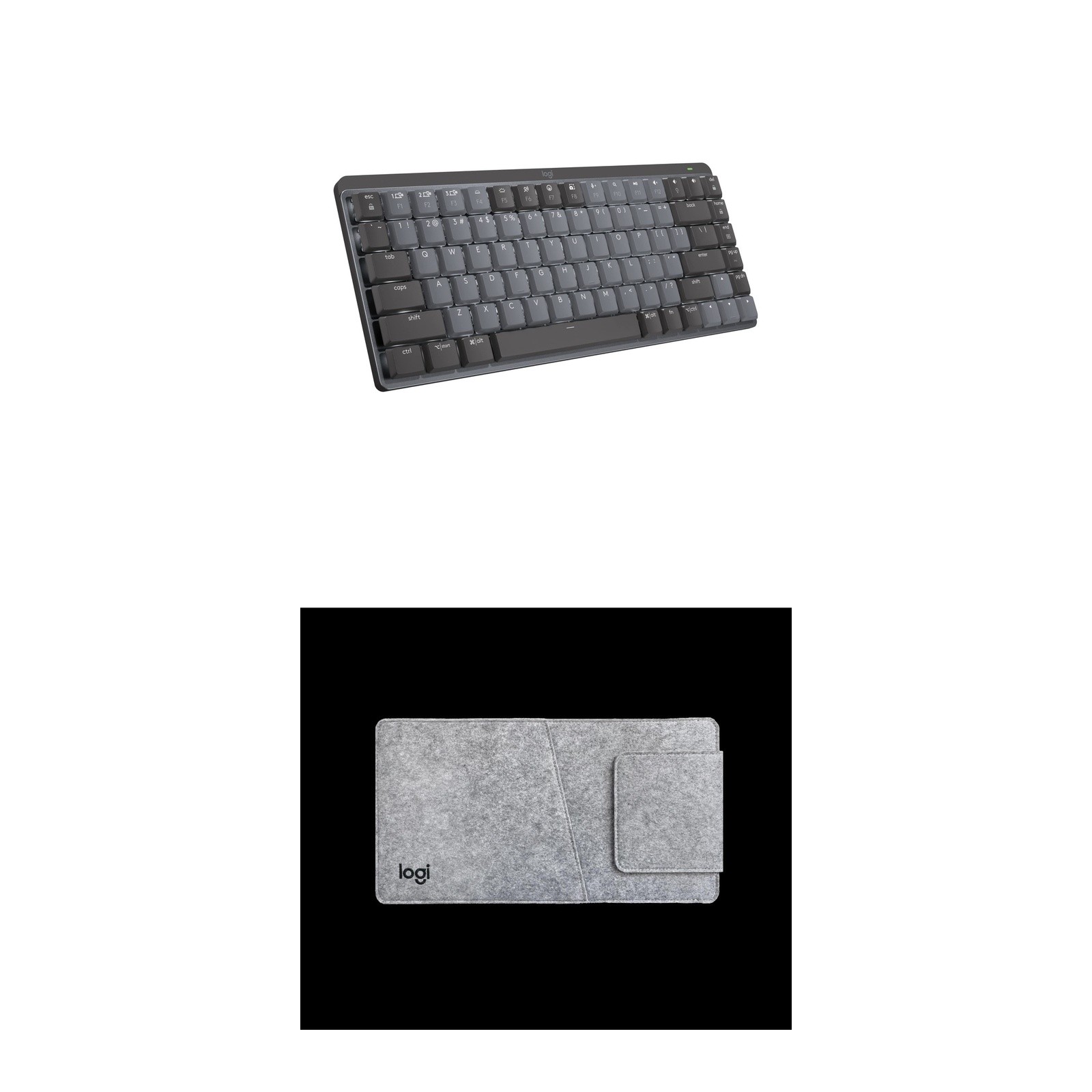

Photos from current listings. Actual item, color, and included accessories may vary.
Logitech Mechanical Mini Buying Guide
The Logitech Mechanical Mini is a compact 75% low-profile wireless keyboard built for portable productivity, and the core trade-off is between its slim, laptop-like key feel and the deeper, more repairable construction of standard-height mechanical boards. The clear decision rule: buy it for travel and desk-to-bag switching where low-profile switches and multi-device wireless matter, and skip it if you need hot-swappable switches, per-key RGB, or a full numpad.
Key takeaways
- Low-profile mechanical switches (Tactile Quiet or Linear) sit in a 75% layout with a shortened key travel that reduces finger fatigue for fast typing but limits aftermarket keycap compatibility.
- Logitech MX Mechanical Mini uses the Bolt USB receiver and Bluetooth LE, with Logi Options+ for remapping and Flow across up to three paired devices.
- The aluminum top plate and plastic bottom shell keep weight low for portability, but the non-hot-swap PCB means switch replacement requires desoldering rather than pulling.
At a glance
- Category
- Mechanical Keyboards
- Last updated
- Nov 24, 2026
Current offers
Highlights
- Low-profile mechanical switches (Tactile Quiet or Linear) sit in a 75% layout with a shortened key travel that reduces finger fatigue for fast typing but limits aftermarket keycap compatibility.
- Logitech MX Mechanical Mini uses the Bolt USB receiver and Bluetooth LE, with Logi Options+ for remapping and Flow across up to three paired devices.
- The aluminum top plate and plastic bottom shell keep weight low for portability, but the non-hot-swap PCB means switch replacement requires desoldering rather than pulling.
- Backlighting is smart-illuminated white (no per-key RGB), which preserves battery life measured in weeks to months depending on backlight use.
Best use cases
- Best fit: writers and coders who switch between laptop, desktop, and tablet — pair three devices over Bluetooth/Bolt and use Flow for cross-computer copy-paste.
- Best fit: frequent travelers who want a mechanical feel in a bag-friendly footprint — the 75% layout and low-profile chassis fit slim sleeves like the MX Mini Sleeve bundle.
- Wrong fit: enthusiasts who want to lube, swap, or mod switches — choose a hot-swap 75% board instead, since the Mechanical Mini's switches are soldered.
- Wrong fit: spreadsheet-heavy users who rely on a numpad — pick a full-size or 96% board; the compact layout drops the number pad entirely.
Buying tips
- Choose the Tactile Quiet switch if you type in shared or quiet spaces; choose Linear only if you prefer a smooth, non-bumpy keystroke and are comfortable with accidental actuations.
- Confirm the model generation: the MX Mechanical Mini (Bolt/Logi Options+) differs from older Logitech mechanical compact boards that used Unifying receivers — Bolt is not backward-compatible with Unifying.
- Budget for the low-profile keycap ecosystem: standard MX-style keycaps do not fit, so replacement caps come from Logitech or low-profile-specific sellers.
- If cross-OS use matters, verify the layout printed on the keycaps (Mac vs Windows legends) because the hardware is identical but the legends differ by SKU.
Specs
| Layout | 75% compact, no numpad |
|---|---|
| Switch Type | Low-profile mechanical, soldered |
| Connectivity | Bluetooth LE + Logitech Bolt USB |
| Backlight | Smart white LED, no per-key RGB |
Related searches
What to check before buying
- Measure your desk or bag slot: the 75% chassis is roughly 12.2 x 5.2 inches, so confirm it fits your laptop sleeve or tray before buying the bundle.
- Check your device's Bluetooth version and USB-A availability — the Bolt receiver needs a USB-A port, and USB-C-only laptops require a hub or direct Bluetooth pairing.
- Confirm your OS supports Logi Options+ (Windows and macOS) if you need Flow, per-app remapping, or firmware updates; Linux and ChromeOS get basic HID only.
- Decide whether you need backlighting in bright rooms: smart illumination saves battery but may be dimmer than expected under direct office lighting.
FAQ
Data sources: eBay / Amazon listings and product attribute feeds. Updated Nov 24, 2026.
Some links on this page are affiliate links. If you buy after clicking one, we may earn a commission at no extra cost to you. This does not change which products appear here or their order. Affiliate disclosure.