
Photos from current listings. Actual item, color, and included accessories may vary.
Full Size Mechanical Keyboard Buying Guide
A full-size mechanical keyboard is a 104-108 key board with a dedicated number pad, function row, and navigation cluster, trading desk space for uncompromised data entry and shortcuts. The core decision is between mainstream prebuilt boards using plate-mounted stabilizers and soldered switches versus enthusiast-grade gasket-mounted, hot-swap, QMK/VIA-compatible platforms. Buy the latter if you want long-term repairability and customization; accept the former only if budget or plug-and-play simplicity is the hard constraint.
Key takeaways
- Hot-swap sockets (5-pin compatible) versus soldered PCBs is the single biggest durability and repairability split—hot-swap lets you replace a failed switch in seconds without desoldering.
- Gasket-mounted trays with foam damping reduce case ping and typing fatigue versus stiff tray-mount or sandwich-mount designs common on budget full-size boards.
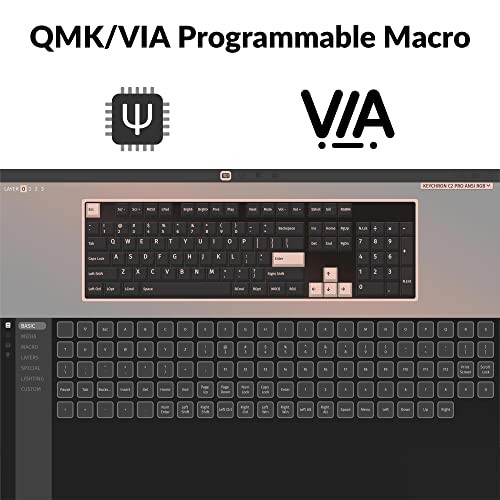
- QMK/VIA firmware support enables full key remapping, macros, and layers without proprietary software—a permanent advantage over vendor-only driver apps.
At a glance
- Category
- Mechanical Keyboards
- Last updated
- Nov 24, 2026
Current offers
Highlights
- Hot-swap sockets (5-pin compatible) versus soldered PCBs is the single biggest durability and repairability split—hot-swap lets you replace a failed switch in seconds without desoldering.
- Gasket-mounted trays with foam damping reduce case ping and typing fatigue versus stiff tray-mount or sandwich-mount designs common on budget full-size boards.
- QMK/VIA firmware support enables full key remapping, macros, and layers without proprietary software—a permanent advantage over vendor-only driver apps.
- Full-size layouts add 20-30% footprint versus TKL; north-facing vs south-facing switch orientation affects keycap compatibility and RGB diffusion direction.
Best use cases
- Best fit: pick a gasket-mounted, hot-swap, QMK/VIA full-size board (e.g., Keychron V6/V6 Max class) for daily spreadsheet, coding, and accounting work where numpad speed and repairability matter.
- Best fit: choose a wired-only full-size hot-swap board for a permanent desk setup—skip wireless if you never move the keyboard, since wired avoids charging and 2.4GHz interference.
- Wrong fit: skip full-size if your desk is under 120 cm wide or you use a low-DPI mouse—a 104-key board plus mouse pad consumes most of the width; go TKL or 75% instead.
- Wrong fit: skip hot-swap and QMK if you only want plug-and-play under a fixed budget—a soldered mainstream full-size board covers typing basics but locks you out of switch swaps.
Buying tips
- Match switch type to use: linear switches for fast double-tap gaming and quiet offices, tactile for typing feedback, clicky only in private rooms—hot-swap lets you change later.
- Confirm 5-pin hot-swap socket compatibility if you plan to use aftermarket switches; 3-pin-only sockets reject PCB-mount switches without clipping the extra legs.
- Prioritize PBT keycaps (1.2-1.5 mm thick) over ABS—PBT resists shine and oil buildup far better on a full-size board's high-traffic alpha keys.
- Check stabilizer type: plate-mount stabilizers are common on budget boards but screw-in PCB-mount stabilizers tune better and rattle less on the spacebar and numpad Enter.
Specs
| Layout | Full-size 104-108 keys with numpad |
|---|---|
| Mount Style | Gasket vs tray/sandwich mount |
| Switch Mount | 5-pin hot-swap vs soldered PCB |
| Firmware | QMK/VIA vs vendor-only software |
Related searches
What to check before buying
- Measure desk depth and width: a full-size board is roughly 44-46 cm wide, so confirm at least 50 cm of clear desk width plus mouse space before ordering.
- Verify your OS and workflow: QMK/VIA boards support Windows, macOS, and Linux remapping; vendor-driver boards may limit macOS key layout customization.
- Confirm USB-C cable routing and port side (left, right, or center) against your PC tower or dock position to avoid strain on the connector.
- If buying wireless, check battery capacity and whether the 2.4GHz dongle is included—Bluetooth-only full-size boards add wake latency for fast typists.
FAQ
Data sources: eBay / Amazon listings and product attribute feeds. Updated Nov 24, 2026.
Some links on this page are affiliate links. If you buy after clicking one, we may earn a commission at no extra cost to you. This does not change which products appear here or their order. Affiliate disclosure.