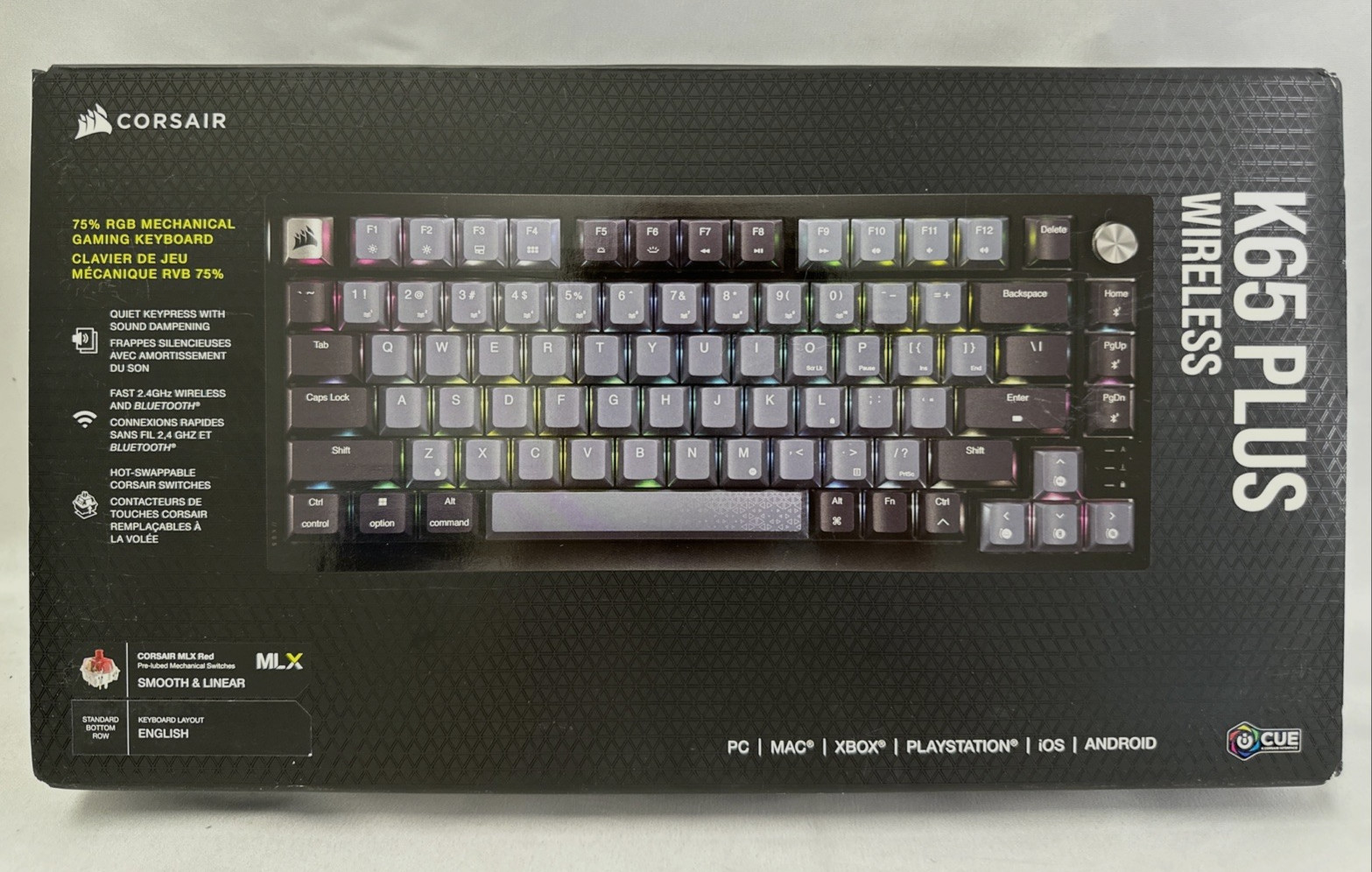

Photos from current listings. Actual item, color, and included accessories may vary.
Corsair K65 RGB Buying Guide
The Corsair K65 RGB family covers compact mechanical keyboards in 60% Mini, 65%, and 75% Plus layouts, all built around a durable aluminum top plate and Corsair's MLX or Cherry MX switch platform. The core trade-off is between the ultra-compact K65 RGB Mini (60%, wired-only, AXON 8000 Hz) and the K65 Plus Wireless (75%, tri-mode 2.4 GHz/Bluetooth/USB-C, hot-swap) — pick Mini for raw competitive latency, Plus for wireless flexibility and dedicated arrow keys. Skip any K65 tier if you require a full number pad or per-key Cherry MX switches with a standard bottom row for broad keycap compatibility.
Key takeaways
- K65 RGB Mini uses 60% layout (61 keys), detachable USB-C, AXON 8000 Hz polling, and PBT double-shot keycaps with aluminum top plate.
- K65 Plus Wireless uses 75% layout (81 keys) with tri-mode connectivity (2.4 GHz SLIPSTREAM, Bluetooth 5.1, USB-C), hot-swappable 3-pin/5-pin switches, and per-key RGB.
- Mini ships with Corsair MLX Red linear switches (45g actuation, 1.9mm pre-travel); Plus offers MLX Red or tactile options with hot-swap sockets.
At a glance
- Category
- Mechanical Keyboards
- Last updated
- Nov 24, 2026
Current offers
Highlights
- K65 RGB Mini uses 60% layout (61 keys), detachable USB-C, AXON 8000 Hz polling, and PBT double-shot keycaps with aluminum top plate.
- K65 Plus Wireless uses 75% layout (81 keys) with tri-mode connectivity (2.4 GHz SLIPSTREAM, Bluetooth 5.1, USB-C), hot-swappable 3-pin/5-pin switches, and per-key RGB.
- Mini ships with Corsair MLX Red linear switches (45g actuation, 1.9mm pre-travel); Plus offers MLX Red or tactile options with hot-swap sockets.
- Both tiers use an aluminum top plate for rigidity, but only the Plus adds sound-dampening foam and a rotary volume knob on the 75% chassis.
Best use cases
- Competitive FPS players with limited desk width: choose K65 RGB Mini 60% for 8000 Hz polling and maximum mouse swing space; skip the Plus if you never need wireless.
- Hybrid desktop/laptop/tablet users: choose K65 Plus Wireless 75% for 2.4 GHz low-latency gaming plus Bluetooth pairing to three devices; skip the Mini if you need arrow keys or media control.
- Keyboard modders and switch swappers: choose K65 Plus Wireless for hot-swap sockets and 75% layout compatibility; skip the Mini because its switches are soldered and 60% keycap sets require careful bottom-row matching.
- Users needing a number pad for spreadsheets or CAD: skip both K65 tiers entirely — neither includes a numpad; choose a full-size or 96% board instead.
Buying tips
- Choose 60% Mini only if you accept Fn-layer arrows and no dedicated function row; choose 75% Plus if you type numbers or use arrow keys daily.
- For lowest wireless latency, use the Plus in 2.4 GHz SLIPSTREAM mode with the bundled dongle; Bluetooth 5.1 is for multi-device convenience, not competitive gaming.
- Check switch type before buying: MLX Red is linear (45g, 1.9mm pre-travel); tactile MLX variants suit typists who want a bump without click noise.
- Confirm hot-swap only on K65 Plus Wireless — Mini switches are soldered, so switch feel is fixed at purchase.
Specs
| Layout | 60% (61 keys) vs 75% (81 keys) |
|---|---|
| Connectivity | Wired USB-C vs Tri-mode 2.4G/BT/USB-C |
| Switch Mount | Soldered vs Hot-swap 3/5-pin |
| Polling Rate | 8000 Hz (Mini) vs 1000 Hz wireless |
Related searches
What to check before buying
- Measure desk depth and mouse-swing width: 60% Mini frees roughly 4-5 inches versus a full-size board; 75% Plus adds one column of keys and a knob.
- Confirm your PC or console supports USB-C keyboard input and, for Plus, that you have a free USB-A port for the 2.4 GHz dongle.
- Verify your keycap replacement plans: Mini uses a non-standard 60% bottom row; Plus 75% uses a more common layout but still check spacebar and modifier sizing.
- Check that Bluetooth pairing is acceptable for your OS (Windows/macOS/iOS/Android) and that you do not require per-key macro software on locked-down work machines.
FAQ
Data sources: eBay / Amazon listings and product attribute feeds. Updated Nov 24, 2026.
Some links on this page are affiliate links. If you buy after clicking one, we may earn a commission at no extra cost to you. This does not change which products appear here or their order. Affiliate disclosure.