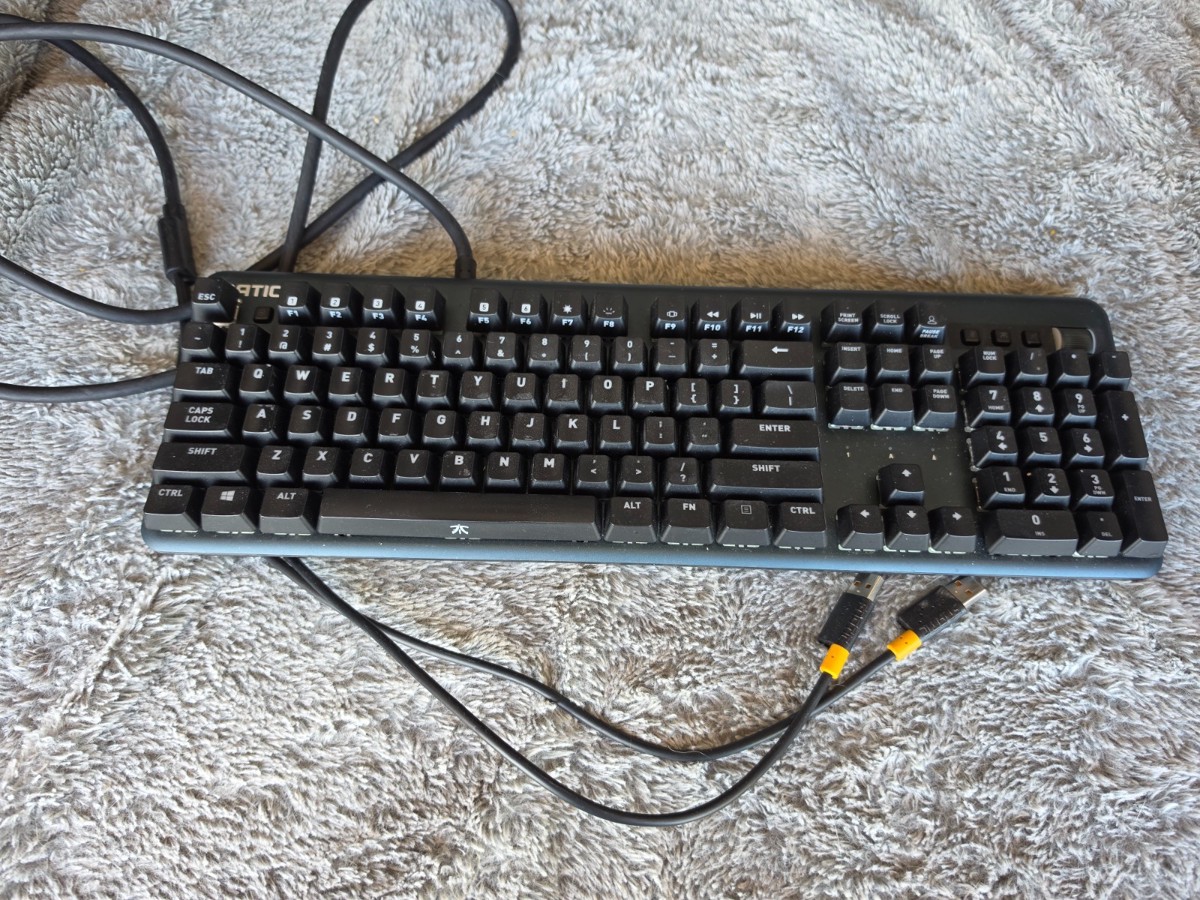

Photos from current listings. Actual item, color, and included accessories may vary.
Cherry Mx Keyboard Buying Guide
Cherry MX keyboards are mechanical keyboards built around Cherry's proprietary MX switch family, the de facto standard for tactile feel, durability, and aftermarket keycap compatibility. The core trade-off is switch variant (linear Red, tactile Brown, clicky Blue) and build quality (plate material, PCB mount, stabilizer type), not brand. Buy any board with genuine Cherry MX switches and a standard MX-compatible plate/cap ecosystem; skip clones or low-profile hybrids if you want guaranteed feel consistency and replacement-part availability.
Key takeaways
- Cherry MX switches are rated for 100 million actuations (50M for older generations), with gold-crosspoint contacts and a standardized 4mm total travel / 2mm actuation point across full-size variants.
- Switch color dictates feel: Red = linear 45cN, Brown = tactile 55cN, Blue = clicky 60cN; all use the same MX stem and plate cutout, so keycaps and switch pullers are interchangeable.
- Genuine Cherry MX boards use either a steel or aluminum plate with PCB-mounted or plate-mounted stabilizers; plate-mounted stabilizers are easier to service but rattle more without clipping/lubing.
At a glance
- Category
- Mechanical Keyboards
- Last updated
- Nov 24, 2026
Current offers
Highlights
- Cherry MX switches are rated for 100 million actuations (50M for older generations), with gold-crosspoint contacts and a standardized 4mm total travel / 2mm actuation point across full-size variants.
- Switch color dictates feel: Red = linear 45cN, Brown = tactile 55cN, Blue = clicky 60cN; all use the same MX stem and plate cutout, so keycaps and switch pullers are interchangeable.
- Genuine Cherry MX boards use either a steel or aluminum plate with PCB-mounted or plate-mounted stabilizers; plate-mounted stabilizers are easier to service but rattle more without clipping/lubing.
- RGB variants use per-key SMD LEDs on the PCB (not through-switch LEDs), so keycap shine-through requires transparent housings; non-RGB boards often use opaque Cherry MX switches with no light pipe.
Best use cases
- Best fit: competitive FPS gamers should pick Cherry MX Red (linear, 45cN) with a full aluminum plate and 1000Hz polling—skip clicky Blue for fast double-taps.
- Best fit: typists and programmers should pick Cherry MX Brown (tactile bump) with plate-mounted stabilizers and PBT keycaps—skip linear Red if you rely on tactile feedback for accuracy.
- Best fit: shared-office or streaming setups should pick Cherry MX Silent Red (internal dampeners) or linear Red—skip clicky Blue and any loud tactile switch that bleeds into open mics.
- Wrong fit: buyers wanting hot-swappable switches should skip most factory Cherry MX boards (soldered PCB) and choose a hot-swap board that accepts MX-pattern switches instead.
Buying tips
- Match switch to use: Red/Black for gaming speed (linear), Brown/Clear for typing feedback (tactile), Blue/Green for audible confirmation (clicky)—all share the same MX stem and keycap fit.
- Confirm genuine Cherry MX by the Cherry logo on the switch housing and the MX part number; clone switches (Gateron, Kailh) fit the same plate but have different force curves and durability ratings.
- Check plate and mounting: a steel or aluminum plate with plate-mounted stabilizers gives stiffer, more consistent key feel than a plastic or PCB-only mount, which flexes under heavy typing.
- For RGB, verify per-key SMD LEDs and transparent switch housings; boards with opaque Cherry MX switches will not shine through legends even if the PCB is RGB-capable.
Specs
| Switch Type | Cherry MX linear / tactile / clicky |
|---|---|
| Actuation Force | 45cN Red to 60cN Blue |
| Durability Rating | 100M actuations (genuine MX) |
| Keycap Compatibility | Standard MX cross stem |
Related searches
What to check before buying
- Measure your desk or tray space: full-size boards run about 17-18 inches wide, TKL about 14 inches, and 60% about 11 inches—confirm clearance for wrist rest and mouse arc.
- Check your USB port standard: Cherry MX gaming boards typically require USB-A or USB-C; confirm your PC or console has the matching port and that the cable is detachable if you need portability.
- Verify keycap compatibility: standard MX stems accept most aftermarket keycaps, but low-profile or optical boards do not—confirm the board uses standard-height MX switches before buying custom caps.
- Confirm OS and firmware support: most Cherry MX boards are plug-and-play on Windows/macOS/Linux, but RGB and macro software may be Windows-only—check before relying on per-key lighting or macros.
FAQ
Data sources: eBay / Amazon listings and product attribute feeds. Updated Nov 24, 2026.
Some links on this page are affiliate links. If you buy after clicking one, we may earn a commission at no extra cost to you. This does not change which products appear here or their order. Affiliate disclosure.