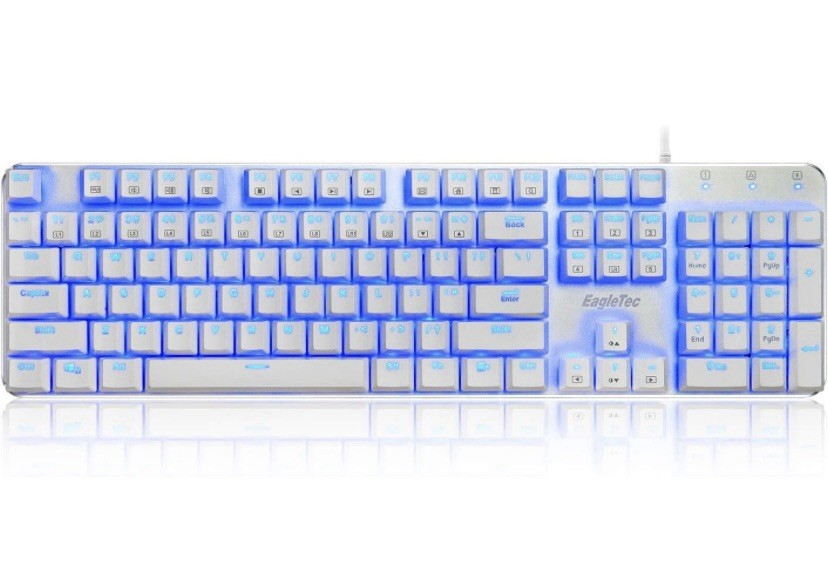

Photos from current listings. Actual item, color, and included accessories may vary.
Brown Switch Keyboard Buying Guide
Brown switch keyboards use tactile, non-clicky switches that give a noticeable bump at actuation without the sharp noise of blues, making them the default choice for shared offices and late-night typing. The core trade-off is tactile feel versus noise and actuation force: genuine browns sit around 55g with a 2mm actuation point, while cheaper clones can feel scratchy or inconsistent. Buy a board with plate-mounted or PCB-mounted genuine/clone browns from a known switch family if you want predictable feel; skip no-name switches sold only by color name with no force rating.
Key takeaways
- Tactile browns actuate around 2.0mm with roughly 55g operating force and no click leaf, so they are quieter than blues but louder than linears.
- Gasket-mounted boards with foam and lubed stabilizers reduce case ping and rattle far more than switch choice alone on budget full-size models.
- Hot-swap 5-pin sockets let you swap browns for linears or heavier tactiles without soldering, a key upgrade path on entry boards.
At a glance
- Category
- Mechanical Keyboards
- Last updated
- Nov 24, 2026
Current offers
Highlights
- Tactile browns actuate around 2.0mm with roughly 55g operating force and no click leaf, so they are quieter than blues but louder than linears.
- Gasket-mounted boards with foam and lubed stabilizers reduce case ping and rattle far more than switch choice alone on budget full-size models.
- Hot-swap 5-pin sockets let you swap browns for linears or heavier tactiles without soldering, a key upgrade path on entry boards.
- Full-size 104-key layouts include a numpad; TKL (87-key) and 75% boards drop it for smaller desk footprint and closer mouse placement.
Best use cases
- Best fit: shared office or dorm typing — pick a brown switch board with sound-dampening foam and PBT keycaps; skip clicky blues entirely.
- Best fit: first mechanical keyboard — choose a hot-swap brown board so you can test other switch types later without buying a second keyboard.
- Best fit: heavy spreadsheet or data entry — pick a full-size 104-key brown board with a numpad; skip 60% layouts that force Fn-layer number entry.
- Wrong fit: competitive FPS players wanting the fastest possible actuation — choose a linear switch with a 1.0–1.2mm actuation point instead of browns.
Buying tips
- Match layout to desk math: a full-size board is about 17.5 inches wide, TKL about 14 inches, and 75% about 12.5 inches — measure before buying.
- Prefer PBT keycaps over ABS: PBT resists shine and oil buildup, staying textured through years of daily typing.
- Check switch mount and socket: 5-pin hot-swap sockets accept both 3-pin and 5-pin switches, while 3-pin-only boards limit later swaps.
- For quieter browns, choose factory-lubed switches or add case foam; unlubed clones often ping and scratch noticeably.
Specs
| Switch Type | Tactile non-clicky (brown) |
|---|---|
| Actuation Force | ≈55g operating / ≈2.0mm point |
| Layout Options | Full-size 104 / TKL 87 / 75% |
| Keycap Material | PBT (preferred) vs ABS |
Related searches
What to check before buying
- Measure desk depth and width: confirm the board leaves room for a mouse if you use a low-DPI grip.
- Confirm connection: wired USB-C is lowest latency; 2.4GHz wireless adds convenience but needs a free USB-A port or dongle.
- Check keycap profile and language layout (ANSI vs ISO) match your typing habits and OS key mapping.
- Verify stabilizer type and plate material — steel plate is stiffer and louder, polycarbonate or FR4 is softer and quieter.
FAQ
Data sources: eBay / Amazon listings and product attribute feeds. Updated Nov 24, 2026.
Some links on this page are affiliate links. If you buy after clicking one, we may earn a commission at no extra cost to you. This does not change which products appear here or their order. Affiliate disclosure.