D-Link DNR-326 vs QNAP TS-809U: Which NAS fits your setup?
The D-Link DNR-326 favors a desktop Ethernet setup, while the QNAP TS-809U suits shoppers considering a rackmount server with Remote Access and separately planned drives. Here's how the price and format trade-offs affect the choice.
Last updated Oct 7, 2026
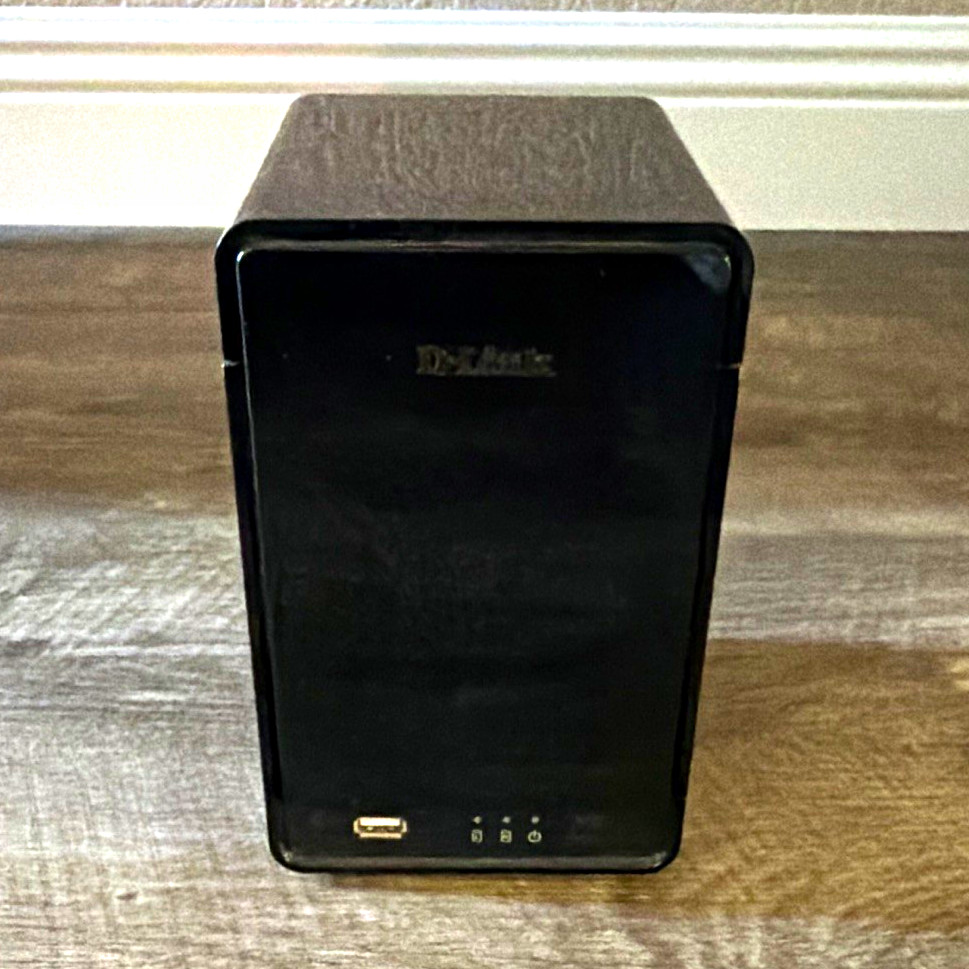
D-Link Network Attached Storage NAS Desktop Unit
$50.00Listed at review time
Affiliate disclosure: We may earn a commission if you buy through links on this page, at no extra cost to you. Confirm live price, stock, and return terms on the seller page. Affiliate disclosure.
Choosing NAS storage & drives starts with one practical question: do you need a straightforward desktop unit for Ethernet-based backup and file storage, or a rackmount server whose drive hardware requires more planning? The D-Link DNR-326 and QNAP TS-809U serve different versions of that brief. Match the enclosure format, connection, and included-hardware expectations to your setup before weighing secondary features.
Quick verdict
D-Link is the practical choice for a desktop network-storage role. Its title and attributes identify a desktop NAS with Ethernet, while the description places it in a backup and file-storage role for a home or office network. QNAP fits better when the 8-bay server format, Remote Access, and rack-oriented design are central to the plan. At $50.00 versus $270.75, price is a real divider, but the larger decision is whether a desktop NAS or rackmount server matches your space and hardware plan.
At-a-glance comparison
| Product | Listed price | Format or connection | Stated limitation |
|---|---|---|---|
| D-Link DNR-326 | USD 50.00 | Desktop NAS; Ethernet | Requires a 12V adapter |
| QNAP TS-809U | USD 270.75 | 8-bay 2U rackmount server | No HDDs; no caddies |
Where each product wins
D-Link DNR-326
D-Link wins on a simpler desktop brief. The Ethernet interface is explicit, and the description connects the unit with backing up and storing data across a home or office network. That makes it a sensible match when the plan calls for a desktop enclosure rather than rack hardware. Its lower listed price also keeps the initial comparison straightforward. The important trade-off is the power requirement and stated used, as-is condition, both of which should be part of the purchase decision rather than afterthoughts.
QNAP TS-809U
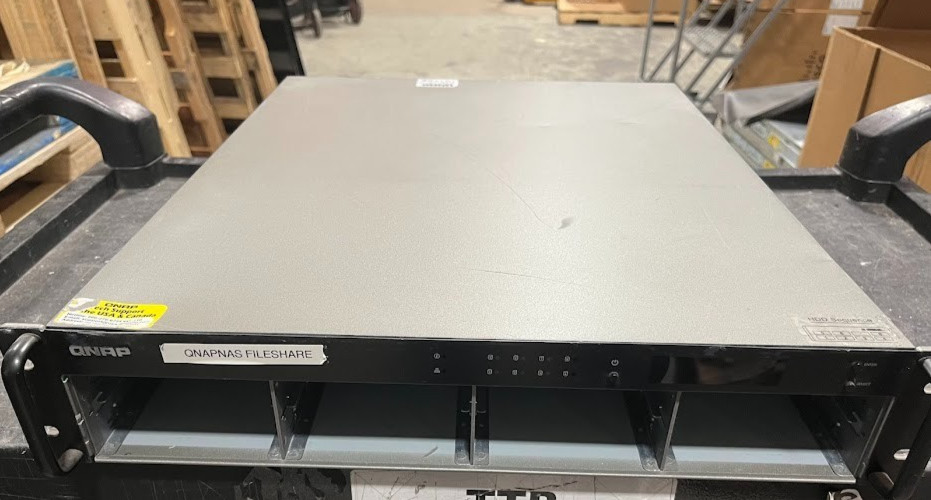
QNAP wins when the setup calls for more defined server-oriented features. Its attributes list Remote Access, a 1 GB cache, and HDD support, giving shoppers concrete configuration points to weigh. The limitation is equally clear: the title says No HDDs No Caddies, so the purchase does not describe a complete drive-and-caddy package. Its used, Grade B condition adds another constraint. Choose it for the listed server format and attributes, not for an assumed performance advantage from the cache number alone.
Product notes
D-Link DNR-326
The D-Link DNR-326 is a clear match for a basic desktop network-storage brief. Ethernet is explicitly identified, and the description positions the unit for backing up and storing data on a home or office network. Those details give shoppers a concrete reason to choose it when a desktop form and wired connection are the priorities. The limitation is practical: it requires a 12V adapter, and the item is described as gently used and Sold as is. It suits a buyer who can accommodate that adapter and accepts the stated condition. A rackmount-focused plan, however, points toward the QNAP format instead.
QNAP TS-809U
The QNAP TS-809U has a clear role when a rackmount NAS is the intended format. The title specifies an 8-bay 2U rackmount server, while the attributes add Remote Access and a 1 GB cache. That gives shoppers concrete reasons to choose it for a server-oriented setup with HDD support. Its limitation is that the title explicitly excludes HDDs and caddies, so it is not described as a complete drive-and-caddy package. The item is also identified as used, Grade B. Choose QNAP TS-809U when those format and feature choices fit; D-Link is the simpler direction for a desktop Ethernet plan.
Final choice by use case
- For a desktop home or office network: Choose D-Link DNR-326. The Ethernet connection and backup-oriented description align with that role, provided the stated condition suits you.
- For a server-oriented setup: Choose QNAP TS-809U. Remote Access, HDD support, and its defined rackmount format point to a more structured installation plan.
- For a price-first decision: D-Link is the USD 50.00 choice, while QNAP is listed at USD 270.75. Select QNAP when its specific format and attributes justify the larger outlay.