

Photos from current listings. Actual item, color, and included accessories may vary.
Soundbar With Subwoofer Buying Guide
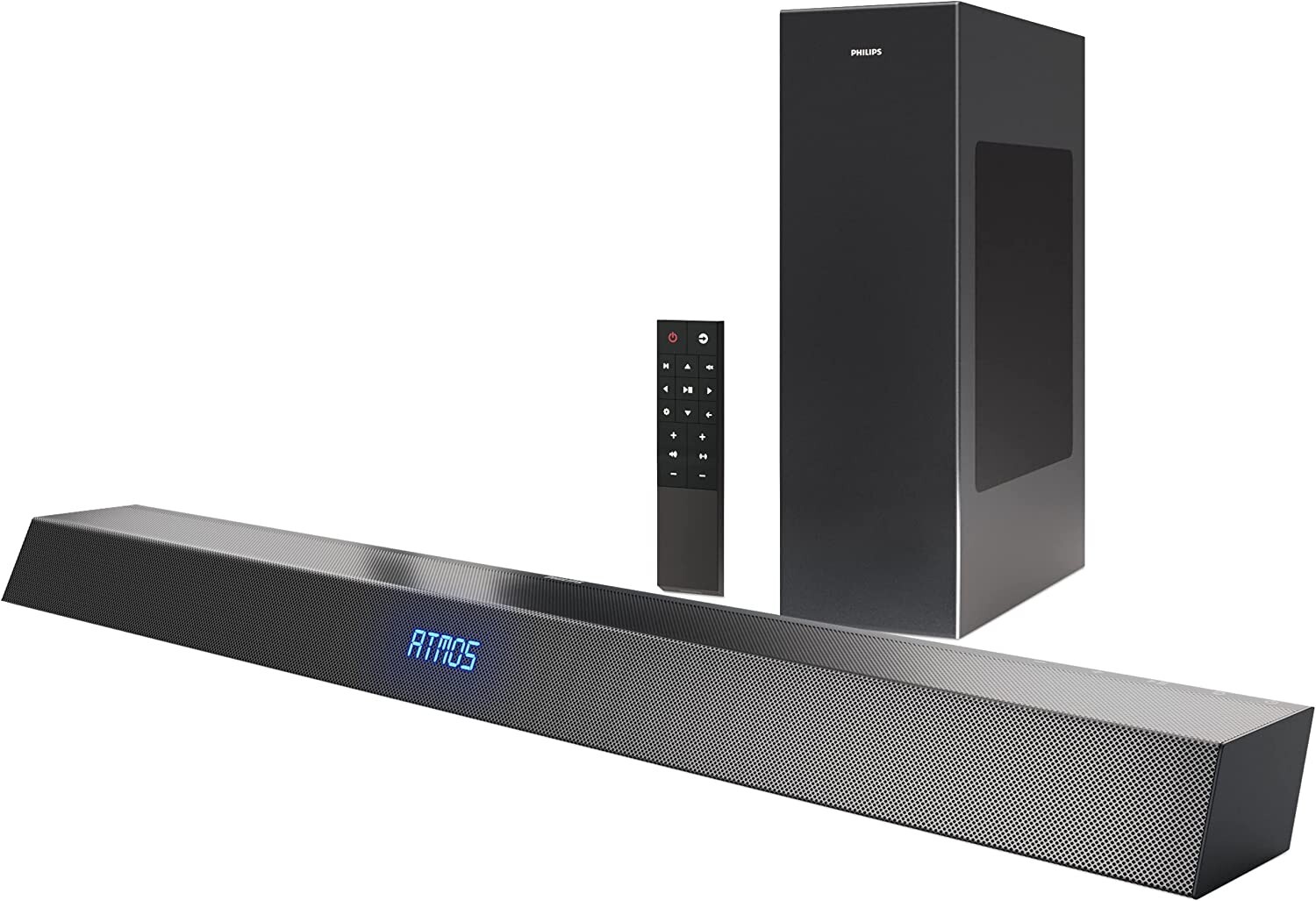
A soundbar with subwoofer is a two-piece audio system that replaces weak TV speakers with a dedicated center-optimized bar and a separate low-frequency driver for bass. The primary trade-off is bar size and driver quality versus subwoofer cabinet volume and wireless reliability — larger sub cabinets dig deeper, but cheap ported boxes can chuff and muddy. The decision rule: buy a bar that physically fits your TV stand and a sub with at least a 6.5-inch driver plus a rear port or passive radiator; skip any system with a sub under 5.25 inches, as it cannot move enough air for home-theater impact.
Median $174.99
Key takeaways
- Subwoofer driver size is the bass ceiling: 6.5-inch drivers hit roughly 40 Hz, 8-inch reach 35 Hz, and 10-inch or larger approach 30 Hz — a 5.25-inch sub rolls off near 50 Hz and sounds boomy without depth.
- Wireless subwoofers use 2.4 GHz RF or Bluetooth for the LFE link; RF is more robust against Wi-Fi interference, while Bluetooth subs can drop sync and introduce lip-sync delay unless the bar has adjustable audio delay.
- Bar channel count matters more than wattage: a 3.1 bar has dedicated left/center/right drivers for clear dialogue, while a 2.1 bar relies on phantom center processing that smears voices off-axis.
At a glance
- Category
- Home Theater Speakers & Subwoofers
- Last updated
- Nov 28, 2026
Current offers
Highlights
- Subwoofer driver size is the bass ceiling: 6.5-inch drivers hit roughly 40 Hz, 8-inch reach 35 Hz, and 10-inch or larger approach 30 Hz — a 5.25-inch sub rolls off near 50 Hz and sounds boomy without depth.
- Wireless subwoofers use 2.4 GHz RF or Bluetooth for the LFE link; RF is more robust against Wi-Fi interference, while Bluetooth subs can drop sync and introduce lip-sync delay unless the bar has adjustable audio delay.
- Bar channel count matters more than wattage: a 3.1 bar has dedicated left/center/right drivers for clear dialogue, while a 2.1 bar relies on phantom center processing that smears voices off-axis.
- HDMI eARC is the reference connection and passes Dolby Atmos and lossless audio; optical TOSLINK is backward-compatible but capped at compressed 5.1 and cannot carry height channels.
Best use cases
- Best fit: living rooms with TVs 50 inches and larger — pick a 3.1 or 5.1.2 bar with an 8-inch wireless sub; skip tiny 2.1 bars with 5.25-inch subs, which belong in bedrooms.
- Best fit: apartments and shared walls — choose a front-ported or sealed sub with a phase control and night mode; skip down-firing ported subs that couple bass into the floor and annoy neighbors.
- Best fit: gaming and movie setups needing height effects — pick a 5.1.2 bar with dedicated up-firing drivers and eARC; skip 2.1 bars, which simulate height virtually and cannot render overhead channels.
- Wrong fit: PC desks and small monitors — a full soundbar plus sub is too wide and boomy; use a 2.0 bar or powered speakers instead and skip the sub entirely.
Buying tips
- Measure your TV stand width and clearance: soundbars run roughly 24 to 48 inches wide, so confirm the bar fits between TV feet and does not block the IR remote sensor.
- Subwoofer placement needs corner or wall-adjacent loading within 15 feet of the bar for wireless sync; keep at least 6 inches from walls if the port is rear-facing to avoid chuffing.
- Match sub driver size to room volume: 6.5-inch for rooms under 150 sq ft, 8-inch for 150–300 sq ft, and 10-inch or larger above 300 sq ft — undersized subs distort when pushed.
- Prefer HDMI eARC over optical for uncompressed 5.1 and Atmos, and confirm the bar passes 4K HDR at 60 Hz if you route devices through it.
Specs
| Channel Config | 2.1 / 3.1 / 5.1.2 Atmos |
|---|---|
| Sub Driver Size | 6.5 in / 8 in / 10 in+ |
| TV Connection | HDMI eARC / Optical / Bluetooth |
| Sub Link | 2.4 GHz RF vs Bluetooth |
Related searches
What to check before buying
- TV stand width and height clearance: bar must sit below the screen without covering the IR receiver or pedestal feet.
- Subwoofer footprint and cable reach: confirm a nearby AC outlet and 15-foot wireless range from the bar.
- Room volume and wall construction: shared walls favor sealed or front-ported subs; large open rooms need 10-inch drivers.
- Source compatibility: TV must have HDMI ARC/eARC or optical out, and check whether the bar supports Dolby Atmos and DTS.
FAQ
Data sources: eBay / Amazon listings and product attribute feeds. Updated Nov 28, 2026.
Some links on this page are affiliate links. If you buy after clicking one, we may earn a commission at no extra cost to you. This does not change which products appear here or their order. Affiliate disclosure.