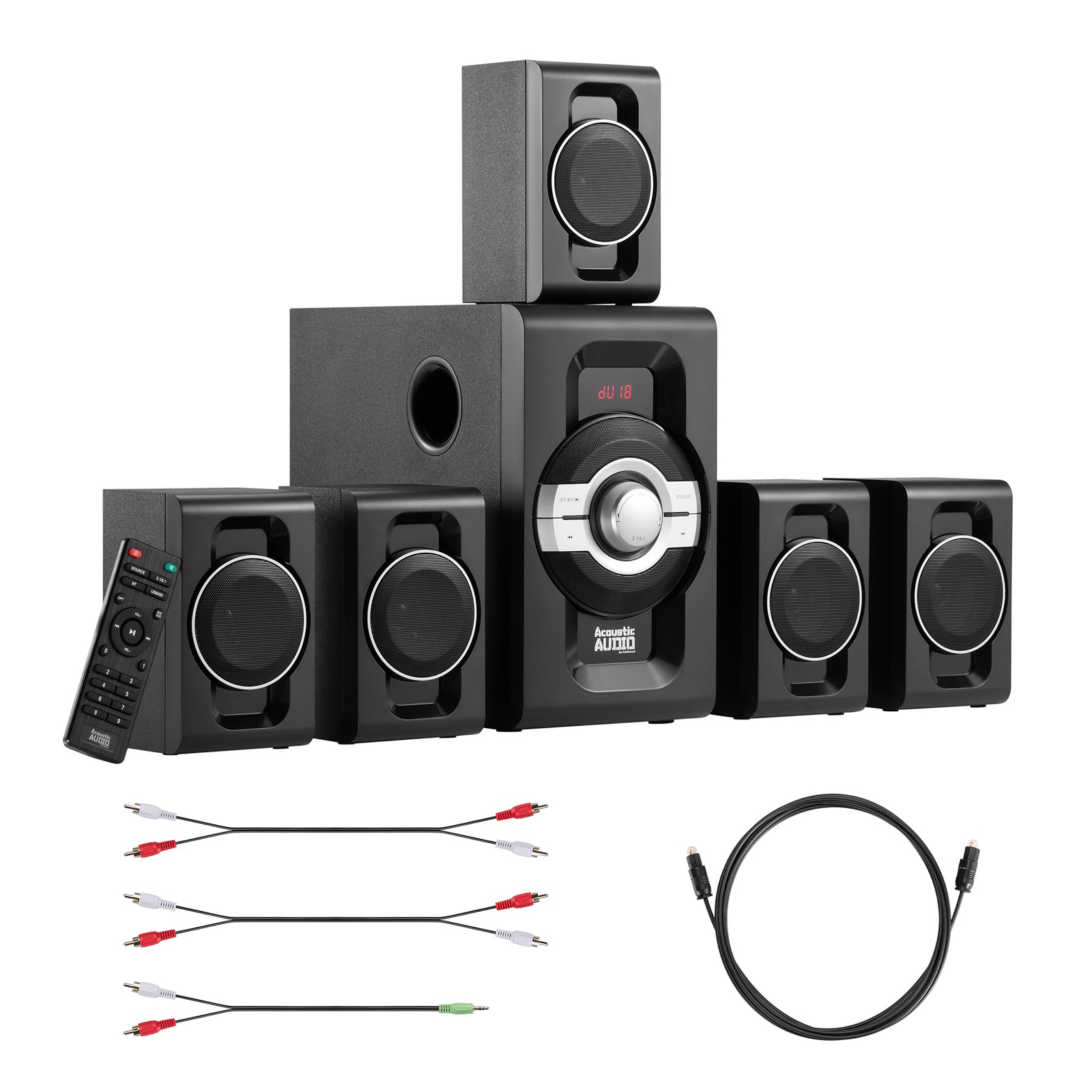

Photos from current listings. Actual item, color, and included accessories may vary.
Home Surround Sound Buying Guide
Home surround sound spans compact 2.0 soundbars to true 5.1 multi-speaker systems, and the core trade-off is honest channel separation versus simulated virtualization. A soundbar with a dedicated wireless subwoofer and discrete rear channels delivers real surround; a 2.0 bar without a sub cannot reproduce LFE content no matter how it is marketed.
Channel Config:2.0 / 2.1 / 5.1 discreteSubwoofer Type:Powered wireless vs passiveTV Connection:HDMI ARC/eARC, optical, BTSatellite Mounting:Wall-mount / shelf / stands
Typical price range$94.88
Key takeaways
- Real surround requires discrete channels: 5.1 means five speakers plus a subwoofer, while 2.0 bars simulate width and height from two drivers.
- A powered subwoofer with its own amplifier is mandatory for LFE; bars without one roll off sharply below roughly 100 Hz.
- Wireless subwoofers use 2.4 GHz links that avoid speaker-wire runs but still need AC power at the sub location.
At a glance
- Category
- Home Theater Speakers & Subwoofers
- Last updated
- Nov 28, 2026
Current offers
Highlights
- Real surround requires discrete channels: 5.1 means five speakers plus a subwoofer, while 2.0 bars simulate width and height from two drivers.
- A powered subwoofer with its own amplifier is mandatory for LFE; bars without one roll off sharply below roughly 100 Hz.
- Wireless subwoofers use 2.4 GHz links that avoid speaker-wire runs but still need AC power at the sub location.
- Satellite speakers should use at least 18-gauge copper wire for runs up to 25 ft; 16-gauge for longer runs to limit resistance loss.
Best use cases
- Pick a 5.1 system with discrete rear satellites when the room has a rear wall or side walls for mounting and you want true directional effects.
- Pick a 2.1 soundbar with a wireless subwoofer for apartments or media rooms where rear speaker wiring is impractical.
- Skip a 2.0 compact bar for a main TV in a large room; it cannot fill the space or deliver LFE impact.
- Choose a bar with HDMI ARC/eARC over optical-only if you want one-remote volume control and uncompressed audio passthrough.
Buying tips
- For 5.1 placement, rear satellites belong at or slightly above ear height, angled inward toward the listening position.
- Match subwoofer crossover to satellite low-frequency limits: set the receiver crossover 10–20 Hz above the satellites' rated low end.
- Measure TV width before choosing bar length: a 32-inch bar suits 40–50-inch TVs; a 24-inch bar suits 32-inch and smaller screens.
- Confirm HDMI ARC or eARC on both TV and bar; optical Toslink is the universal fallback but caps at compressed 5.1.
Specs
| Channel Config | 2.0 / 2.1 / 5.1 discrete |
|---|---|
| Subwoofer Type | Powered wireless vs passive |
| TV Connection | HDMI ARC/eARC, optical, BT |
| Satellite Mounting | Wall-mount / shelf / stands |
Related searches
What to check before buying
- Measure the TV stand width and the wall span behind the TV to ensure the bar fits without blocking the IR sensor.
- Confirm an AC outlet near the subwoofer location; wireless subs still require mains power.
- Check the TV has HDMI ARC/eARC or optical output, and that the bar's inputs match.
- For 5.1 systems, verify rear speaker cable runs and mounting points at ear height behind the seating area.
FAQ
Data sources: eBay / Amazon listings and product attribute feeds. Updated Nov 28, 2026.
Some links on this page are affiliate links. If you buy after clicking one, we may earn a commission at no extra cost to you. This does not change which products appear here or their order. Affiliate disclosure.