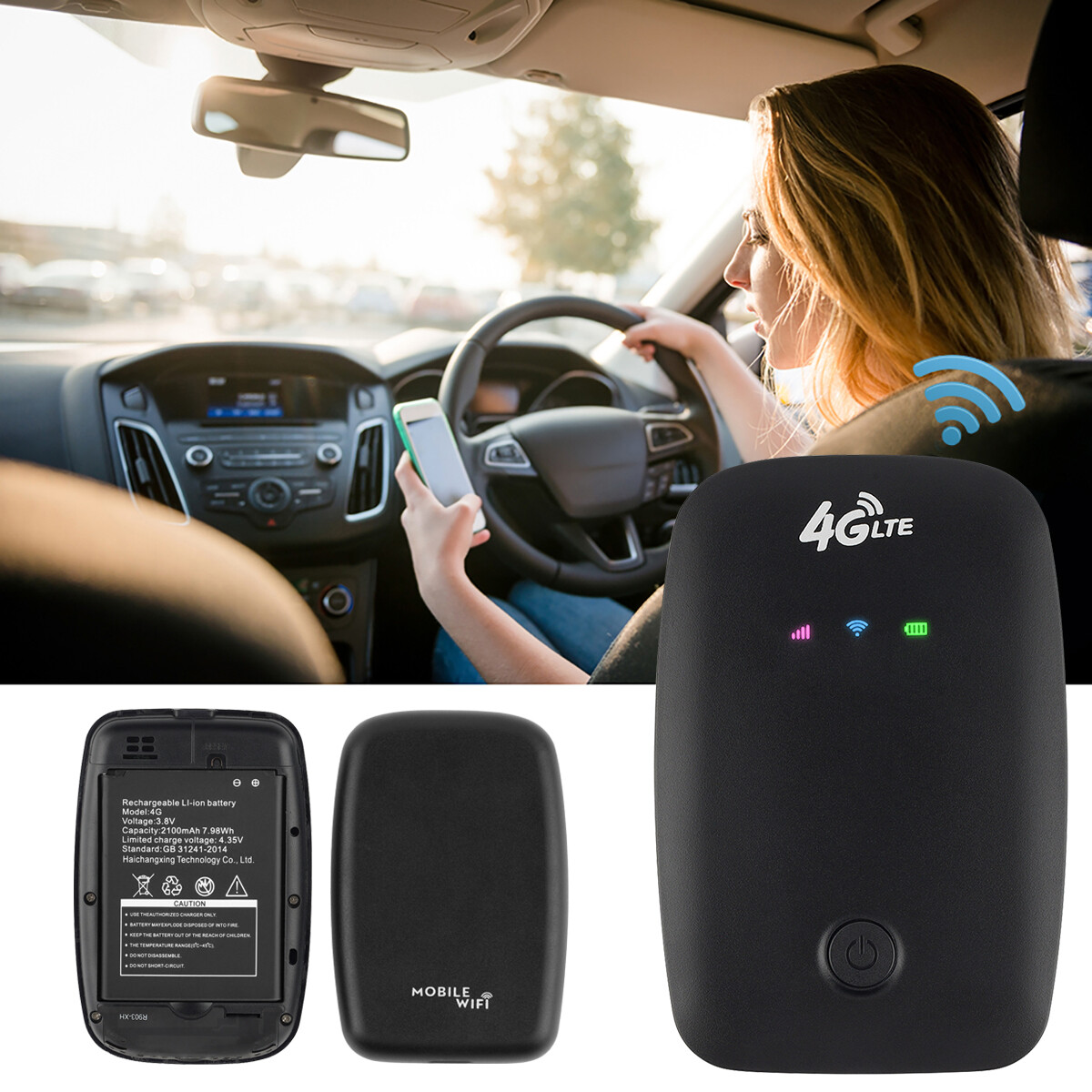

Photos from current listings. Actual item, color, and included accessories may vary.
Wireless Router And Modem Buying Guide
A wireless router and modem combines WAN termination (cable, DSL, or cellular) with Wi-Fi broadcasting in one chassis, or pairs a separate modem with a router. The core trade-off is integrated convenience versus modular upgradeability and throughput headroom: combo units lock you to the slower of the two radios, while separate modem-plus-router stacks let you upgrade Wi-Fi independently. Buy a combo only when its WAN type matches your ISP and its Wi-Fi tier meets your device count; otherwise buy a standalone modem and a separate router.
Key takeaways
- Wi-Fi generations set real throughput ceilings: Wi-Fi 5 (802.11ac) tops out around 867 Mbps per 5 GHz stream, Wi-Fi 6 (802.11ax) adds OFDMA and 1024-QAM for roughly 40% more real-world capacity, and Wi-Fi 6E/7 adds 6 GHz spectrum.
- WAN type is non-negotiable: cable modems use DOCSIS 3.0 (24x8 channels) or DOCSIS 3.1 (32x8, 2.5G Ethernet), DSL uses VDSL2/ADSL2+, and 4G LTE routers accept a SIM and broadcast via 802.11n/ac — a mismatched WAN port makes the unit unusable.
- Ethernet port speed gates wired backhaul and NAS throughput: 10/100 ports cap at ~94 Mbps, Gigabit ports at ~940 Mbps, and 2.5GbE ports are required to exceed Gigabit WAN plans or feed Wi-Fi 6E/7 access points.
At a glance
- Category
- Network Switches, Routers & Firewalls
- Last updated
- Nov 28, 2026
Current offers
Highlights
- Wi-Fi generations set real throughput ceilings: Wi-Fi 5 (802.11ac) tops out around 867 Mbps per 5 GHz stream, Wi-Fi 6 (802.11ax) adds OFDMA and 1024-QAM for roughly 40% more real-world capacity, and Wi-Fi 6E/7 adds 6 GHz spectrum.
- WAN type is non-negotiable: cable modems use DOCSIS 3.0 (24x8 channels) or DOCSIS 3.1 (32x8, 2.5G Ethernet), DSL uses VDSL2/ADSL2+, and 4G LTE routers accept a SIM and broadcast via 802.11n/ac — a mismatched WAN port makes the unit unusable.
- Ethernet port speed gates wired backhaul and NAS throughput: 10/100 ports cap at ~94 Mbps, Gigabit ports at ~940 Mbps, and 2.5GbE ports are required to exceed Gigabit WAN plans or feed Wi-Fi 6E/7 access points.
- Antenna configuration and stream count (2x2 vs 4x4 MU-MIMO) determine coverage and simultaneous-device handling more than raw boxed speed claims; plastic housings are normal and do not affect RF performance when internal antennas are properly placed.
Best use cases
- Best fit: a single apartment or small home on a cable ISP up to 500 Mbps — pick a DOCSIS 3.0 combo with Wi-Fi 5 or 6 and Gigabit LAN ports; skip 4G LTE units unless you have no wired ISP.
- Best fit: rural or temporary locations with no cable/DSL — choose an unlocked 4G LTE router/hotspot with a SIM slot, external antenna ports, and 802.11ac; skip it for fixed broadband because cellular data caps and latency underperform wired.
- Best fit: gigabit-plus fiber or cable plans and smart-home-heavy homes — buy a standalone DOCSIS 3.1 modem plus a Wi-Fi 6/6E mesh router; skip all-in-one combos because their integrated Wi-Fi typically cannot saturate multi-gig WAN or handle 40+ devices.
- Wrong fit: large multi-floor homes with a single combo unit — the integrated radios and fixed antennas cannot cover multiple floors; use a mesh system with wired or wireless backhaul instead.
Buying tips
- Match the modem to your ISP's technology first: DOCSIS 3.1 for cable plans above 500 Mbps (32x8 channels), DOCSIS 3.0 for budget cable tiers, VDSL2 for DSL, and a SIM-unlocked LTE Category 4+ router for cellular.
- Size Wi-Fi to device count and plan speed: 2x2 Wi-Fi 6 handles 20-30 devices at up to ~800 Mbps real throughput; choose 4x4 MU-MIMO or tri-band for 40+ devices or multi-gig plans.
- Insist on Gigabit Ethernet LAN ports at minimum; 10/100 ports bottleneck any plan above 100 Mbps, and 2.5GbE WAN/LAN is required for plans above 1 Gbps.
- For LTE routers, verify band support against your carrier (e.g., B2/B4/B5/B12/B13/B66/B71 in the US) and confirm the unit is SIM-unlocked and supports external antennas for weak-signal areas.
Specs
| WAN Type | DOCSIS 3.0/3.1, VDSL2, or 4G LTE SIM |
|---|---|
| Wi-Fi Standard | Wi-Fi 5 (ac) vs Wi-Fi 6/6E (ax) |
| Ethernet Ports | 10/100 vs Gigabit vs 2.5GbE |
| Antenna Streams | 2x2 vs 4x4 MU-MIMO |
Related searches
What to check before buying
- Confirm your ISP's WAN type (cable/DOCSIS, DSL/VDSL, fiber/ONT, or cellular) and approved modem list before buying any combo unit.
- Measure your home's square footage and floor count: single-unit routers cover roughly 1,500-2,500 sq ft open-plan; beyond that plan for mesh or wired access points.
- Check the power adapter's input voltage (100-240V) and plug type for your region, especially on imported LTE hotspots.
- Verify you have the required companion parts: coaxial outlet and cable for DOCSIS, phone jack for DSL, or an active SIM with a data plan for LTE routers.
FAQ
Data sources: eBay / Amazon listings and product attribute feeds. Updated Nov 28, 2026.
Some links on this page are affiliate links. If you buy after clicking one, we may earn a commission at no extra cost to you. This does not change which products appear here or their order. Affiliate disclosure.