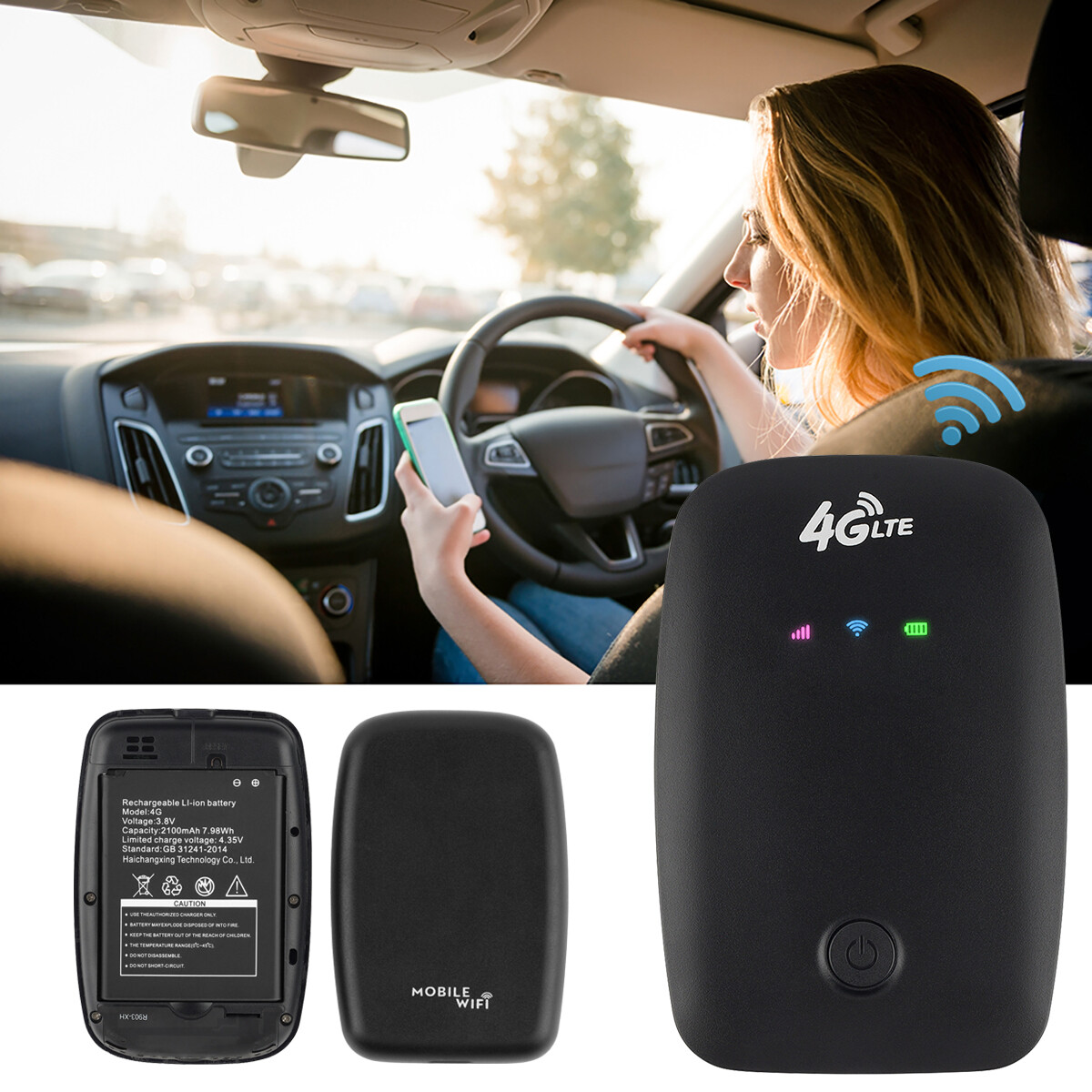

Photos from current listings. Actual item, color, and included accessories may vary.
Modem And Router Buying Guide
A modem and router combo is the single gateway device connecting your home to an ISP line and distributing Wi-Fi to your devices. The core trade-off is integrated convenience versus modular upgradeability: all-in-one units save space but lock you to one Wi-Fi generation and one ISP authentication standard, while separate modem and router units cost more, take two outlets, and demand correct WAN/LAN cabling but let you upgrade Wi-Fi without replacing the modem. The decision rule is simple: buy a combo only when your ISP speed tier is at or below the unit's rated WAN throughput and you accept its fixed Wi-Fi radio; buy separates whenever your plan exceeds roughly 500 Mbps or you need Wi-Fi 6/6E/7, multi-gig LAN, or VLAN segmentation.
Key takeaways
- Combo units cap at the slower of their modem WAN port and router WAN-to-LAN throughput; many DOCSIS 3.0 combos ship 8x4 or 16x4 channel bonding, capping real-world downstream near 340-680 Mbps.
- Wi-Fi generation is fixed per combo: Wi-Fi 4 (802.11n) tops ~300-450 Mbps PHY, Wi-Fi 5 (802.11ac) ~867-1733 Mbps, Wi-Fi 6 (802.11ax) 1200-4800 Mbps; the radio cannot be upgraded without replacing the whole unit.
- DSL/VDSL and 4G LTE combos embed a specific WAN modem that is ISP- or band-locked; cable combos require DOCSIS certification for your provider's tier and often ship without the ISP's provisioning profile.
At a glance
- Category
- Network Switches, Routers & Firewalls
- Last updated
- Nov 28, 2026
Current offers
Highlights
- Combo units cap at the slower of their modem WAN port and router WAN-to-LAN throughput; many DOCSIS 3.0 combos ship 8x4 or 16x4 channel bonding, capping real-world downstream near 340-680 Mbps.
- Wi-Fi generation is fixed per combo: Wi-Fi 4 (802.11n) tops ~300-450 Mbps PHY, Wi-Fi 5 (802.11ac) ~867-1733 Mbps, Wi-Fi 6 (802.11ax) 1200-4800 Mbps; the radio cannot be upgraded without replacing the whole unit.
- DSL/VDSL and 4G LTE combos embed a specific WAN modem that is ISP- or band-locked; cable combos require DOCSIS certification for your provider's tier and often ship without the ISP's provisioning profile.
- Port count and speed are the hard limits: combos commonly expose 2-4 LAN ports at 1 GbE, rarely 2.5 GbE, so multi-gig fiber plans and wired backhaul needs will bottleneck at the combo's switch.
Best use cases
- Best fit: apartments and small homes on cable or DSL plans up to roughly 300-500 Mbps where one device, one power brick, and one admin UI outweigh upgrade flexibility — pick a DOCSIS 3.1 combo with at least 16x4 bonding or a VDSL combo matching your ISP's profile.
- Best fit: portable/travel or failover internet — pick a 4G LTE Cat 4/Cat 6 hotspot router with a SIM slot, battery, and Ethernet port only if you need untethered WAN; skip it as a primary home gateway because LTE latency and data caps undercut streaming and gaming.
- Wrong fit: fiber or multi-gig plans above 500 Mbps, or any home needing Wi-Fi 6E/7 — skip combos entirely; buy the ISP-approved ONT/modem plus a standalone Wi-Fi 6/6E router with 2.5 GbE WAN and LAN.
- Wrong fit: large multi-floor homes, outbuildings, or VLAN/guest-network segmentation — skip the combo's single radio and 4-port switch; use a separate router plus mesh nodes or a managed switch with 802.1Q.
Buying tips
- Match the modem to the ISP technology first: cable needs DOCSIS 3.1 (or 3.0 with 24x8+ bonding for 500 Mbps+), DSL needs the exact VDSL2/ADSL2+ profile, fiber needs an ONT with Ethernet handoff — a combo with the wrong WAN modem is unusable regardless of Wi-Fi specs.
- Size the router side to your plan with headroom: choose WAN/LAN ports and radio PHY rates at least 1.5-2x your subscribed speed so NAT throughput and Wi-Fi airtime don't become the bottleneck.
- Prefer combos with external antennas or 4x4 MIMO and explicit beamforming over 2x2 plastic-body units; plastic housings are fine for airflow but check for ventilation slots and vertical stand orientation to avoid thermal throttling in enclosed cabinets.
- For 4G LTE hotspots, verify band support for your carrier (e.g., LTE B2/B4/B5/B12/B13/B41/B66/B71) and Cat rating (Cat 4 ~150 Mbps, Cat 6 ~300 Mbps); unlocked units still need correct APN settings and a SIM with data plan.
Specs
| WAN Modem Type | DOCSIS 3.1 / VDSL2 / 4G LTE Cat 4-6 |
|---|---|
| Wi-Fi Generation | Wi-Fi 4 (n) / 5 (ac) / 6 (ax) |
| Ethernet Ports | 2-4x 1 GbE LAN, 1x WAN |
| Antenna Config | 2x2 to 4x4 MIMO, internal/external |
Related searches
What to check before buying
- Confirm your ISP's approved modem list and authentication type (DOCSIS certification, PPPoE credentials, or DHCP) before choosing a combo — an unapproved modem may not provision at all.
- Measure your Wi-Fi coverage area and wall count: a single combo radio covers roughly 1,000-1,500 sq ft open-plan; beyond that plan for mesh nodes or a separate access point, not a bigger combo.
- Check physical fit: combos need a power outlet, coax/phone jack, and ventilation clearance of at least 2-3 inches; avoid metal enclosures and stacking under other electronics.
- Verify plug/voltage standard (100-240V adapter vs fixed 120V) and port needs — count wired devices and confirm at least one LAN port per device plus one for management or AP uplink.
FAQ
Data sources: eBay / Amazon listings and product attribute feeds. Updated Nov 28, 2026.
Some links on this page are affiliate links. If you buy after clicking one, we may earn a commission at no extra cost to you. This does not change which products appear here or their order. Affiliate disclosure.