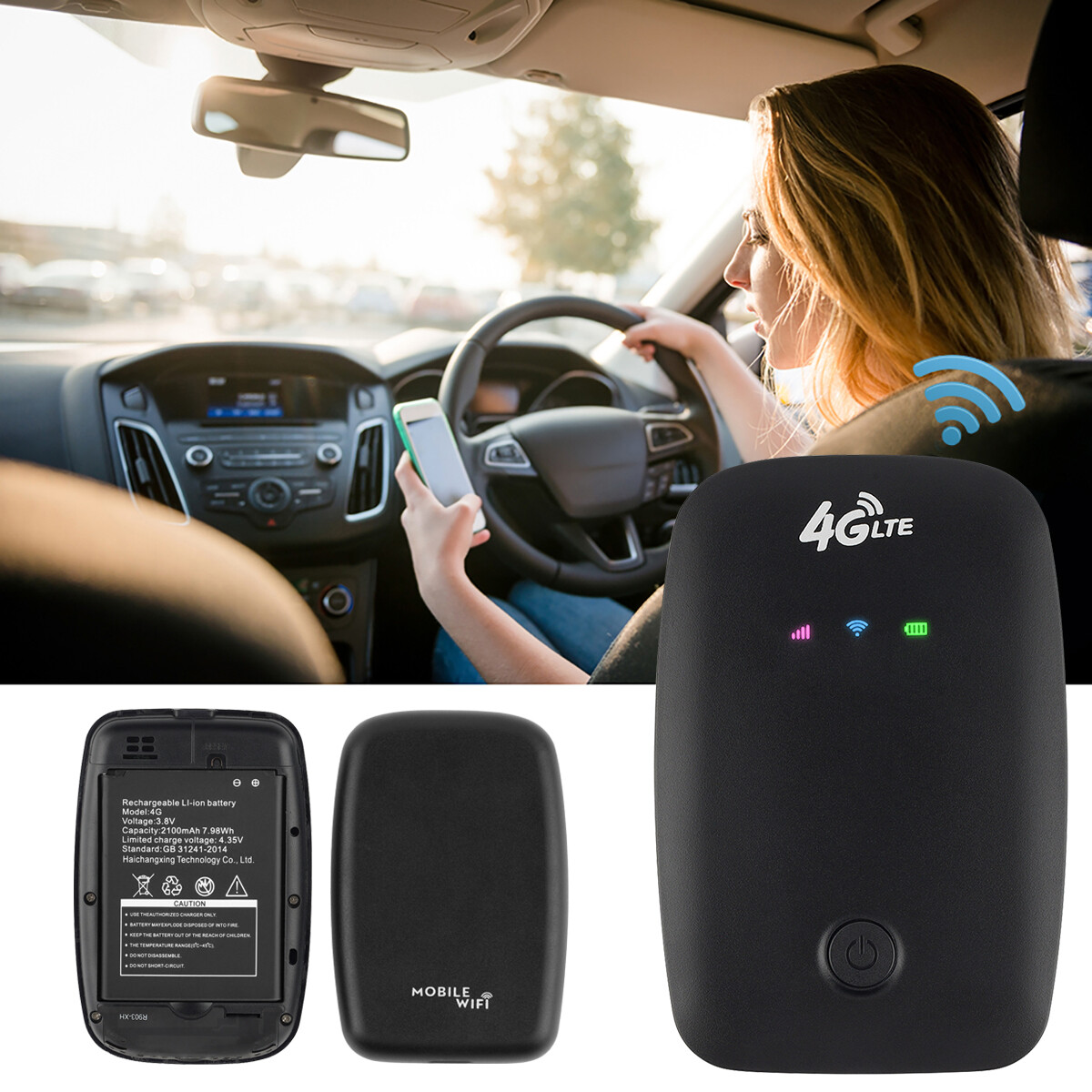

Photos from current listings. Actual item, color, and included accessories may vary.
Wireless Router Buying Guide
A wireless router is the gateway that converts your modem's signal into Wi-Fi for all devices. The primary trade-off is Wi-Fi generation (Wi-Fi 5 vs Wi-Fi 6/6E) versus real-world coverage—spending on a newer standard with weak antennas or single-band design often underperforms an older, well-built dual-band unit. The clear decision rule: buy a dual-band or tri-band router with at least Wi-Fi 6 and gigabit Ethernet ports for any connection 200 Mbps or faster; skip single-band 2.4 GHz-only or Wi-Fi 4 units unless you have a sub-100 Mbps line and a tiny footprint.
Key takeaways
- Wi-Fi 6 (802.11ax) adds OFDMA and 1024-QAM, delivering roughly 30-40% higher real throughput than Wi-Fi 5 (802.11ac) at the same range.
- Dual-band routers use separate 2.4 GHz (long range) and 5 GHz (high speed) radios; tri-band adds a second 5 GHz or 6 GHz band to offload dense device loads.
- Gigabit Ethernet WAN/LAN ports (10/100/1000) are mandatory for broadband above 100 Mbps; 2.5 GbE ports matter only for multi-gig internet or NAS use.
At a glance
- Category
- Network Switches, Routers & Firewalls
- Last updated
- Nov 28, 2026
Current offers
Highlights
- Wi-Fi 6 (802.11ax) adds OFDMA and 1024-QAM, delivering roughly 30-40% higher real throughput than Wi-Fi 5 (802.11ac) at the same range.
- Dual-band routers use separate 2.4 GHz (long range) and 5 GHz (high speed) radios; tri-band adds a second 5 GHz or 6 GHz band to offload dense device loads.
- Gigabit Ethernet WAN/LAN ports (10/100/1000) are mandatory for broadband above 100 Mbps; 2.5 GbE ports matter only for multi-gig internet or NAS use.
- External antennas with 5 dBi or higher gain outperform internal plastic-housed antennas in multi-wall homes; plastic housing is standard but metal shielding inside affects signal.
Best use cases
- Best fit for apartments under 1,200 sq ft: a dual-band Wi-Fi 6 router with 2-4 external antennas and gigabit ports; skip tri-band and 6E unless you have 30+ devices.
- Best fit for multi-story homes over 2,000 sq ft: a tri-band Wi-Fi 6/6E router or a mesh-capable router with dedicated backhaul; skip single-unit budget routers that cannot penetrate two floors.
- Best fit for gaming or 4K streaming: prioritize a router with 160 MHz channel support on 5 GHz and a 2.5 GbE LAN port; skip Wi-Fi 5 models and any router limited to 80 MHz channels.
- Wrong fit: a 4G LTE portable hotspot router is for travel or failover only—it cannot replace a home broadband router for sustained multi-device throughput.
Buying tips
- Match router class to your internet tier: up to 100 Mbps needs AC1200 (Wi-Fi 5); 100-500 Mbps needs AX3000 (Wi-Fi 6); 500 Mbps-1 Gbps needs AX5400 or tri-band; above 1 Gbps needs 2.5 GbE ports.
- For coverage, estimate 1,500-2,000 sq ft per Wi-Fi 6 router in open space; subtract 30-40% per interior wall. Two mesh nodes beat one high-power router in L-shaped homes.
- Check antenna count and gain: 4 external antennas at 5 dBi or higher give better 5 GHz coverage than 2 internal antennas, even if the box claims higher total speed.
- Ensure the router supports WPA3 security and has at least 128 MB RAM for stable handling of 20+ devices; 256 MB or more is needed for heavy smart-home loads.
Specs
| Wi-Fi Standard | Wi-Fi 4 / 5 / 6 / 6E / 7 |
|---|---|
| Band Configuration | Dual-band 2.4+5 GHz / Tri-band |
| Ethernet Ports | 10/100 vs Gigabit vs 2.5 GbE |
| Antenna Type | External 4-8 vs Internal 2-4 |
Related searches
What to check before buying
- Measure your home's square footage and count interior walls between the router location and farthest room; plan for mesh if coverage exceeds 2,000 sq ft or three walls.
- Confirm your modem is a standalone modem (not a modem-router combo) or put the combo in bridge mode to avoid double NAT with a new router.
- Verify your internet plan speed and whether the ISP requires VLAN tagging or PPPoE credentials; most routers support both, but check the WAN configuration type.
- Count connected devices (phones, laptops, TVs, smart plugs, cameras); choose tri-band or Wi-Fi 6E if you exceed 30 active devices.
FAQ
Data sources: eBay / Amazon listings and product attribute feeds. Updated Nov 28, 2026.
Some links on this page are affiliate links. If you buy after clicking one, we may earn a commission at no extra cost to you. This does not change which products appear here or their order. Affiliate disclosure.