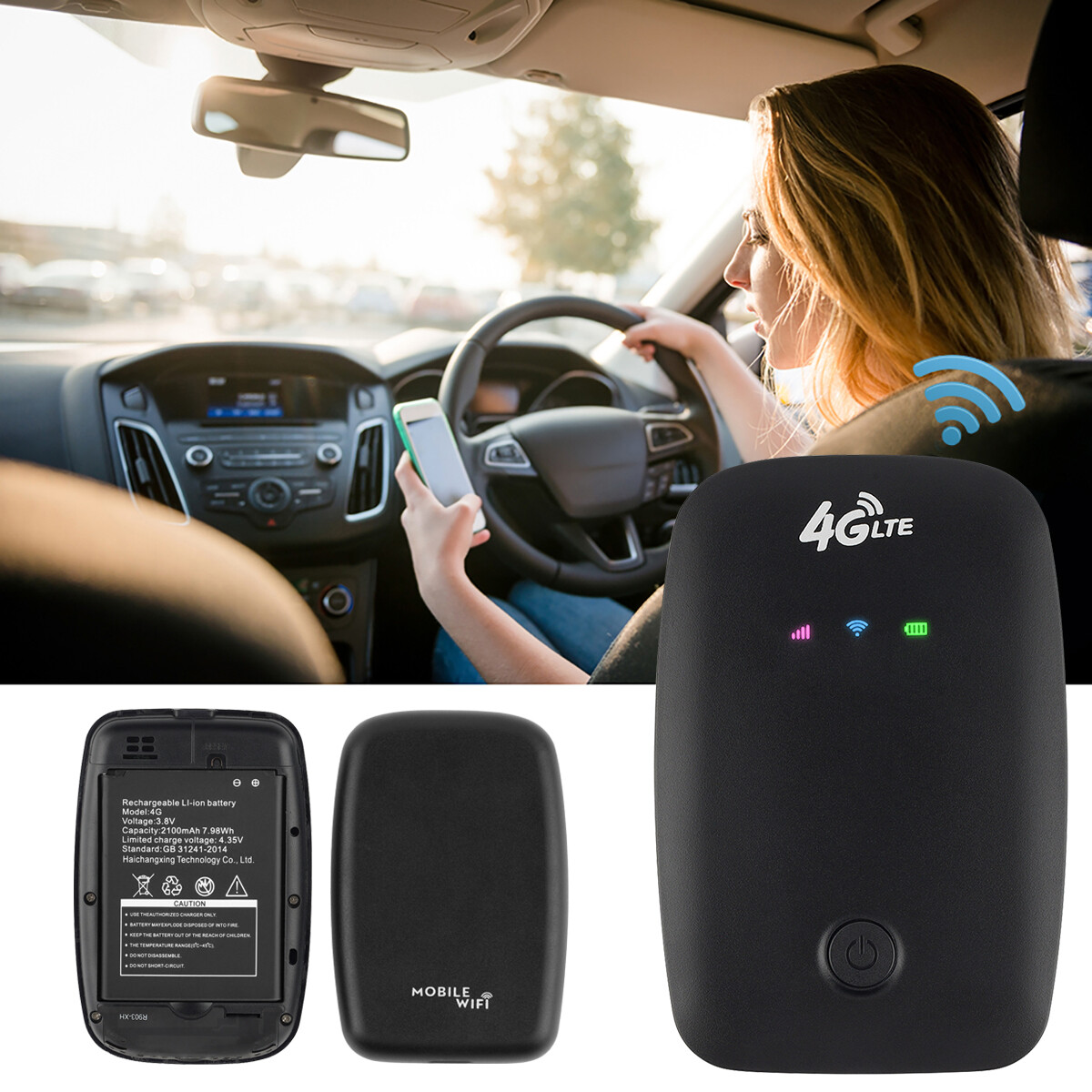

Photos from current listings. Actual item, color, and included accessories may vary.
Wireless Modem Router Buying Guide
A wireless modem router combines a broadband modem (DSL, cable, LTE/5G) and a Wi-Fi router in one chassis, eliminating a separate modem box and its power/cabling. The core trade-off is integrated-versus-discrete: all-in-one units simplify setup but lock you to the provider's modem spec and weaker radio design, while separate modem + router setups cost more upfront yet deliver better Wi-Fi coverage, upgrade paths, and multi-WAN flexibility. The decision rule: buy an all-in-one only if your ISP technology and plan speed are fixed and modest; choose separate modem and router if you need gigabit-plus throughput, mesh coverage, or a future upgrade path without replacing both.
Key takeaways
- Cellular all-in-ones are capped by LTE Cat ratings: Cat4 tops ~150 Mbps down, Cat6 ~300 Mbps, Cat12+ needed for carrier aggregation above 100 Mbps real-world.
- DSL/VDSL modem routers are tied to the ISP's profile and copper line; VDSL2 vectoring supports up to ~100 Mbps, G.fast up to ~500 Mbps on short loops.
- Wi-Fi generation inside combo units often lags: many ISP-supplied units ship Wi-Fi 5 (802.11ac) while standalone routers at the same price offer Wi-Fi 6 (802.11ax) with OFDMA and 1024-QAM.
At a glance
- Category
- Network Switches, Routers & Firewalls
- Last updated
- Nov 28, 2026
Current offers
Highlights
- Cellular all-in-ones are capped by LTE Cat ratings: Cat4 tops ~150 Mbps down, Cat6 ~300 Mbps, Cat12+ needed for carrier aggregation above 100 Mbps real-world.
- DSL/VDSL modem routers are tied to the ISP's profile and copper line; VDSL2 vectoring supports up to ~100 Mbps, G.fast up to ~500 Mbps on short loops.
- Wi-Fi generation inside combo units often lags: many ISP-supplied units ship Wi-Fi 5 (802.11ac) while standalone routers at the same price offer Wi-Fi 6 (802.11ax) with OFDMA and 1024-QAM.
- Combo units typically have 2-4 internal antennas and no external FEMs, giving 2x2 MIMO at best; separate routers commonly provide 4x4 MIMO and dedicated 5 GHz front-end modules for real range gains.
Best use cases
- Best fit: rent-free apartment with a single LTE/5G SIM or fixed DSL line and sub-100 Mbps plan — pick an all-in-one Cat6+ or VDSL2 unit and skip separate boxes.
- Best fit: portable/travel or backup connectivity — choose an unlocked LTE Cat4+ hotspot modem router with battery or USB-C power and verify band support for your carrier.
- Wrong fit: cable gigabit or multi-gig fiber plans — skip DSL/4G combos entirely and use the ISP modem (or a DOCSIS 3.1 modem) plus a standalone Wi-Fi 6 router.
- Wrong fit: multi-floor homes needing mesh — avoid single combo units; choose a separate modem with a mesh-capable router system for wired backhaul and roaming.
Buying tips
- Match the modem side to your ISP technology exactly: DSL/VDSL2 for copper, DOCSIS 3.1 for cable, LTE Cat6+/5G NR for cellular — a mismatch means the unit cannot sync at all.
- Size Wi-Fi throughput to your plan: Wi-Fi 5 (AC) realistically delivers 300-500 Mbps; choose Wi-Fi 6 (AX) if your plan exceeds 500 Mbps or you have 20+ devices.
- For cellular combos, confirm carrier band support (e.g., B2/B4/B5/B12/B13/B66 for US LTE; n41/n71/n78 for 5G) and that the unit is genuinely SIM-unlocked.
- Prefer units with Gigabit Ethernet LAN ports (10/100 ports cap wired clients at 94 Mbps) and at least one USB port for a shared storage or cellular failover dongle.
Specs
| Modem Type | DSL/VDSL2, DOCSIS 3.0/3.1, LTE Cat4-12, 5G NR |
|---|---|
| Wi-Fi Standard | Wi-Fi 5 (AC) vs Wi-Fi 6 (AX) |
| Cellular Bands | LTE B2/B4/B5/B12/B13/B66; 5G n41/n71/n78 |
| LAN Ports | Gigabit Ethernet vs 10/100 |
Related searches
What to check before buying
- Confirm your ISP connection type (DSL, cable, fiber, LTE/5G) and plan speed before choosing a combo — the modem half must match the line technology.
- Measure coverage area: a single combo unit suits up to ~1,200 sq ft open plan; larger or multi-wall spaces need a separate router or mesh node.
- Verify power and plug standard for your region (100-240V adapter, correct plug type) and that the unit supports your carrier's SIM size (nano/micro) if cellular.
- Check what's in the box: combo units often omit Ethernet cables, DSL filters, or SIM adapters — budget for these companion parts separately.
FAQ
Data sources: eBay / Amazon listings and product attribute feeds. Updated Nov 28, 2026.
Some links on this page are affiliate links. If you buy after clicking one, we may earn a commission at no extra cost to you. This does not change which products appear here or their order. Affiliate disclosure.