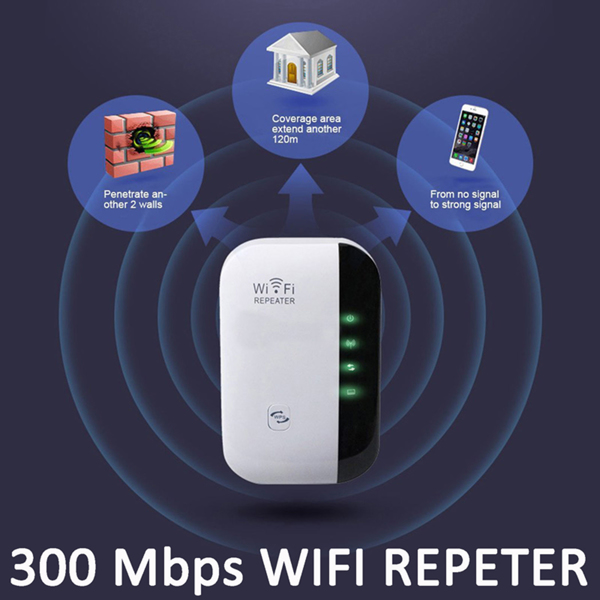

Photos from current listings. Actual item, color, and included accessories may vary.
WiFi Extender With Ethernet Buying Guide
A WiFi extender with Ethernet is a wireless repeater that also provides one or more physical RJ45 LAN ports, letting you bridge a weak WiFi signal to a wired-only device such as a desktop, TV, or console. The primary trade-off is between dual-band throughput (AC1200 and above) and single-band 300Mbps units that halve your bandwidth on every hop. The clear decision rule: choose a dual-band model with gigabit Ethernet for modern broadband, and skip 300Mbps single-band units unless you only need basic IoT connectivity.
Key takeaways
- Dual-band AC1200 extenders use 2.4GHz for backhaul and 5GHz for clients (or vice versa), preserving roughly half of your router's throughput at the extended node.
- Single-band 300Mbps repeaters operate only on 2.4GHz and cut effective bandwidth in half per hop, capping wired clients at roughly 40-60Mbps real-world.
- Gigabit Ethernet (10/100/1000) ports prevent the wired output from becoming the bottleneck; 10/100 ports cap wired devices at 90Mbps regardless of WiFi speed.
At a glance
- Category
- Network Switches, Routers & Firewalls
- Last updated
- Nov 28, 2026
Current offers
Highlights
- Dual-band AC1200 extenders use 2.4GHz for backhaul and 5GHz for clients (or vice versa), preserving roughly half of your router's throughput at the extended node.
- Single-band 300Mbps repeaters operate only on 2.4GHz and cut effective bandwidth in half per hop, capping wired clients at roughly 40-60Mbps real-world.
- Gigabit Ethernet (10/100/1000) ports prevent the wired output from becoming the bottleneck; 10/100 ports cap wired devices at 90Mbps regardless of WiFi speed.
- Dedicated backhaul or tri-band models reserve one radio for router-to-extender traffic, avoiding the 50% throughput penalty of shared-radio repeaters.
Best use cases
- Best fit: a garage, backyard office, or upstairs bedroom where you need to connect a wired PC, smart TV, or game console — pick a dual-band AC1200+ model with at least one gigabit LAN port.
- Wrong fit: extending a 500Mbps+ fiber connection to a 4K streaming TV — a 300Mbps single-band repeater will bottleneck the TV to under 60Mbps; choose a tri-band or mesh node with dedicated backhaul instead.
- Best fit: a small apartment where running Ethernet cable is impossible but a single wired device (printer, NAS, desktop) needs connectivity — a compact AC750 or AC1200 wall-plug extender with one Ethernet port suffices.
- Wrong fit: a large multi-floor home needing whole-home coverage — a single extender with Ethernet creates one additional coverage zone; for more than two rooms, a mesh system with Ethernet backhaul is the correct architecture.
Buying tips
- Match the extender's WiFi tier to your router: an AC1200 extender paired with an AC1200 router roughly halves throughput at the extended node; pair AC1750+ extenders with AC1750+ routers to keep wired clients above 200Mbps.
- Require gigabit Ethernet (1000Mbps) ports if your internet plan exceeds 100Mbps; 10/100 ports are the single most common hidden bottleneck on budget extenders.
- Prefer models that support WPA3 or at least WPA2-AES; older WEP-only repeaters expose your extended network to trivial cracking.
- For gaming or video calls, choose an extender with a dedicated backhaul radio (tri-band) or one that supports Ethernet backhaul — running a cable from router to extender eliminates the wireless hop penalty entirely.
Specs
| WiFi Standard | 802.11ac (WiFi 5) vs 802.11ax (WiFi 6) |
|---|---|
| Ethernet Port Speed | 10/100Mbps vs Gigabit 10/100/1000 |
| Band Configuration | Single-band 2.4GHz vs Dual-band |
| Backhaul Type | Shared radio vs Dedicated / Ethernet |
Related searches
What to check before buying
- Measure the distance from your router to the intended extender location: place the extender roughly halfway between router and dead zone, where the router signal is still 2-3 bars on a phone.
- Confirm your router's WiFi standard (WiFi 4/5/6) and band support; an extender must match or exceed the router's protocol to avoid negotiation down to slower speeds.
- Verify the extender has the physical port type you need: RJ45 LAN for wired devices; some models offer only a single Ethernet port, so count your wired devices before buying.
- Check that the extender supports the same security mode as your router (WPA2/WPA3) and that it can clone or bridge your existing SSID without requiring a separate network name.
FAQ
Data sources: eBay / Amazon listings and product attribute feeds. Updated Nov 28, 2026.
Some links on this page are affiliate links. If you buy after clicking one, we may earn a commission at no extra cost to you. This does not change which products appear here or their order. Affiliate disclosure.