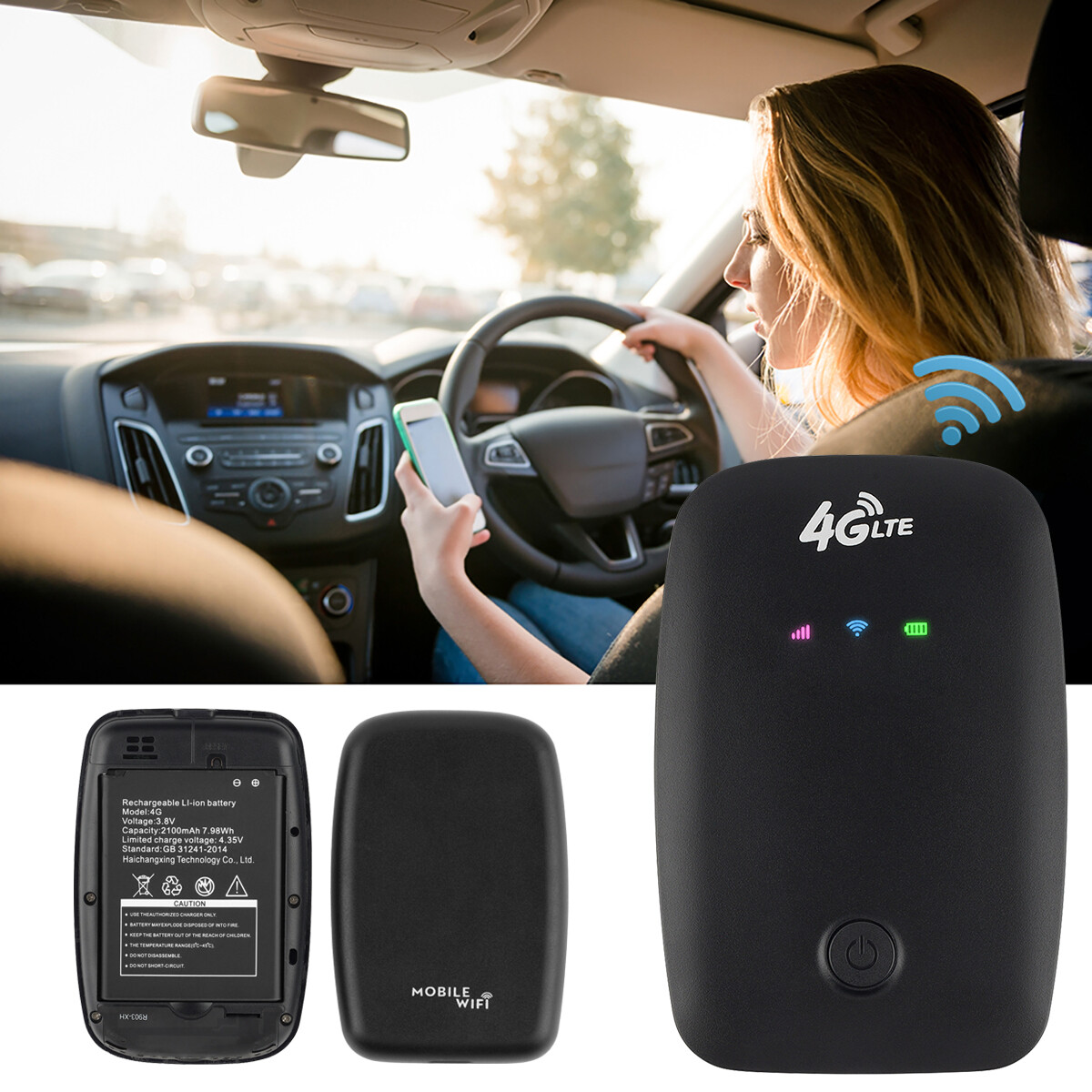

Photos from current listings. Actual item, color, and included accessories may vary.
WiFi Box Buying Guide
A WiFi box is the gateway device that connects your home network to your internet service, and it spans three distinct architectures: cable modem routers, 4G/5G cellular routers, and range extenders. The primary trade-off is between integrated all-in-one convenience and modular separates, where the modem and router are distinct units. The decision rule is simple: buy a DOCSIS 3.1 cable modem router only if your ISP delivers cable internet, choose a cellular router only when no wired broadband exists, and treat any 'extender' as a supplementary access point rather than a primary gateway.
Key takeaways
- DOCSIS 3.1 cable modem routers (e.g., ARRIS SURFboard G54) support multi-gigabit downstream and WiFi 7, and are the only WiFi box type that replaces a separate ISP modem.
- 4G LTE routers accept a SIM card and broadcast WiFi from cellular data, with Cat 4/Cat 6 modems capping around 150-300 Mbps and Cat 12+ reaching higher with carrier aggregation.
- Range extenders and repeaters halve throughput on the repeated band unless they use a dedicated backhaul radio or wired Ethernet backhaul.
At a glance
- Category
- Network Switches, Routers & Firewalls
- Last updated
- Nov 28, 2026
Current offers
Highlights
- DOCSIS 3.1 cable modem routers (e.g., ARRIS SURFboard G54) support multi-gigabit downstream and WiFi 7, and are the only WiFi box type that replaces a separate ISP modem.
- 4G LTE routers accept a SIM card and broadcast WiFi from cellular data, with Cat 4/Cat 6 modems capping around 150-300 Mbps and Cat 12+ reaching higher with carrier aggregation.
- Range extenders and repeaters halve throughput on the repeated band unless they use a dedicated backhaul radio or wired Ethernet backhaul.
- WiFi 7 (802.11be) routers add 6 GHz channels and multi-link operation, but deliver full benefit only with WiFi 7 clients; WiFi 6 (802.11ax) remains the value tier.
Best use cases
- Choose a DOCSIS 3.1 cable modem router with 4 LAN ports for cable-broadband homes that want one box replacing both ISP modem and router, and skip it entirely on fiber or DSL service.
- Choose a 4G/5G LTE router with a SIM slot for rural, mobile, or temporary sites with no wired broadband, and skip it if you have cable or fiber available, since cellular plans cost more per gigabyte.
- Choose a range extender only to fill a dead zone in an existing network, placed within half-signal range of the main router, and skip it as a primary gateway because it cannot create an internet connection.
- Skip all-in-one WiFi boxes for large multi-floor homes; pick a mesh system with dedicated backhaul instead, since a single router cannot cover more than roughly 2,000-2,500 sq ft reliably.
Buying tips
- Match the box to your ISP technology first: DOCSIS 3.1 for cable, Ethernet WAN for fiber, and RJ11 DSL only if still on DSL, since a cable modem cannot authenticate on fiber.
- For cable service, pick DOCSIS 3.1 over 3.0 when your plan exceeds 500 Mbps, because 3.0 upstream channels cap many plans at 20-50 Mbps upload.
- For cellular routers, select a Cat 6 or higher modem and confirm the supported LTE bands include your carrier's primary bands (e.g., B2/B4/B5/B12/B13/B66/B71 for US carriers).
- For coverage, estimate 1,500-2,000 sq ft per router node in open plan and less with interior walls; add a second node or extender rather than expecting one box to cover a whole house.
Specs
| Connection Type | DOCSIS cable / 4G-5G SIM / Ethernet WAN |
|---|---|
| WiFi Standard | WiFi 5 / WiFi 6 / WiFi 7 (802.11be) |
| WAN/LAN Ports | 1 WAN + 2-4 LAN; 2.5GbE on newer units |
| Coverage Class | Single router 1,500-2,500 sq ft |
Related searches
What to check before buying
- Confirm your internet service type (cable, fiber, DSL, cellular) before buying, because a DOCSIS modem router is useless on fiber and a fiber ONT router cannot replace a cable modem.
- Measure your home's square footage and count interior walls to estimate whether one router or a router plus extender/mesh node is needed.
- Verify the router's WAN port speed matches your plan (2.5GbE WAN for plans above 1 Gbps, Gigabit WAN for plans up to 1 Gbps).
- For cellular routers, check that the SIM form factor (nano/micro) and carrier band support match your data plan, and that the unit is unlocked.
FAQ
Data sources: eBay / Amazon listings and product attribute feeds. Updated Nov 28, 2026.
Some links on this page are affiliate links. If you buy after clicking one, we may earn a commission at no extra cost to you. This does not change which products appear here or their order. Affiliate disclosure.