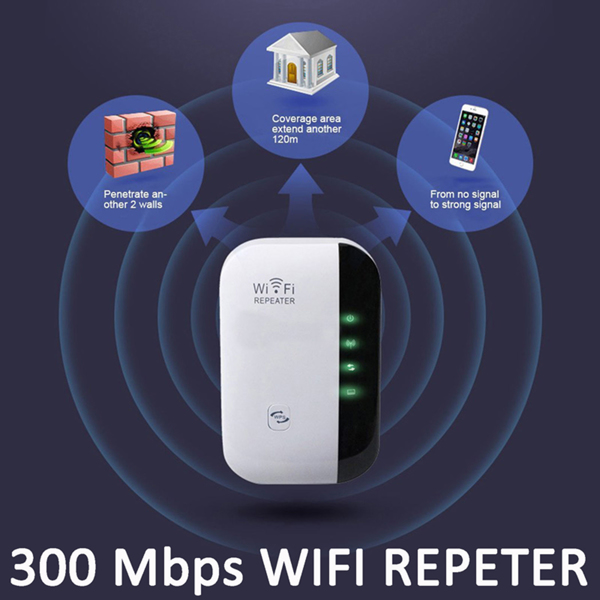

Photos from current listings. Actual item, color, and included accessories may vary.
WiFi Booster Buying Guide
A WiFi booster is a compact radio that rebroadcasts an existing router signal to fill dead zones, and the critical trade-off is dual-band simultaneous throughput versus single-band relay that halves your speed. The decision rule: choose a simultaneous dual-band model with Gigabit Ethernet and WPA3 if you need usable speed in the far room, and skip plastic single-band repeaters that cut bandwidth in half.
Key takeaways
- Simultaneous dual-band (2.4 + 5 GHz) relays both bands at once; single-band repeaters halve throughput by receiving and transmitting on the same radio.
- 1200Mbps-class AC1200 units use 2x2 MIMO at 867Mbps on 5GHz plus 300Mbps on 2.4GHz; AX1500 WiFi 6 adds OFDMA for crowded homes.
- Gigabit Ethernet ports let a booster act as a wired access point or bridge for a PC, console, or TV instead of relying on weak WiFi.
At a glance
- Category
- Network Switches, Routers & Firewalls
- Last updated
- Nov 28, 2026
Current offers
Highlights
- Simultaneous dual-band (2.4 + 5 GHz) relays both bands at once; single-band repeaters halve throughput by receiving and transmitting on the same radio.
- 1200Mbps-class AC1200 units use 2x2 MIMO at 867Mbps on 5GHz plus 300Mbps on 2.4GHz; AX1500 WiFi 6 adds OFDMA for crowded homes.
- Gigabit Ethernet ports let a booster act as a wired access point or bridge for a PC, console, or TV instead of relying on weak WiFi.
- WPA3 and WPS push-button pairing are the security and setup baseline; mesh-capable units hand off clients cleanly versus one SSID per extender.
Best use cases
- Best fit: a single far bedroom or garage off one router — pick a simultaneous dual-band AC1200/AX1500 wall-plug booster with one Gigabit port.
- Best fit: multi-room coverage in a larger home — choose a mesh system with a dedicated backhaul band instead of chaining multiple standalone repeaters.
- Wrong fit: gaming or 4K streaming at the far end of the house — a repeater adds latency and halves bandwidth; run Ethernet or a wired access point instead.
- Wrong fit: a home with thick concrete or brick interior walls — radio repeaters cannot punch through; use powerline adapters or Ethernet backhaul.
Buying tips
- Match the booster to your router's band: an AC1200 booster cannot exceed an AC1200 router, and a WiFi 6E router needs a 6GHz-capable extender to extend that band.
- Place the booster roughly halfway between router and dead zone where the phone still shows two bars — not in the dead zone itself, where it rebroadcasts a weak signal.
- Pick a model with at least one Gigabit Ethernet port for wired backhaul or bridging; Fast Ethernet (100Mbps) caps wired clients well below modern broadband.
- Prefer simultaneous dual-band over 'dual-band' selectable switch models; selectable units relay only one band at a time and halve throughput.
Specs
| Band Architecture | Simultaneous dual-band vs single-band |
|---|---|
| WiFi Class | AC1200 / AX1500 / AX3000 |
| Ethernet Port | Gigabit vs Fast Ethernet (100Mbps) |
| Security Standard | WPA3 / WPA2 / WPS pairing |
Related searches
What to check before buying
- Measure the distance and count interior walls between router and dead zone; more than two solid walls means Ethernet or powerline backhaul, not a repeater.
- Confirm your router's WiFi generation and band support (WiFi 5, WiFi 6, 6E) so the booster does not become the bottleneck.
- Check wall-plug orientation and outlet clearance in the target hallway; most boosters are wide plastic blocks that block the second socket.
- Verify the booster supports your ISP speed: AC1200 tops out around 867Mbps on 5GHz, so gigabit plans need AX-class hardware.
FAQ
Data sources: eBay / Amazon listings and product attribute feeds. Updated Nov 28, 2026.
Some links on this page are affiliate links. If you buy after clicking one, we may earn a commission at no extra cost to you. This does not change which products appear here or their order. Affiliate disclosure.