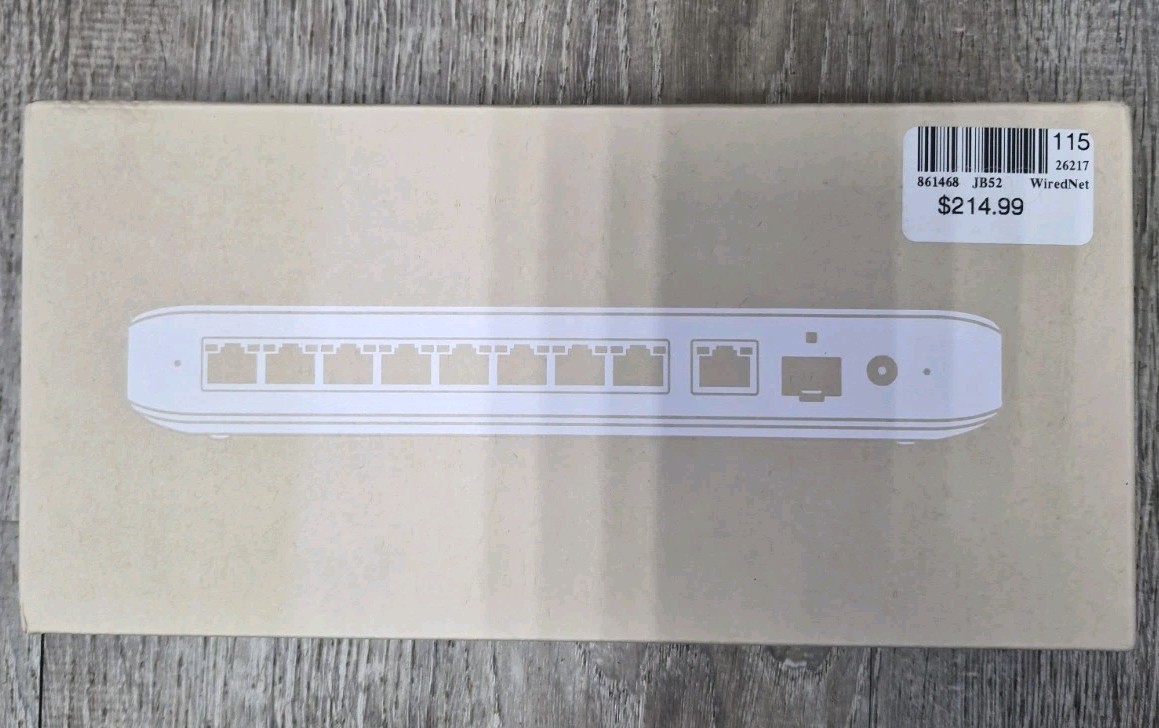

Photos from current listings. Actual item, color, and included accessories may vary.
Ubiquiti PoE Switch Buying Guide
Ubiquiti PoE switches are managed UniFi switching devices that combine copper PoE delivery, VLAN-capable routing, and software-defined management through the UniFi Network controller. The primary trade-off is PoE budget versus uplink speed and port count — cheaper models cap total PoE wattage or use 1G SFP while Flex/Pro tiers add 2.5G copper, 10G SFP+, or higher per-port output. The decision rule: match total PoE budget and uplink generation to your device load and backbone speed; avoid under-budgeted 802.3af-only models if you plan to run Wi-Fi 6/7 APs or PTZ cameras.
Key takeaways
- PoE standards tiers: 802.3af (15.4W), 802.3at/PoE+ (30W), and 802.3bt/PoE++ (60-90W) determine which APs, cameras, and doorbells operate without injectors.
- UniFi Flex series uses 2.5G copper ports and often a 10G SFP+ uplink, while older USW-Lite/8 models cap at 1G copper and 1G SFP.
- Total PoE budget varies by model: Lite-8-PoE delivers ~52W, Lite-16-PoE ~45W, Flex-8-PoE ~120W, and Pro-24-PoE up to 400W — per-port capability does not guarantee aggregate headroom.
At a glance
- Category
- Network Switches, Routers & Firewalls
- Last updated
- Nov 28, 2026
Current offers
Highlights
- PoE standards tiers: 802.3af (15.4W), 802.3at/PoE+ (30W), and 802.3bt/PoE++ (60-90W) determine which APs, cameras, and doorbells operate without injectors.
- UniFi Flex series uses 2.5G copper ports and often a 10G SFP+ uplink, while older USW-Lite/8 models cap at 1G copper and 1G SFP.
- Total PoE budget varies by model: Lite-8-PoE delivers ~52W, Lite-16-PoE ~45W, Flex-8-PoE ~120W, and Pro-24-PoE up to 400W — per-port capability does not guarantee aggregate headroom.
- Managed L2/L3 features (VLANs, link aggregation, port isolation, PoE scheduling) are controller-managed; standalone operation is limited without a UniFi console or self-hosted controller.
Best use cases
- Best fit: Home or small office with 1-3 Wi-Fi 6/7 APs and 2-4 PoE cameras — pick an 8-port 2.5G Flex PoE switch with at least 60W budget and 10G SFP+ uplink. Skip 802.3af-only Lite models under 50W if you run more than two PoE+ devices.
- Best fit: Rack-mounted SMB with 10-20 PoE endpoints — choose a 16 or 24-port Pro PoE switch with 250W+ budget, 802.3bt support, and dual SFP+ uplinks. Skip Flex desktop models for dense racks; they lack rack ears and aggregate headroom.
- Wrong fit: Isolated building with no UniFi console — Ubiquiti PoE switches need a controller for VLANs and PoE scheduling; buy a UniFi Cloud Key or self-host before deploying. Skip if you require full L3 routing without a gateway; these are L2/L3-lite switches.
Buying tips
- Calculate PoE budget: sum each device's max draw (Wi-Fi 6 AP ~20-25W, PoE camera ~8-15W, PTZ ~30-60W) and add 20% headroom; choose a switch whose total budget exceeds that sum, not just per-port rating.
- Check uplink generation: if your gateway or NAS has 2.5G or 10G, pick a Flex/Pro model with matching SFP+ or 2.5G copper — a 1G uplink bottlenecks local throughput and controller management.
- Match port count to growth: an 8-port switch with 4 PoE devices leaves zero expansion; for 3+ APs plus cameras, buy 16-port or plan a second switch with link aggregation.
- Confirm PoE standard per port: 802.3af (15.4W) powers basic cameras; Wi-Fi 6/7 APs and PTZ cameras need 802.3at (30W) or 802.3bt (60W+) — do not rely on passive 24V PoE for standard devices.
Specs
| PoE Standard | 802.3af / at / bt (per model) |
|---|---|
| Total PoE Budget | 45W to 400W (model-dependent) |
| Uplink Type | 1G SFP / 2.5G Cu / 10G SFP+ |
| Management | UniFi controller (L2/L3-lite) |
Related searches
What to check before buying
- Measure rack or desk space: Flex-8-PoE is desktop/wall-mount only (no rack ears); Pro-24-PoE is 1U rack-mount — confirm depth and airflow before buying.
- Verify controller: a UniFi Cloud Key, Dream Machine, or self-hosted Network Server is required for VLANs, PoE scheduling, and firmware updates — standalone web UI is limited.
- Check power source: PoE switches need a grounded AC outlet (100-240V); Flex models use external adapters, Pro models use internal PSU — plan outlet placement within cable run.
- Survey cabling: 2.5G/10G uplinks require Cat6/Cat6a for runs over 30m; Cat5e caps at 1G — upgrade cabling before buying a higher-speed switch.
FAQ
Data sources: eBay / Amazon listings and product attribute feeds. Updated Nov 28, 2026.
Some links on this page are affiliate links. If you buy after clicking one, we may earn a commission at no extra cost to you. This does not change which products appear here or their order. Affiliate disclosure.