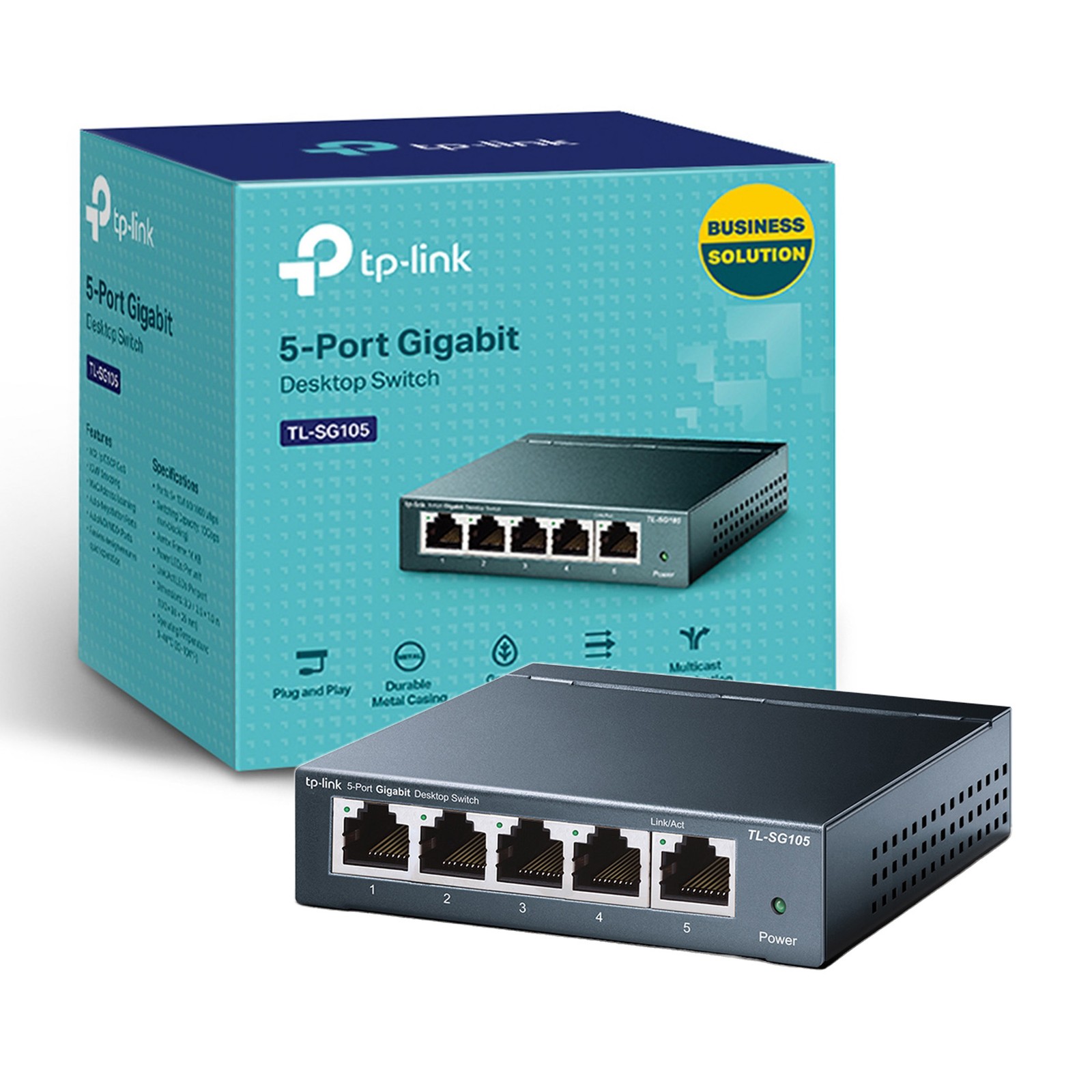

Photos from current listings. Actual item, color, and included accessories may vary.
Tp Link Switch Buying Guide
TP-Link switches span unmanaged desktop gigabit units to managed PoE and 10G tiers, with the primary trade-off being metal vs plastic chassis, port speed, and PoE budget for always-on reliability. Decide by port count, speed standard, and whether you need VLANs or power delivery—skip unmanaged plastic only if you require remote management or PoE.
Port Speed:10/100/1000 Mbps vs 2.5G/10GManagement:Unmanaged vs Easy Smart web GUIPoE Budget:None / 55–65W 802.3af/atChassis:Metal fanless vs plastic desktop
Typical price range$29.99
Key takeaways
- TL-SG105/SG108 are unmanaged gigabit metal desktop switches with fanless passive cooling and 10/100/1000 auto-negotiation per port.
- PoE models (TL-SG1005P, TL-SG1008P) deliver 802.3af/at power with total budgets around 55–65W; check per-port 15.4W/30W limits.
- Managed tiers (TL-SG105E, TL-SG108E) add 802.1Q VLANs, QoS, and loop prevention via web GUI—no CLI or cloud license required.
At a glance
- Category
- Network Switches, Routers & Firewalls
- Last updated
- Nov 28, 2026
Current offers
Highlights
- TL-SG105/SG108 are unmanaged gigabit metal desktop switches with fanless passive cooling and 10/100/1000 auto-negotiation per port.
- PoE models (TL-SG1005P, TL-SG1008P) deliver 802.3af/at power with total budgets around 55–65W; check per-port 15.4W/30W limits.
- Managed tiers (TL-SG105E, TL-SG108E) add 802.1Q VLANs, QoS, and loop prevention via web GUI—no CLI or cloud license required.
- 10G/Multi-Gig models (TL-SX105, TL-SG105-M2) require Cat6a or better cabling and are unnecessary for gigabit internet under 1Gbps.
Best use cases
- Pick TL-SG105/SG108 metal unmanaged for expanding a home or office LAN behind one router—plug-and-play, no config, silent.
- Choose TL-SG1005P/SG1008P PoE only if you power IP cameras, APs, or VoIP phones; verify total watt budget covers all devices simultaneously.
- Select TL-SG105E/SG108E managed if you need VLAN segmentation or QoS for guest/IoT isolation—skip if you never log into a switch GUI.
- Avoid 10G models unless you run NAS-to-PC large-file transfers or multi-gig fiber; for 1Gbps internet they add cost with zero throughput gain.
Buying tips
- Count devices and add 2 spare ports: 5-port for 3–4 devices, 8-port for 6–7, 16/24-port rack for patched wall runs.
- Match speed to your bottleneck: gigabit ports for ≤1Gbps ISP; 2.5G/10G only if your router, NAS, and cabling all support it.
- For PoE, sum device draw (cameras ~5–10W, APs ~10–15W) and keep under 80% of the switch's total budget for thermal headroom.
- Managed 'Easy Smart' models need a web browser on the same subnet—no app or cloud account; confirm you can set a static IP.
Specs
| Port Speed | 10/100/1000 Mbps vs 2.5G/10G |
|---|---|
| Management | Unmanaged vs Easy Smart web GUI |
| PoE Budget | None / 55–65W 802.3af/at |
| Chassis | Metal fanless vs plastic desktop |
Related searches
What to check before buying
- Measure desk or rack space: TL-SG105 is roughly 4.1×4.1 in metal; rack models need 19-inch EIA width and 1U clearance.
- Verify wall outlet and adapter voltage (100–240V input) and plug type for your region—TP-Link ships region-specific cords.
- Confirm cabling grade: Cat5e for gigabit up to 100m; Cat6a for 2.5G/10G runs to avoid link downgrades.
- For PoE, check whether injector budget or switch budget powers all devices—non-PoE switches need separate injectors per device.
FAQ
Data sources: eBay / Amazon listings and product attribute feeds. Updated Nov 28, 2026.
Some links on this page are affiliate links. If you buy after clicking one, we may earn a commission at no extra cost to you. This does not change which products appear here or their order. Affiliate disclosure.