
Photos from current listings. Actual item, color, and included accessories may vary.
PoE Switch Buying Guide
A PoE switch delivers both data and electrical power over standard Ethernet cabling, eliminating separate power adapters for IP cameras, access points, and VoIP phones. The core trade-off is power budget and port count versus managed features and uplink speed: unmanaged switches offer plug-and-play simplicity but no visibility, while managed switches provide VLANs and PoE scheduling at higher cost and complexity. The decision rule is simple: match the total PoE budget to your device load, choose 802.3af/at/bt based on per-port wattage needs, and pick managed only if you need VLANs, monitoring, or remote power cycling.
Median $119.49
Key takeaways
- PoE standards: 802.3af delivers 15.4W per port, 802.3at (PoE+) delivers 30W, and 802.3bt delivers 60W or 90W for pan-tilt-zoom cameras and high-power APs.
- Power budget is the total wattage shared across all PoE ports—an 8-port switch with a 60W budget cannot run eight 30W devices simultaneously, so sum your device draw before sizing.
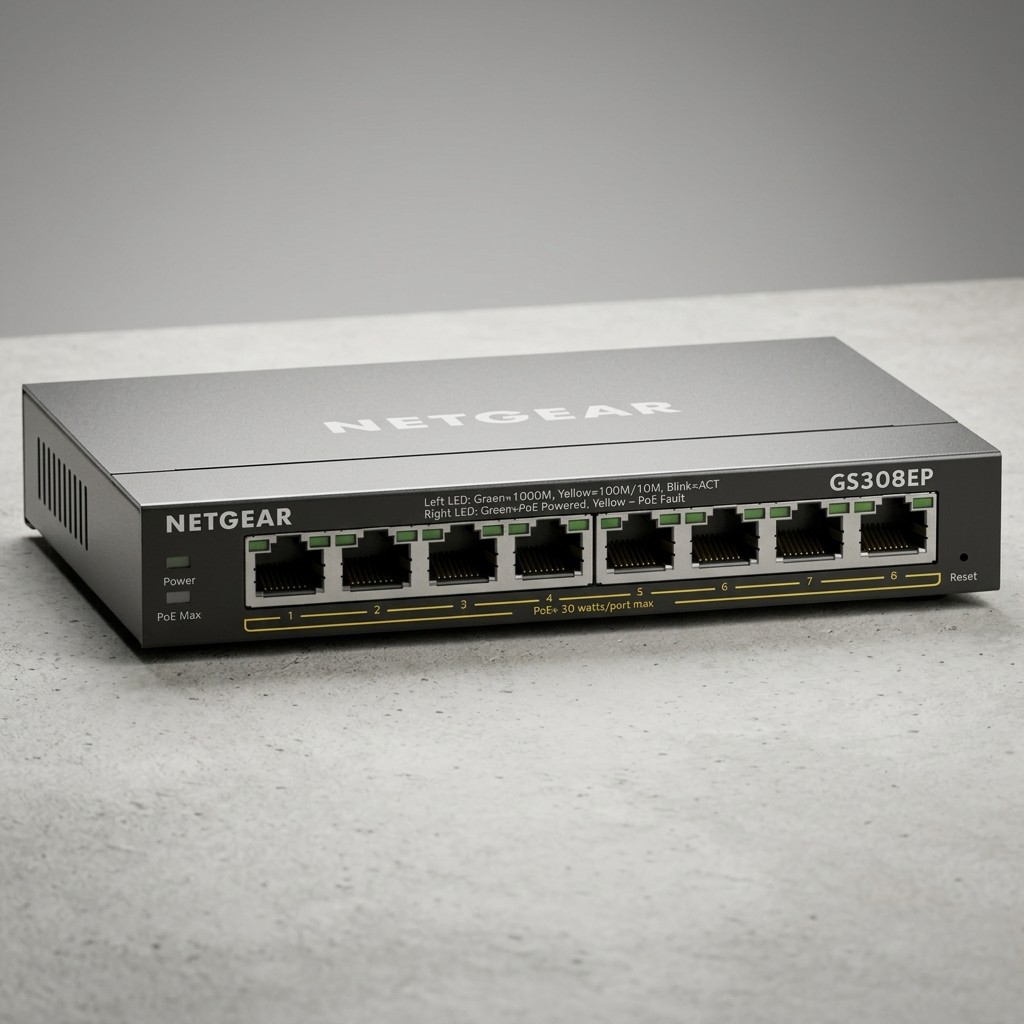
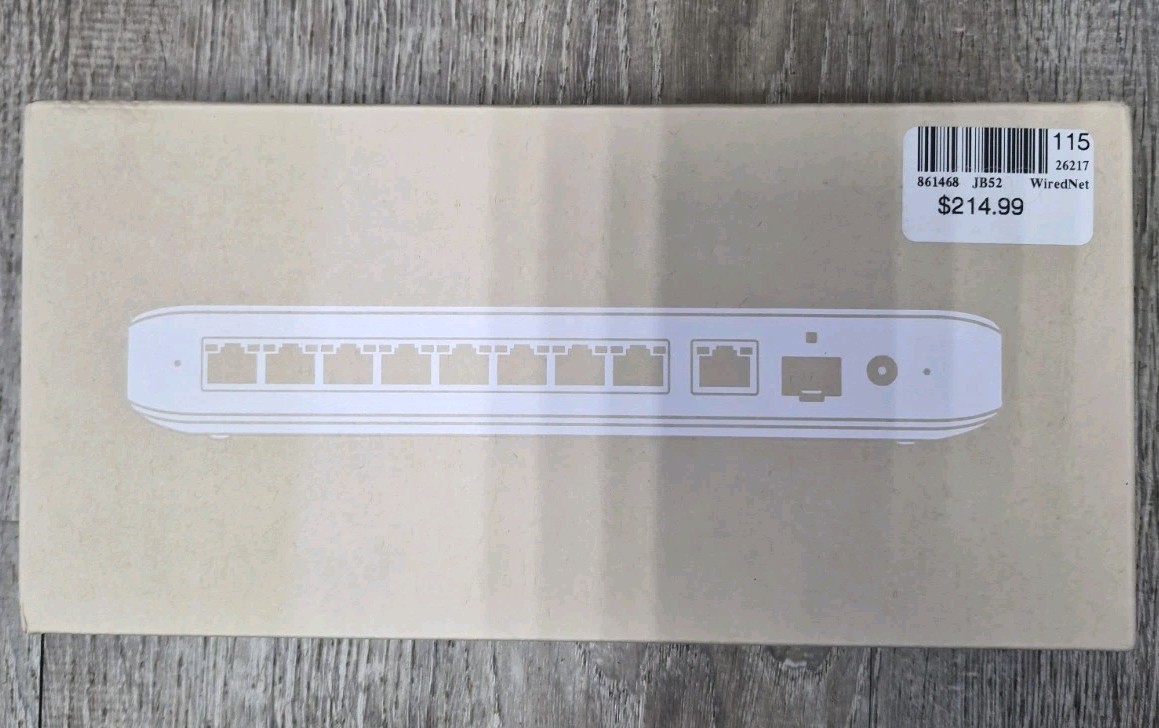
- Unmanaged switches like the NETGEAR GS308EP provide fixed PoE+ with no configuration, while managed models like the Ubiquiti USW-Flex-2.5G-8-PoE add VLANs, per-port power cycling, and 2.5G uplinks for high-bandwidth backhauls.
At a glance
- Category
- Network Switches, Routers & Firewalls
- Last updated
- Nov 28, 2026
Current offers
Highlights
- PoE standards: 802.3af delivers 15.4W per port, 802.3at (PoE+) delivers 30W, and 802.3bt delivers 60W or 90W for pan-tilt-zoom cameras and high-power APs.
- Power budget is the total wattage shared across all PoE ports—an 8-port switch with a 60W budget cannot run eight 30W devices simultaneously, so sum your device draw before sizing.
- Unmanaged switches like the NETGEAR GS308EP provide fixed PoE+ with no configuration, while managed models like the Ubiquiti USW-Flex-2.5G-8-PoE add VLANs, per-port power cycling, and 2.5G uplinks for high-bandwidth backhauls.
- Uplink speed matters when multiple PoE devices stream simultaneously: Gigabit uplinks suffice for 1080p cameras, but 2.5G or SFP+ uplinks prevent bottlenecks with 4K cameras or Wi-Fi 6 access points.
Best use cases
- Best fit: a small IP camera install (4–6 cameras) with an unmanaged 8-port PoE+ switch offering at least 60W budget—plug cameras in and they power up instantly with zero config.
- Best fit: a growing network with VLAN-segmented cameras and APs—choose a managed 8-port PoE+ switch with per-port power cycling and a 2.5G uplink to future-proof bandwidth.
- Wrong fit: powering 8 pan-tilt-zoom cameras at 30W each on a switch with only a 60W budget—sum your load and pick a model with a budget exceeding total device draw by 20% headroom.
- Wrong fit: using a PoE switch for non-PoE devices expecting power—standard PoE only powers compliant devices; non-PoE gear needs a PoE injector or a switch with dedicated uplink ports.
Buying tips
- Calculate total PoE load: add the max wattage of every device (cameras typically 7–15W, PTZ 25–30W, APs 15–25W) and choose a switch budget at least 20% higher to avoid shutdowns during peak draw.
- Match the PoE standard to your devices: 802.3af for basic IP phones and fixed cameras, 802.3at for most PTZ cameras and Wi-Fi 6 APs, and 802.3bt only for high-power devices like multi-radio APs or heated cameras.
- For runs over 100 meters or high cable resistance, choose a switch with voltage boost or 802.3bt support—standard 802.3af/at may drop below device minimum voltage on long or thin-gauge runs.
- Pick managed over unmanaged when you need VLAN isolation for cameras, remote reboot of frozen devices, or SNMP monitoring—unmanaged switches save cost but offer no diagnostics.
Specs
| PoE Standard | 802.3af / 802.3at / 802.3bt |
|---|---|
| PoE Budget | 30W to 240W total |
| Port Count | 5, 8, 16, 24, 48 ports |
| Management | Unmanaged / Managed (L2/L3) |
Related searches
What to check before buying
- Count PoE ports needed now and add two spare—8-port switches typically provide 8 PoE ports, but verify the model doesn't reserve uplink ports as non-PoE.
- Measure cable runs: PoE is reliable up to 100 meters over Cat5e/Cat6; longer runs require a midspan injector or fiber uplink with a media converter.
- Confirm your devices' PoE class (af/at/bt) and maximum wattage from their datasheets—mismatched standards cause devices to boot but not function under load.
- Check rack or shelf space and fan noise: fanless unmanaged switches suit office and closet installs, while managed switches with fans belong in ventilated racks.
FAQ
Data sources: eBay / Amazon listings and product attribute feeds. Updated Nov 28, 2026.
Some links on this page are affiliate links. If you buy after clicking one, we may earn a commission at no extra cost to you. This does not change which products appear here or their order. Affiliate disclosure.