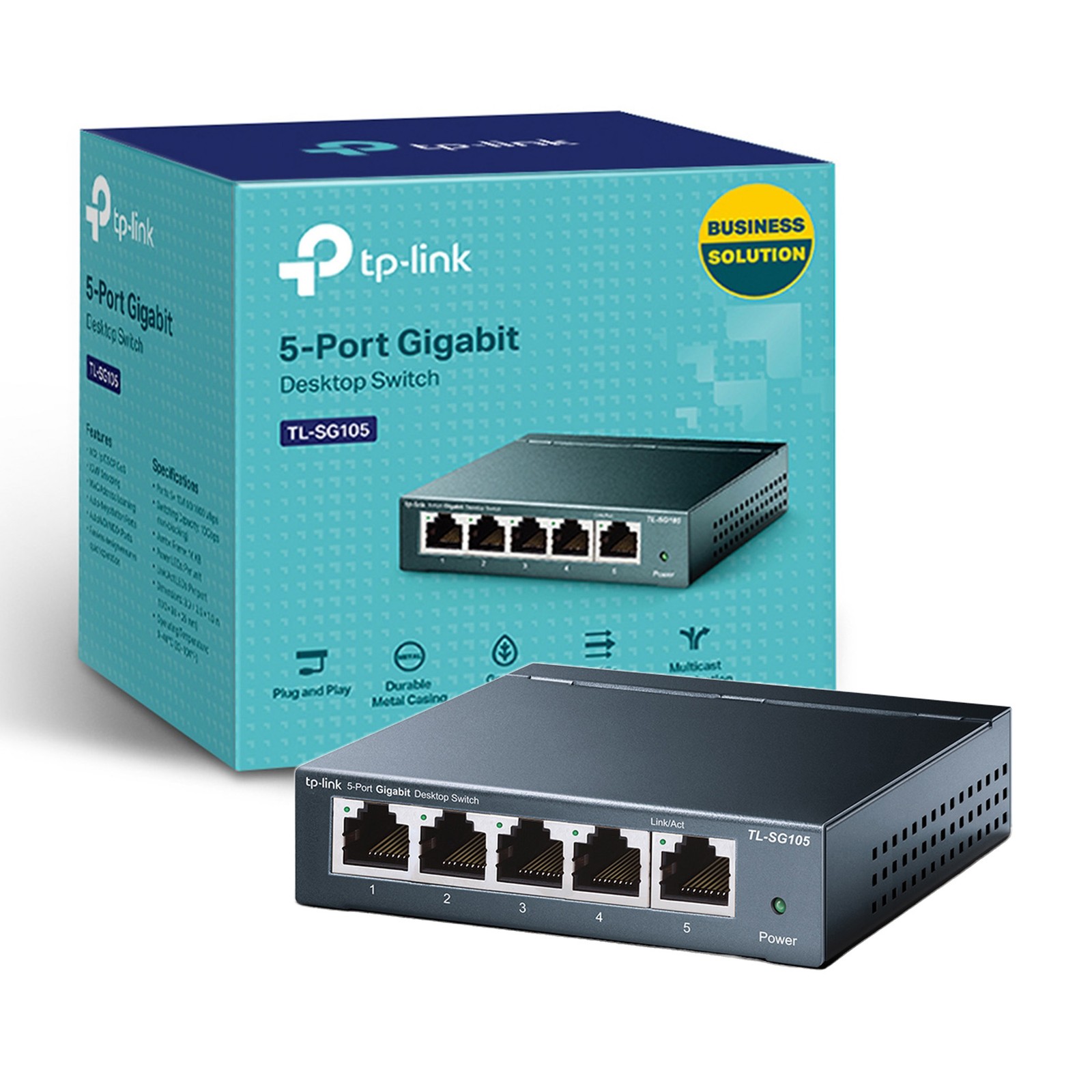

Photos from current listings. Actual item, color, and included accessories may vary.
Gigabit Ethernet Switch Buying Guide
A Gigabit Ethernet switch adds wired 1 Gbps ports to a LAN, and the core trade-off is unmanaged plug-and-play versus managed VLAN/ QoS control plus metal versus plastic housing and fanless versus active cooling. The decisive rule: buy unmanaged fanless metal for simple port expansion, and step to managed or smart switches only when you need VLANs, link aggregation, or traffic monitoring.
Key takeaways
- All ports are 10/100/1000 Mbps auto-negotiating; 5-port and 8-port unmanaged models are fanless and silent, while 16/24-port racks add fans and heat.
- Unmanaged switches need zero configuration; smart/managed tiers add 802.1Q VLANs, port mirroring, link aggregation, and QoS for segmented or monitored networks.
- Metal housings dissipate heat and survive rack/closet life; plastic cases suit desk use but crack under cable strain and trap heat.
At a glance
- Category
- Network Switches, Routers & Firewalls
- Last updated
- Nov 28, 2026
Current offers
Highlights
- All ports are 10/100/1000 Mbps auto-negotiating; 5-port and 8-port unmanaged models are fanless and silent, while 16/24-port racks add fans and heat.
- Unmanaged switches need zero configuration; smart/managed tiers add 802.1Q VLANs, port mirroring, link aggregation, and QoS for segmented or monitored networks.
- Metal housings dissipate heat and survive rack/closet life; plastic cases suit desk use but crack under cable strain and trap heat.
- IEEE 802.3az Energy Efficient Ethernet and 802.3x flow control reduce idle power and prevent packet loss under burst loads.
Best use cases
- Best fit: home or small office expanding a router's LAN ports to wired PCs, consoles, TVs, and printers — pick a fanless 5- or 8-port unmanaged metal switch.
- Best fit: small business needing VLAN separation for guest Wi-Fi, VoIP, and cameras — choose an 8-port smart/managed switch with 802.1Q and QoS.
- Wrong fit: running a single cable to another room — a switch does not extend a single uplink without a second switch or a router/AP; use a pair of switches or powerline/MoCA instead.
- Wrong fit: PoE cameras or access points on a non-PoE switch — pick an 802.3af/at PoE switch with a total power budget that exceeds camera draw.
Buying tips
- Count ports as devices plus one uplink to the router; buy 5-port for 3-4 devices, 8-port for 6-7, and 16/24-port only for racks with patch panels.
- Match speed tiers end to end: a Gigabit switch cannot exceed 1 Gbps per port, and a 2.5G/10G uplink only helps if the router and NAS also negotiate that rate.
- For PoE, sum device wattage (typical camera 6-10W, Wi-Fi 6 AP 15-25W) and choose a switch whose total PoE budget covers the sum with headroom.
- Choose unmanaged for zero-admin reliability; choose smart/managed only if you will actually configure VLANs, trunking, or monitoring via web UI or CLI.
Specs
| Port Speed | 10/100/1000 Mbps auto-negotiating |
|---|---|
| Management | Unmanaged vs Smart/Managed (802.1Q) |
| Housing & Cooling | Metal fanless vs plastic / active fan |
| PoE Support | Non-PoE vs 802.3af/at budgeted |
Related searches
What to check before buying
- Measure the install spot: 5/8-port desktop units are roughly 6-8 in wide, while 16/24-port rack units need 19-inch rack depth and rear clearance for cables.
- Confirm power: all use external or internal AC adapters; check the plug type matches your country and that the adapter is included.
- Verify cabling: use Cat5e or better for Gigabit over runs up to 100 m; Cat5 caps at 100 Mbps and will bottleneck the switch.
- Plan airflow and mounting: fanless metal units run warm but silent; rack switches need open front/rear ventilation and rubber feet or rack ears.
FAQ
Data sources: eBay / Amazon listings and product attribute feeds. Updated Nov 28, 2026.
Some links on this page are affiliate links. If you buy after clicking one, we may earn a commission at no extra cost to you. This does not change which products appear here or their order. Affiliate disclosure.