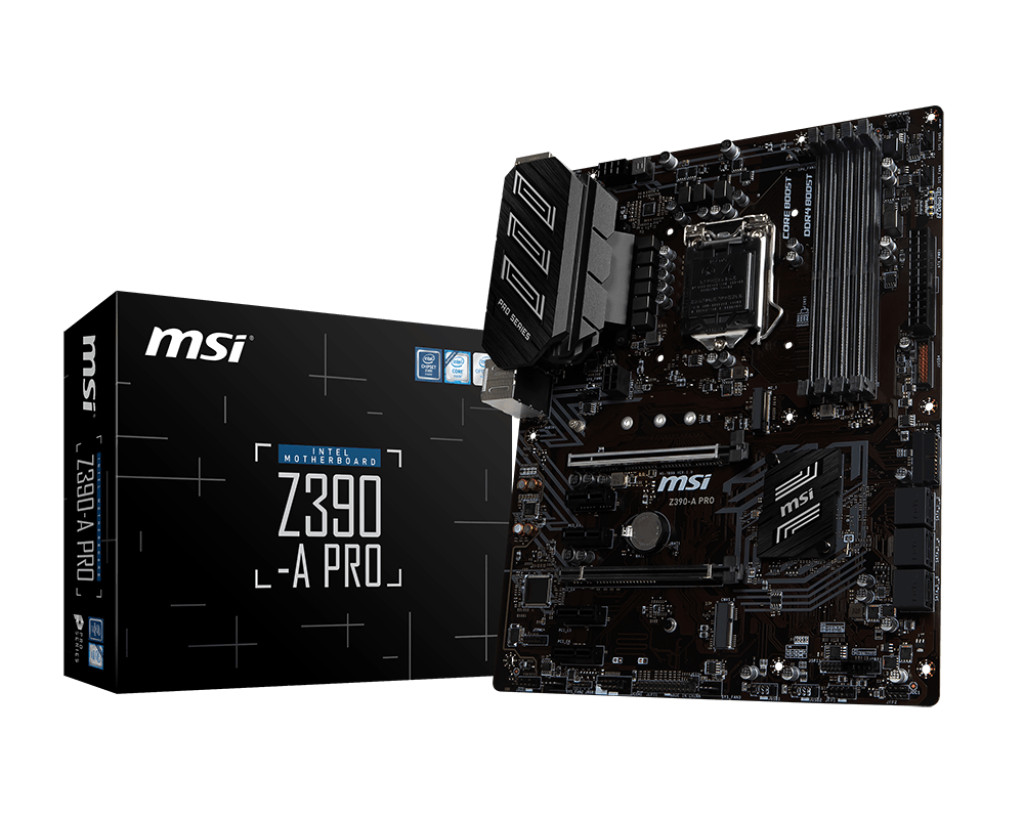

Photos from current listings. Actual item, color, and included accessories may vary.
Msi Z390 Buying Guide
The MSI Z390 platform is a socket LGA 1151 (300-series) ATX/micro-ATX motherboard family built for 8th and 9th Gen Intel Core processors on the Z390 chipset. The core buying trade-off is chipset tier and VRM quality: Z390 boards unlock CPU overclocking and full PCIe/M.2 flexibility, while B360/H310 boards cap memory speed and overclocking entirely. The decision rule is simple: buy Z390 only if you own or plan to buy an unlocked K-series CPU and need overclocking or high-speed DDR4; otherwise a cheaper B-series board delivers the same stock performance.
Key takeaways
- Z390 chipset supports CPU overclocking and memory overclocking; H310/B360 lock both, so a K-series CPU is wasted on them.
- LGA 1151 revision matters: 300-series boards take 8th/9th Gen only; 100/200-series boards (Z270 etc.) physically fit but are incompatible.
- The Z390-A PRO is a full ATX board with DDR4 up to 4400 MHz (OC), dual M.2 slots, USB 3.1 Gen2, and Realtek Gigabit LAN.
At a glance
- Category
- CPUs, Motherboards & Memory
- Last updated
- Nov 23, 2026
Current offers
Highlights
- Z390 chipset supports CPU overclocking and memory overclocking; H310/B360 lock both, so a K-series CPU is wasted on them.
- LGA 1151 revision matters: 300-series boards take 8th/9th Gen only; 100/200-series boards (Z270 etc.) physically fit but are incompatible.
- The Z390-A PRO is a full ATX board with DDR4 up to 4400 MHz (OC), dual M.2 slots, USB 3.1 Gen2, and Realtek Gigabit LAN.
- VRM design separates tiers: entry Z390 boards use fewer power phases and are best kept near stock; premium boards add heatsinked 12+ phase designs for sustained overclocks.
Best use cases
- Best fit: pairing a Core i5-9600K or i7-9700K with a Z390-A PRO for moderate overclocking, dual M.2 storage, and ATX case builds.
- Best fit: a budget 9th Gen gaming build needing USB 3.1 Gen2 and NVMe support without paying for premium VRM or Wi-Fi.
- Wrong fit: locked non-K CPUs (i5-9400F, i7-9700F) — a B360 board saves money with identical stock performance.
- Wrong fit: 10th/11th Gen or AMD Ryzen CPUs — LGA 1151 is not compatible; skip this platform entirely for newer generations.
Buying tips
- Match CPU socket and generation first: only 8th/9th Gen Intel Core (LGA 1151 revision 2) works; check for a 300-series chipset badge.
- Pick Z390 over B360 only if you have an unlocked K-series chip; otherwise spend the difference on faster DDR4 or an NVMe drive.
- For DDR4, buy a 2-DIMM kit rated 3200–3600 MHz; 4-DIMM high-speed kits stress the memory controller and often drop to lower speeds.
- Confirm ATX vs micro-ATX footprint: the Z390-A PRO is full ATX (12 × 9.6 in), so a micro-ATX case will not fit it.
Specs
| Socket / Chipset | LGA 1151 (300-series) / Intel Z390 |
|---|---|
| CPU Support | 8th & 9th Gen Intel Core |
| Memory | DDR4, 4 DIMMs, up to 4400 MHz (OC) |
| Form Factor | ATX (12 × 9.6 in) / micro-ATX variants |
Related searches
What to check before buying
- Measure your case: full ATX boards need at least 7 expansion-slot clearance and a 12 × 9.6 in tray area.
- Verify your CPU is 8th/9th Gen LGA 1151; confirm the box or board revision ships with a BIOS that boots your chip.
- Check PSU headers: Z390 boards need a 24-pin ATX plus an 8-pin (sometimes 4+8) EPS CPU connector.
- Confirm DDR4 (not DDR3) and plan DIMM slots: 4 slots on ATX boards, 2 on most micro-ATX budget boards.
FAQ
Data sources: eBay / Amazon listings and product attribute feeds. Updated Nov 23, 2026.
Some links on this page are affiliate links. If you buy after clicking one, we may earn a commission at no extra cost to you. This does not change which products appear here or their order. Affiliate disclosure.