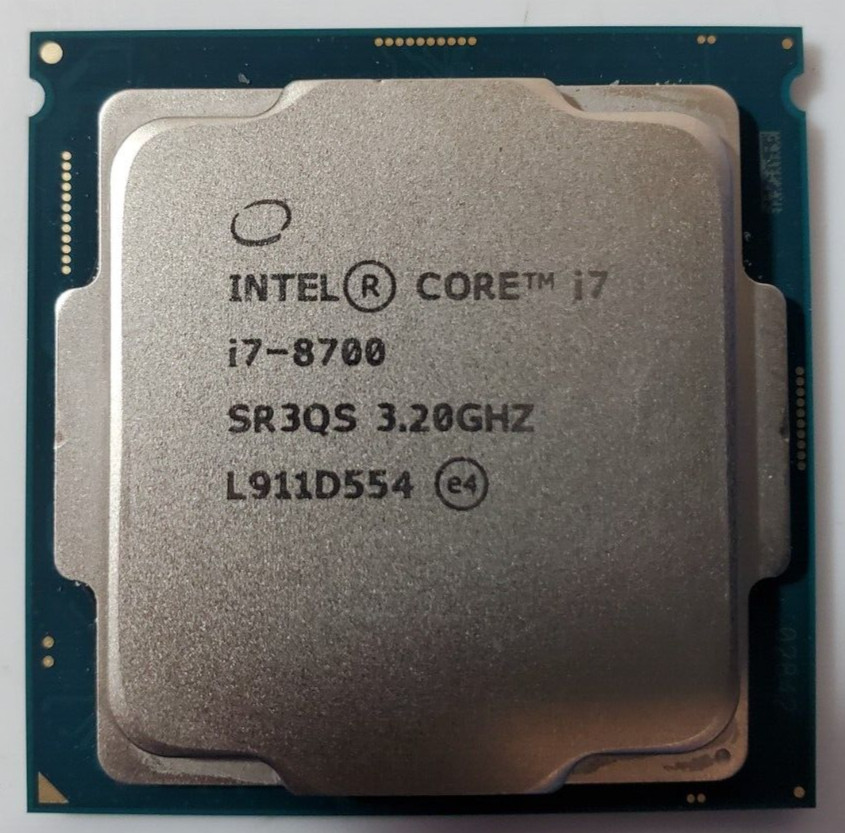

Photos from current listings. Actual item, color, and included accessories may vary.
CPU Buying Guide
A CPU is the main processor that dictates gaming frame rates, application responsiveness, and upgrade headroom. The core trade-off is single-thread clock speed for gaming versus core/thread count for content creation, all constrained by socket, chipset, and memory generation. The decision rule: match the CPU to your motherboard socket and pick the highest sustained clock (gaming) or core count (editing) your chipset supports.
Key takeaways
- Gaming relies on single-thread performance: higher boost clock (4.5-5.5 GHz) and modern architecture deliver more FPS than extra cores.
- Video editing scales with core/thread count and memory bandwidth: 8-16 modern cores with DDR5 feed renders faster than 6 high-clock cores.
- Socket determines compatibility: LGA 1700 supports Intel 12th-14th Gen; AM5 supports AMD Ryzen 7000/9000 and DDR5 only; LGA 1151 is legacy DDR4.
At a glance
- Category
- CPUs, Motherboards & Memory
- Last updated
- Nov 23, 2026
Current offers
Highlights
- Gaming relies on single-thread performance: higher boost clock (4.5-5.5 GHz) and modern architecture deliver more FPS than extra cores.
- Video editing scales with core/thread count and memory bandwidth: 8-16 modern cores with DDR5 feed renders faster than 6 high-clock cores.
- Socket determines compatibility: LGA 1700 supports Intel 12th-14th Gen; AM5 supports AMD Ryzen 7000/9000 and DDR5 only; LGA 1151 is legacy DDR4.
- Silicon quality matters: 65W TDP parts run cooler in small cases, while 125W+ unlocked parts need robust VRM and tower cooling for sustained boost.
Best use cases
- Best for pure gaming: pick a 6-8 core CPU with the highest boost clock your budget allows, prioritizing single-thread speed over core count.
- Best for video editing and 3D rendering: choose 12-16 cores with strong multi-thread scaling and DDR5 support; skip 4-core or dual-core parts.
- Wrong fit: buying an older LGA 1151 CPU like the i7-8700 for a new build—DDR4 and limited upgrade path make it a dead end.
- Best for budget office/HTPC: a modern 4-6 core with integrated graphics avoids a discrete GPU cost; skip high-TDP unlocked chips in tiny cases.
Buying tips
- Match socket exactly: AM5 for Ryzen 7000/9000, LGA 1700 for Intel 12th-14th Gen, AM4 for Ryzen 5000—no cross-socket mounting without a new board.
- For gaming, calculate target FPS: 1080p high-refresh needs highest single-thread boost; 4K gaming shifts load to GPU, so a mid-tier 6-core suffices.
- For editing, pick 8+ cores and check memory support: DDR5-6000 CL30 on AM5 or DDR5-5600 on LGA 1700 reduces render bottlenecks.
- Check TDP and cooler height: 125W+ CPUs need a 240mm AIO or dual-tower air cooler; 65W parts work with stock coolers in small cases.
Specs
| Socket | AM5 / LGA 1700 / AM4 |
|---|---|
| Cores/Threads | 4-24C / 8-32T by tier |
| Boost Clock | 4.0-5.8 GHz |
| TDP | 65W-253W |
Related searches
What to check before buying
- Confirm motherboard socket and chipset firmware support—AM5 boards may need BIOS update for newer Ryzen generations.
- Measure case CPU cooler clearance: tower coolers often need 160mm height, AIO radiators need 240-360mm mounting space.
- Verify PSU headroom: high-end CPUs draw 125-250W under load; add GPU wattage and leave 20% margin for transient spikes.
- Check memory generation: DDR5 boards will not accept DDR4, and AM5 has no DDR4 option—plan RAM purchase with the board.
FAQ
Data sources: eBay / Amazon listings and product attribute feeds. Updated Nov 23, 2026.
Some links on this page are affiliate links. If you buy after clicking one, we may earn a commission at no extra cost to you. This does not change which products appear here or their order. Affiliate disclosure.