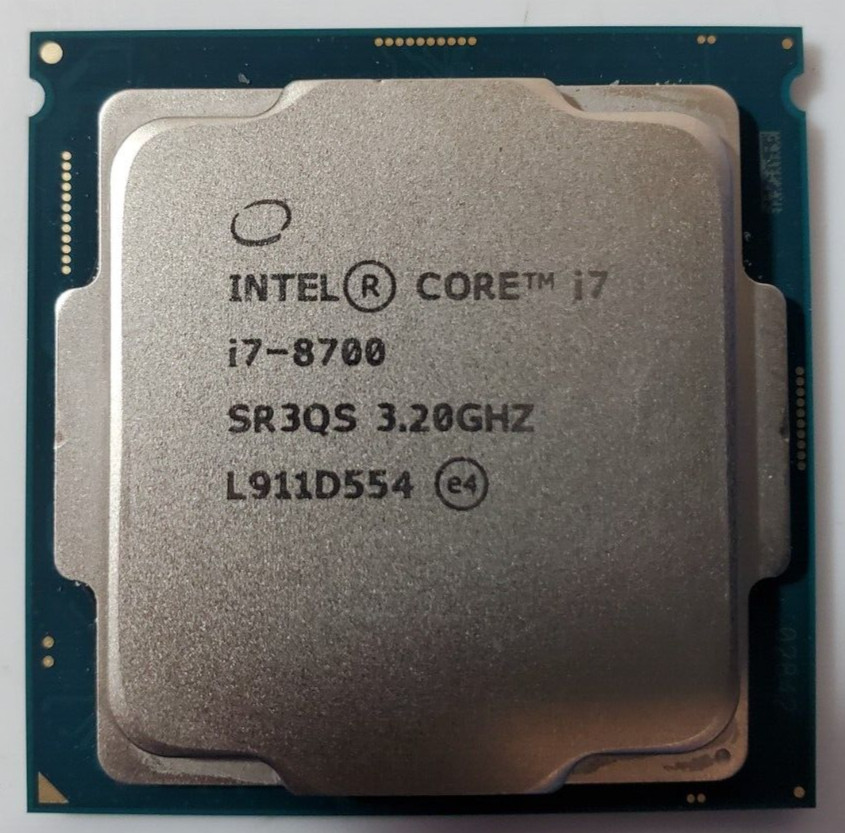

Photos from current listings. Actual item, color, and included accessories may vary.
Intel Core I7 Processor Buying Guide
The Intel Core i7 is a performance-tier desktop and mobile processor line spanning many generations, from 2008 Nehalem through today's hybrid Core Ultra era. The core trade-off is socket-chipset compatibility versus generational IPC and core-count jumps—an older i7 on a dead platform can cost more than a newer i5 on a live one. The decision rule: match the i7 generation to your existing motherboard socket or buy the newest i7 your budget allows on a current LGA1700/LGA1851 board, and never pay premium prices for an obsolete 4-core i7.
Key takeaways
- Socket tiers dictate everything: LGA1151 (6th–9th gen), LGA1200 (10th–11th gen), LGA1700 (12th–14th gen), and LGA1851 (Core Ultra 200S) are physically and electrically incompatible despite similar pin counts.
- Core i7 core counts jumped sharply by generation: 4C/8T through 7th gen, 6C/12T on 8th–9th gen (8700/9700), 8C/16T on 10th–11th gen, and up to 12–20 cores with hybrid P+E architecture on 12th–14th gen.
- Only 'K' suffix i7 chips (e.g., 12700K, 14700K) are multiplier-unlocked for overclocking and require a Z-series chipset (Z690/Z790) to use it; non-K chips lock to B/H boards.
At a glance
- Category
- CPUs, Motherboards & Memory
- Last updated
- Nov 23, 2026
Current offers
Highlights
- Socket tiers dictate everything: LGA1151 (6th–9th gen), LGA1200 (10th–11th gen), LGA1700 (12th–14th gen), and LGA1851 (Core Ultra 200S) are physically and electrically incompatible despite similar pin counts.
- Core i7 core counts jumped sharply by generation: 4C/8T through 7th gen, 6C/12T on 8th–9th gen (8700/9700), 8C/16T on 10th–11th gen, and up to 12–20 cores with hybrid P+E architecture on 12th–14th gen.
- Only 'K' suffix i7 chips (e.g., 12700K, 14700K) are multiplier-unlocked for overclocking and require a Z-series chipset (Z690/Z790) to use it; non-K chips lock to B/H boards.
- Memory support is generation-bound: DDR4 on 10th–12th gen boards, DDR5 on 12th gen and newer (some boards support one or the other, never both), and DDR4/DDR5 dual support disappeared on LGA1851.
Best use cases
- Best fit: upgrading an existing LGA1151 or LGA1200 system—pick the highest i7 your socket supports (e.g., i7-8700 for LGA1151 300-series, i7-11700 for LGA1200) rather than replacing the board.
- Best fit: new gaming or productivity builds—buy a 12th–14th gen i7 (12700K/13700K/14700K) on LGA1700 with DDR5 and a Z790 board for unlocked tuning, or a non-K i7 on B760 to save on cooling.
- Wrong fit: buying an old 4-core i7 (e.g., 6700K/7700K) at inflated prices for a new build—a modern i3 or i5 on a current socket beats it on IPC, efficiency, and platform features for less.
- Wrong fit: pairing a K-series i7 with a budget H610 board—no overclocking, weak VRMs throttle the chip, and you pay for headroom you cannot use.
Buying tips
- Identify your motherboard socket first: LGA1151 (6th–9th gen), LGA1200 (10th–11th), LGA1700 (12th–14th), LGA1851 (Core Ultra). Cross-socket CPUs physically will not fit—never force one.
- Choose K vs non-K by chipset: Z690/Z790 unlocks overclocking on K chips; B760/H770 run non-K i7s at stock with lower cooling and PSU demands. Match the board tier to the chip suffix.
- Budget cooling and PSU by TDP class: 65W non-K i7 needs a 120mm air cooler and 550W PSU; 125W–253W K-series needs a 240mm+ AIO or dual-tower air and a 750W+ Gold PSU.
- Verify memory generation before buying: 10th–11th gen is DDR4-only, 12th–14th gen boards are DDR4 or DDR5 (not both), LGA1851 is DDR5-only. Buy the RAM kit that matches the board revision.
Specs
| Socket | LGA1151 / 1200 / 1700 / 1851 |
|---|---|
| Core Count | 4C/8T to 20C (P+E hybrid) |
| TDP Class | 65W non-K / 125W–253W K |
| Memory Support | DDR4 / DDR5 by generation |
Related searches
What to check before buying
- Confirm motherboard socket and chipset (e.g., LGA1700 Z790) and check the vendor CPU support list for your exact i7 model and required BIOS version.
- Measure CPU cooler clearance in your case: 240mm AIO radiators need top or front mounting space; dual-tower air coolers need 160mm+ height clearance.
- Check PSU wattage and PCIe/CPU power connectors: K-series i7 boards often need an 8-pin plus 4-pin EPS, so verify your PSU has both.
- Verify RAM type and slot count on the board (DDR4 vs DDR5, 2 vs 4 DIMMs) and buy a matched kit rated for the board's QVL.
FAQ
Data sources: eBay / Amazon listings and product attribute feeds. Updated Nov 23, 2026.
Some links on this page are affiliate links. If you buy after clicking one, we may earn a commission at no extra cost to you. This does not change which products appear here or their order. Affiliate disclosure.