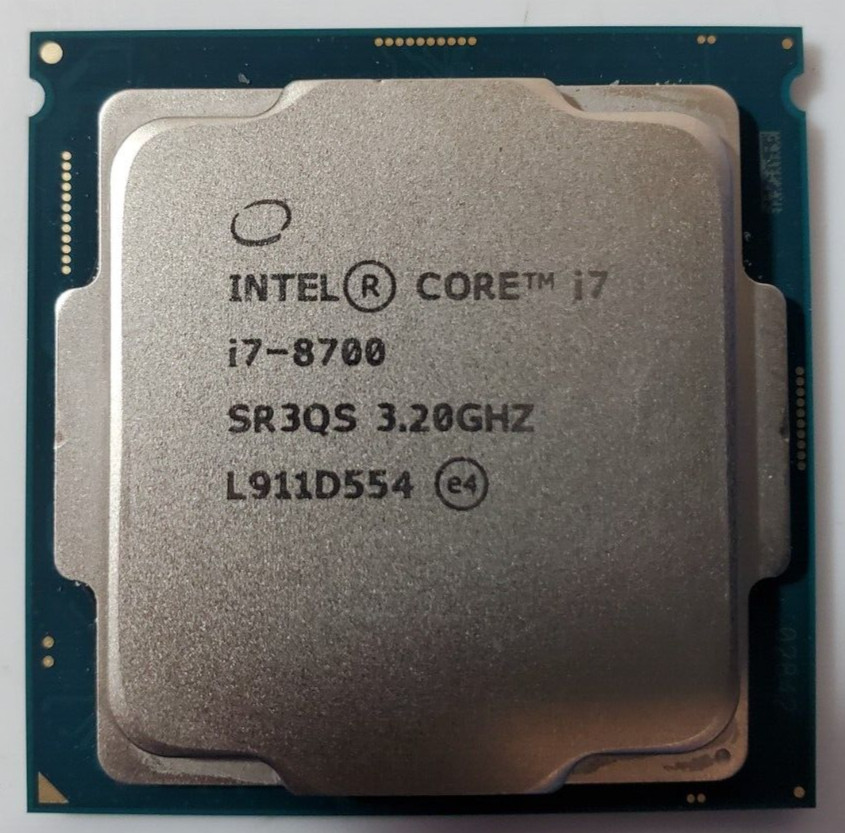

Photos from current listings. Actual item, color, and included accessories may vary.
Intel I7 CPU Buying Guide
Intel Core i7 is the upper-mainstream desktop and mobile processor tier, sitting above i5 and below i9, defined by Hyper-Threading (or hybrid P+E cores on newer gens), higher turbo clocks, and larger cache. The core trade-off is socket/generation compatibility versus price-per-core: older LGA 1151/1200 chips are cheap but locked to DDR4 and legacy boards, while LGA 1700/1851 i7s demand DDR5 and current chipsets. The decision rule: match the i7 generation to a motherboard chipset and memory standard you can actually build around, and skip any i7 whose socket has no upgrade path or whose TDP exceeds your cooler and VRM budget.
Key takeaways
- LGA 1151 (6th-9th gen) i7s like the 8700 are 6C/12T with locked memory at DDR4-2666 and no CPU overclocking on non-K parts or B/H chipsets.
- LGA 1700 12th-14th gen i7 (12700K, 13700K, 14700K) mixes P-cores and E-cores, needs a 600/700-series chipset for full turbo, and runs DDR4 or DDR5 depending on board.
- K-suffix i7s unlock multiplier overclocking and higher power limits but require Z-series chipsets and tower air or 240mm+ liquid cooling for sustained turbo.
At a glance
- Category
- CPUs, Motherboards & Memory
- Last updated
- Nov 23, 2026
Current offers
Highlights
- LGA 1151 (6th-9th gen) i7s like the 8700 are 6C/12T with locked memory at DDR4-2666 and no CPU overclocking on non-K parts or B/H chipsets.
- LGA 1700 12th-14th gen i7 (12700K, 13700K, 14700K) mixes P-cores and E-cores, needs a 600/700-series chipset for full turbo, and runs DDR4 or DDR5 depending on board.
- K-suffix i7s unlock multiplier overclocking and higher power limits but require Z-series chipsets and tower air or 240mm+ liquid cooling for sustained turbo.
- T-suffix i7s are 35W low-power variants with reduced base clocks, suited to small-form-factor and fanless-adjacent builds but not sustained all-core workloads.
Best use cases
- Pick a 12th-14th gen K-suffix i7 on a Z690/Z790 board with DDR5 if you game at 1440p+ and stream or edit video; skip older 8th/9th gen i7s that lack modern PCIe lanes and core counts.
- Pick a non-K i7 on a B660/B760 board with DDR4 for a quiet productivity PC; skip the K variant and Z chipset because you will not overclock and the money is better spent on RAM or storage.
- Pick a T-suffix i7 for a compact mini-ITX or low-noise office build; skip it for rendering or compile farms where all-core boost clocks matter more than 35W efficiency.
- Pick a used LGA 1151 i7-8700 only for a budget drop-in upgrade on an existing 300-series board; skip it for new builds because DDR4-2666 and 6 cores are outclassed by modern i5s.
Buying tips
- Verify the socket first: LGA 1151 (8th/9th gen) does not fit LGA 1151 v2 boards interchangeably—check chipset (Z370/Z390 vs B360) before buying the CPU.
- For 12th-14th gen, buy a board with VRM heatsinks covering the CPU power stages; a 125W+ i7 will throttle on bare budget H610 boards under sustained load.
- Match memory standard to the board, not the CPU: LGA 1700 i7s run DDR4 on DDR4 boards and DDR5 on DDR5 boards, and the two are not interchangeable.
- Choose K-suffix only if you own a Z-chipset board and a cooler rated for 200W+; otherwise the non-K i7 delivers nearly identical stock performance for less.
Specs
| Socket | LGA 1151 / 1200 / 1700 / 1851 |
|---|---|
| Core Layout | 6C/12T to 20C (P+E hybrid) |
| Memory Support | DDR4-2666 to DDR5-5600 |
| Power Tier | 35W T / 65W non-K / 125W+ K |
Related searches
What to check before buying
- Confirm your motherboard socket and chipset generation support the exact i7 model (e.g., 8th/9th gen on 300-series, 12th-14th gen on 600/700-series).
- Measure CPU cooler height clearance and radiator support in your case; K-suffix i7s need tower air or 240mm+ AIO to avoid thermal throttling.
- Check PSU wattage and CPU power connector count (8-pin vs 8+4-pin) for 125W-253W i7 turbo power draw.
- Verify BIOS version on the motherboard supports the CPU stepping out of the box, especially for newer 13th/14th gen chips on older 600-series boards.
FAQ
Data sources: eBay / Amazon listings and product attribute feeds. Updated Nov 23, 2026.
Some links on this page are affiliate links. If you buy after clicking one, we may earn a commission at no extra cost to you. This does not change which products appear here or their order. Affiliate disclosure.