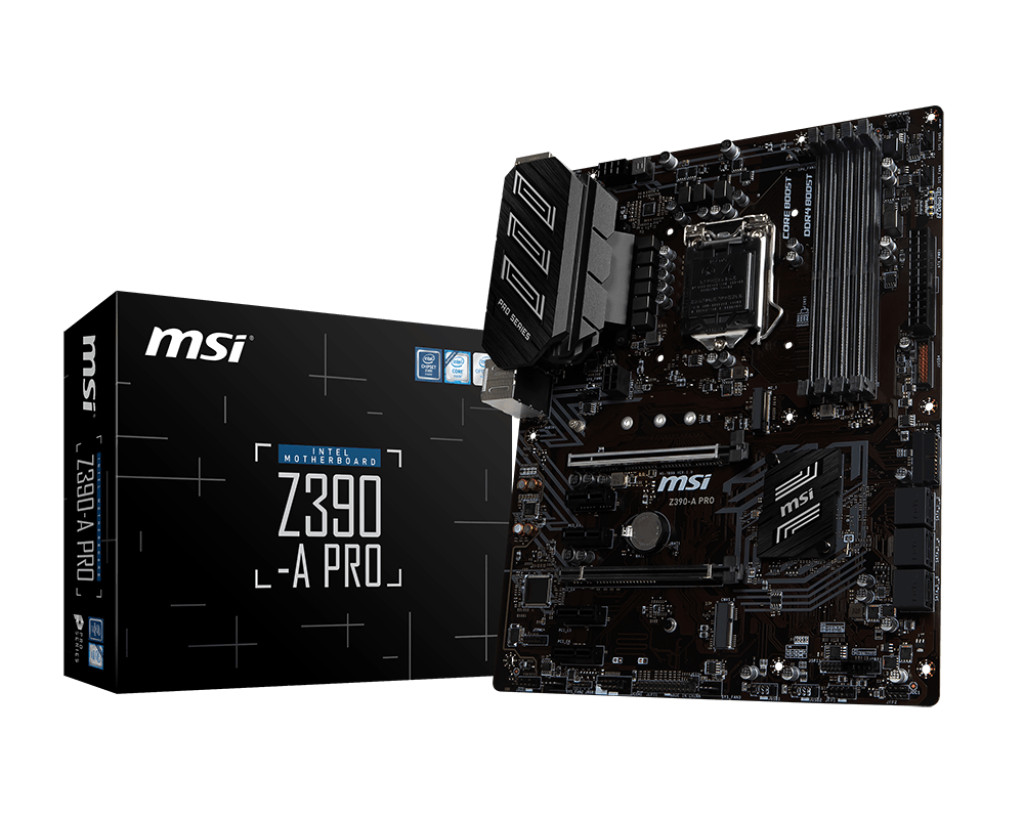

Photos from current listings. Actual item, color, and included accessories may vary.
Lga 1200 Motherboard Buying Guide
LGA 1200 motherboards are the Intel 400/500-series platform for 10th and 11th Gen Core processors, using the same 1200-pin socket but splitting chipset features across two generations. The core trade-off is chipset tier (H410/H510 budget, B460/B560 mainstream, H470/H570, Z490/Z590 overclocking) and PCIe generation—only 500-series boards expose PCIe 4.0, and only with an 11th Gen CPU. The decision rule: buy Z590 only if you need CPU overclocking or PCIe 4.0; otherwise B560 delivers the modern feature floor, and H510 is the correct no-frills pick.
Key takeaways
- Socket LGA 1200 supports both 10th Gen (Comet Lake) and 11th Gen (Rocket Lake) Core CPUs, but 400-series chipsets run 11th Gen at reduced PCIe capability.
- PCIe 4.0 is available only on 500-series chipsets (Z590, H570, B560, H510) and only with an 11th Gen CPU installed; 10th Gen CPUs cap all boards at PCIe 3.0.
- CPU overclocking requires a Z490 or Z590 chipset with a K-series processor; B560/H570 boards allow memory overclocking but not CPU ratio changes.
At a glance
- Category
- CPUs, Motherboards & Memory
- Last updated
- Nov 23, 2026
Current offers
Highlights
- Socket LGA 1200 supports both 10th Gen (Comet Lake) and 11th Gen (Rocket Lake) Core CPUs, but 400-series chipsets run 11th Gen at reduced PCIe capability.
- PCIe 4.0 is available only on 500-series chipsets (Z590, H570, B560, H510) and only with an 11th Gen CPU installed; 10th Gen CPUs cap all boards at PCIe 3.0.
- CPU overclocking requires a Z490 or Z590 chipset with a K-series processor; B560/H570 boards allow memory overclocking but not CPU ratio changes.
- The 500-series platform provides 20 CPU PCIe lanes on 11th Gen (16 GPU + 4 NVMe) versus 16 lanes on 10th Gen, directly affecting M.2 slot count and bandwidth.
Best use cases
- Best fit: pair B560 with an 11th Gen Core i5/i7 and a PCIe 4.0 NVMe drive—you get the modern feature set without paying for Z590 overclocking you won't use.
- Wrong fit: buying Z590 for a non-K 10th Gen CPU—you lose CPU overclocking, PCIe 4.0, and the 4 extra CPU lanes, so spend less on B460 instead.
- Best fit: H510 for an office or HTPC build with a 10th/11th Gen i3—it covers display outputs, USB, and one M.2 without overclocking or high-speed lane overhead.
- Wrong fit: a 400-series board for a planned 11th Gen upgrade if you need PCIe 4.0 storage—the chipset blocks it, so start on B560 or Z590.
Buying tips
- Match chipset to CPU generation: 10th Gen works on H410/B460/H470/Z490 and 500-series; 11th Gen requires 500-series for full PCIe 4.0 and lane support.
- Choose B560 over B460 for memory overclocking—B460 locks RAM to JEDEC speeds (2666/2933), while B560 enables XMP profiles above 3200 MHz.
- Confirm the board's M.2 layout: 500-series boards typically offer one PCIe 4.0 x4 M.2 from the CPU and one PCIe 3.0 x4 from the chipset; 400-series boards are PCIe 3.0 throughout.
- For overclocking headroom, verify the VRM stage count and heatsink coverage on Z490/Z590 boards—entry Z boards often use fewer phases than mid-range B560 boards.
Specs
| Socket | LGA 1200 (10th/11th Gen Core) |
|---|---|
| Chipset Tier | H410/H510 · B460/B560 · Z490/Z590 |
| PCIe Generation | PCIe 4.0 (500-series + 11th Gen) |
| Form Factor | ATX · Micro-ATX · Mini-ITX |
Related searches
What to check before buying
- Measure your case for ATX (305×244 mm), Micro-ATX (244×244 mm), or Mini-ITX (170×170 mm) before picking a form factor—LGA 1200 boards come in all three.
- Confirm your CPU cooler mounting kit supports LGA 1200; most LGA 115x coolers fit, but backplate and standoff height can differ on some models.
- Check PSU connectors: Z590 boards often require an 8-pin plus 4-pin EPS CPU power; B560/H510 typically need only a single 8-pin.
- Verify BIOS support for your exact CPU stepping—early 400-series boards may need a BIOS update for 11th Gen, while 500-series boards ship ready for both generations.
FAQ
Data sources: eBay / Amazon listings and product attribute feeds. Updated Nov 23, 2026.
Some links on this page are affiliate links. If you buy after clicking one, we may earn a commission at no extra cost to you. This does not change which products appear here or their order. Affiliate disclosure.