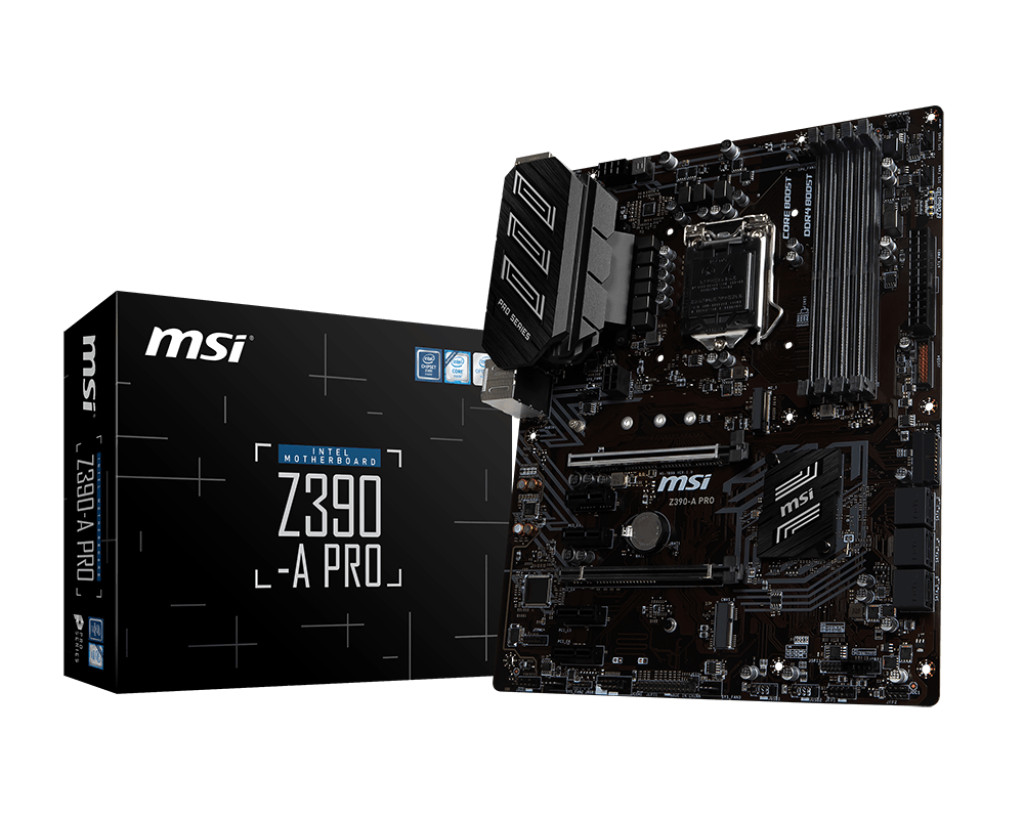

Photos from current listings. Actual item, color, and included accessories may vary.
Lga 1155 Motherboard Buying Guide
LGA 1155 motherboards are the platform for Intel's 2nd and 3rd generation Core processors (Sandy Bridge and Ivy Bridge), using the H61, B75, Q77, Z68, and Z77 chipsets. The defining trade-off is chipset generation: H61 boards lack native SATA 6Gb/s and USB 3.0, while Z77 adds CPU overclocking and PCIe 3.0 support. The clear rule is to match the chipset to your CPU and expansion needs—buy Z77 only if you have a K-series CPU and need overclocking or native USB 3.0, otherwise B75 or H61 suffice.
Key takeaways
- H61 chipset limits memory to DDR3-1333 and provides only SATA 3Gb/s plus USB 2.0; B75 adds SATA 6Gb/s and USB 3.0 natively.
- Z77 and Z75 chipsets enable CPU ratio overclocking on unlocked K-series CPUs and split PCIe 3.0 lanes for dual-GPU setups.
- Ivy Bridge CPUs (3xxx series) support PCIe 3.0 and DDR3-1600 officially; Sandy Bridge (2xxx) caps at DDR3-1333 and PCIe 2.0.
At a glance
- Category
- CPUs, Motherboards & Memory
- Last updated
- Nov 23, 2026
Current offers
Highlights
- H61 chipset limits memory to DDR3-1333 and provides only SATA 3Gb/s plus USB 2.0; B75 adds SATA 6Gb/s and USB 3.0 natively.
- Z77 and Z75 chipsets enable CPU ratio overclocking on unlocked K-series CPUs and split PCIe 3.0 lanes for dual-GPU setups.
- Ivy Bridge CPUs (3xxx series) support PCIe 3.0 and DDR3-1600 officially; Sandy Bridge (2xxx) caps at DDR3-1333 and PCIe 2.0.
- Board form factors range from Mini-ITX (17x17cm) to ATX (30.5x24.4cm); micro-ATX (24.4x24.4cm) is the most common budget size.
Best use cases
- Best fit: Pair a locked Core i5-2400 or i3-3220 with a B75 micro-ATX board for native SATA 6Gb/s and USB 3.0 without paying for overclocking features.
- Best fit: Use a Z77 ATX board with a Core i5-3570K or i7-3770K to unlock CPU multiplier overclocking and run dual GPUs at PCIe 3.0 x8/x8.
- Wrong fit: Avoid H61 boards for any build needing more than two SATA devices or front-panel USB 3.0—the chipset provides only USB 2.0 and SATA 3Gb/s.
- Wrong fit: Skip Z77 if you have a non-K CPU or no plans to overclock; a B75 or H77 board saves cost with the same native SATA 6Gb/s and USB 3.0.
Buying tips
- Match chipset to CPU: H61/B75 for locked CPUs, Z77 for K-series overclocking; P67/Z68 support Sandy Bridge but may need a BIOS update for Ivy Bridge.
- Check DDR3 slot count and max capacity: most boards have 2 or 4 slots; 4-slot boards support up to 32GB, 2-slot boards typically 16GB.
- Verify SATA port count and speed: B75 and Z77 provide at least two SATA 6Gb/s ports; H61 provides none—critical for SSDs.
- Confirm form factor against your case: ATX boards need a mid-tower or larger; micro-ATX fits most cases; Mini-ITX requires a small-form-factor case.
Specs
| Chipset Tier | H61 / B75 / Z77 / Z68 |
|---|---|
| CPU Socket | LGA 1155 (Sandy/Ivy Bridge) |
| Memory Type | DDR3, 2-4 slots, up to 32GB |
| Form Factor | ATX / Micro-ATX / Mini-ITX |
Related searches
What to check before buying
- Measure your case's motherboard standoff pattern and maximum board dimensions before buying ATX or micro-ATX.
- Confirm your CPU is on the board's official support list—especially for Ivy Bridge on 6-series chipsets, which may require a BIOS update.
- Count your storage drives and front-panel USB 3.0 ports; ensure the chipset provides enough native SATA 6Gb/s and USB 3.0 headers.
- Check that your DDR3 memory modules are unbuffered non-ECC DIMMs and that total capacity fits the board's slot count and chipset limit.
FAQ
Data sources: eBay / Amazon listings and product attribute feeds. Updated Nov 23, 2026.
Some links on this page are affiliate links. If you buy after clicking one, we may earn a commission at no extra cost to you. This does not change which products appear here or their order. Affiliate disclosure.