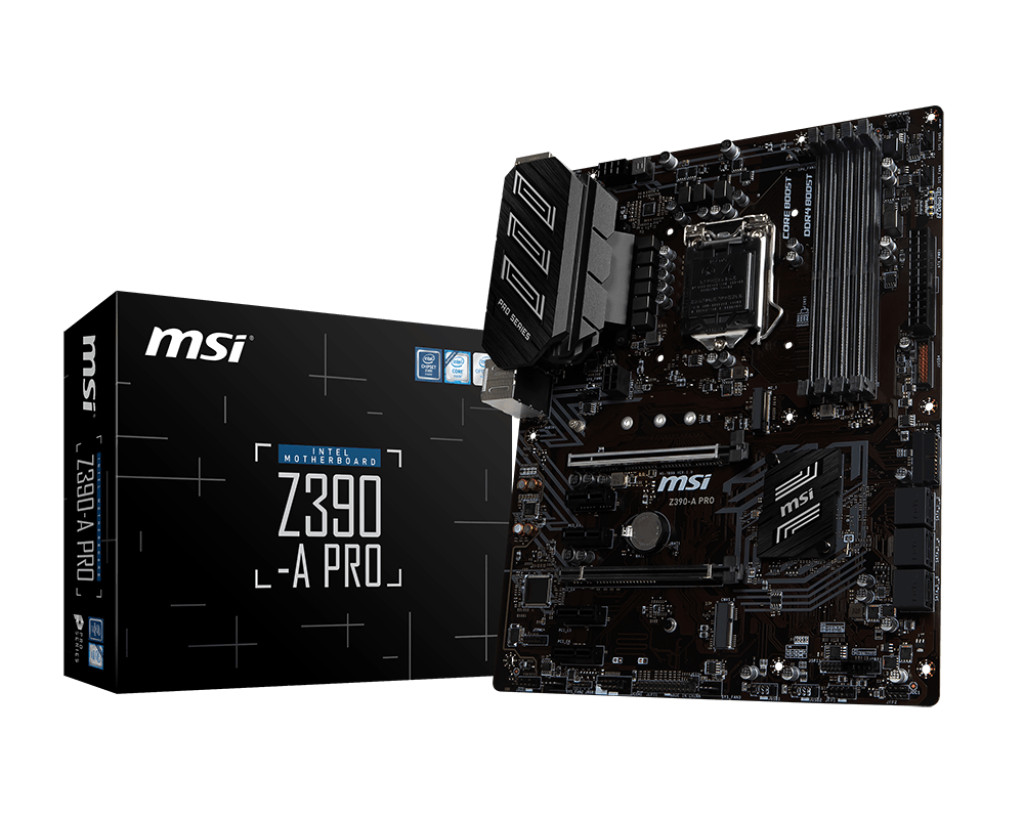

Photos from current listings. Actual item, color, and included accessories may vary.
Lga 1150 Motherboard Buying Guide
LGA 1150 motherboards are the foundation for Intel's Haswell and Broadwell (4th/5th-gen Core) platforms, using DDR3 memory and chipsets from H81 to Z97. The key trade-off is chipset tier and power delivery: H81/B85 boards cut PCIe lanes, SATA ports, and overclocking support, while Z97 adds full CPU overclocking, M.2, and multi-GPU capability. Buy a Z97 board if you plan to overclock an unlocked chip or need modern storage; otherwise a clean H97/B85 board is the durable, budget-correct choice.
Key takeaways
- Chipset tiers: H81 (2 DIMM, 2 SATA 6Gb/s, no overclock) < B85 (4 SATA, basic) < H97 (no CPU OC, full SATA/M.2) < Z97 (CPU+memory OC, PCIe bifurcation, M.2).
- Socket LGA 1150 supports Haswell (i3/i5/i7-4xxx) and Broadwell (i5/i7-5xxx) CPUs; 5th-gen Broadwell requires a BIOS update on most 8-series boards, native on 9-series.
- DDR3 only: 2 or 4 DIMM slots, typically 1.5V standard and up to 32GB total; 8-series H81 boards often cap at 2 slots and 16GB.
At a glance
- Category
- CPUs, Motherboards & Memory
- Last updated
- Nov 23, 2026
Current offers
Highlights
- Chipset tiers: H81 (2 DIMM, 2 SATA 6Gb/s, no overclock) < B85 (4 SATA, basic) < H97 (no CPU OC, full SATA/M.2) < Z97 (CPU+memory OC, PCIe bifurcation, M.2).
- Socket LGA 1150 supports Haswell (i3/i5/i7-4xxx) and Broadwell (i5/i7-5xxx) CPUs; 5th-gen Broadwell requires a BIOS update on most 8-series boards, native on 9-series.
- DDR3 only: 2 or 4 DIMM slots, typically 1.5V standard and up to 32GB total; 8-series H81 boards often cap at 2 slots and 16GB.
- Power delivery matters: Z97 boards use 8+ phase VRMs for 84W+ unlocked CPUs; H81 boards with 3-4 phases throttle sustained loads on i7-4790K.
Best use cases
- Best fit: budget office/media PC with i3-4130 or i5-4460 — pick H81/B85 with 2 DIMMs; skip Z97 and save the chipset premium.
- Best fit: gaming or overclocking an i7-4790K or Pentium G3258 — pick Z97 with 8-phase VRM and heatsinked power delivery; skip H97 (no CPU overclock).
- Wrong fit: pairing with any 6th-gen or newer Intel CPU (LGA 1151/1200/1700) — do not buy; the socket is physically incompatible.
- Best fit: compact or NAS build needing M.2/NVMe — pick H97 or Z97 with M.2 slot; skip H81/B85 which lack native M.2 and often run PCIe 2.0.
Buying tips
- Match chipset to CPU: 'K' suffix (e.g., i7-4790K) needs Z97 for overclocking; non-K chips run fully on H97/B85/H81 with no performance loss.
- For Broadwell (i5-5675C, i7-5775C), confirm the board lists BIOS support or is a 9-series (H97/Z97); 8-series boards need a Haswell CPU to flash first.
- Check DIMM count and max capacity: 4 slots/32GB for VM or editing builds; 2 slots/16GB is fine for general use but limits future upgrades.
- Verify storage and expansion: Z97/H97 give 6 SATA 6Gb/s and PCIe 3.0 x16; H81 often has only 2 SATA 6Gb/s and PCIe 2.0 slots.
Specs
| Socket | LGA 1150 (Haswell/Broadwell) |
|---|---|
| Chipset Tier | H81 / B85 / H97 / Z97 |
| Memory Type | DDR3, 2-4 DIMMs, 16-32GB max |
| Form Factor | ATX / micro-ATX / mini-ITX |
Related searches
What to check before buying
- Confirm your CPU is LGA 1150 (Haswell/Broadwell, 4xxx/5xxx model numbers) — no other generation fits.
- Measure your case for ATX vs micro-ATX vs mini-ITX; most H81/B85 are micro-ATX, Z97 spans all three.
- Verify DDR3 DIMMs (not DDR4) and that your PSU has the 24-pin and 8-pin EPS connectors the board requires.
- Check rear I/O and headers you need: USB 3.0, HDMI/DVI, and whether the board includes a CPU cooler mounting backplate.
FAQ
Data sources: eBay / Amazon listings and product attribute feeds. Updated Nov 23, 2026.
Some links on this page are affiliate links. If you buy after clicking one, we may earn a commission at no extra cost to you. This does not change which products appear here or their order. Affiliate disclosure.