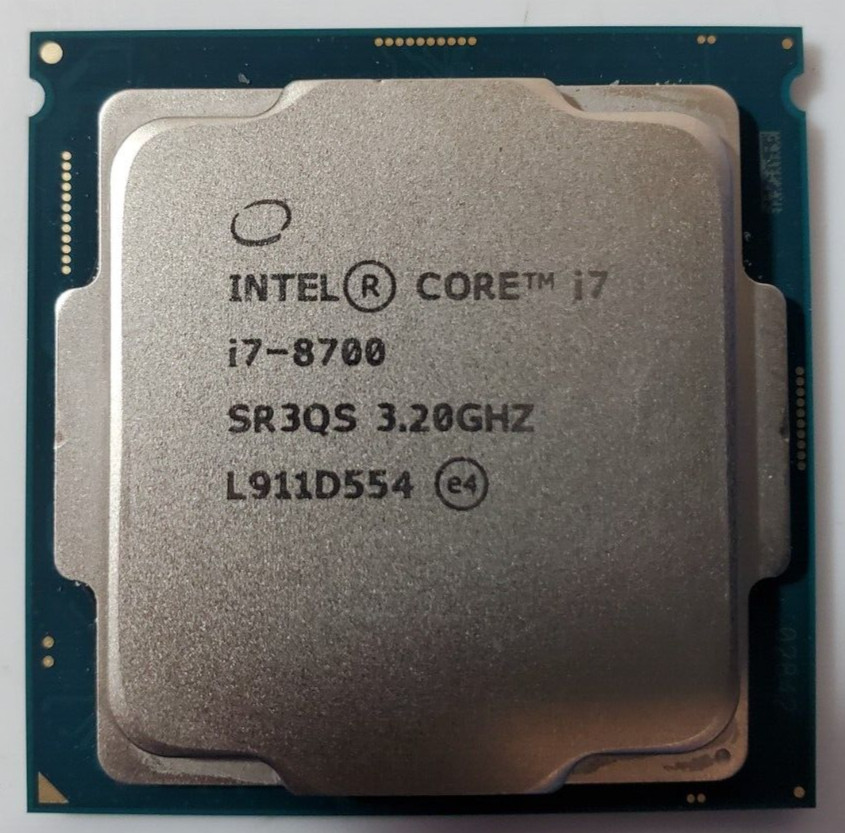

Photos from current listings. Actual item, color, and included accessories may vary.
Intel Core Processor Buying Guide
Intel Core processors are desktop and mobile CPUs spanning i3, i5, i7, and i9 tiers, where the main trade-off is core/thread count and clock speed versus platform socket and generation compatibility. The clear decision rule: match the CPU generation to a compatible motherboard chipset and cooler first, then choose the tier that meets your workload—never buy a faster chip that your board or cooling cannot support.
Key takeaways
- LGA 1151 (300-series) supports 8th/9th Gen Core; LGA 1200 supports 10th/11th Gen; LGA 1700 supports 12th/13th/14th Gen—sockets are not cross-compatible.
- Core i3 delivers 4 cores (or 4P+4E on 12th Gen+); i5 typically 6P+4E to 6P+8E; i7 8P+8E to 8P+12E; i9 up to 8P+16E with higher boost clocks.
- Unlocked K-series chips require a Z-series chipset for overclocking; locked non-K chips run on B or H series boards at lower power limits.
At a glance
- Category
- CPUs, Motherboards & Memory
- Last updated
- Nov 23, 2026
Current offers
Highlights
- LGA 1151 (300-series) supports 8th/9th Gen Core; LGA 1200 supports 10th/11th Gen; LGA 1700 supports 12th/13th/14th Gen—sockets are not cross-compatible.
- Core i3 delivers 4 cores (or 4P+4E on 12th Gen+); i5 typically 6P+4E to 6P+8E; i7 8P+8E to 8P+12E; i9 up to 8P+16E with higher boost clocks.
- Unlocked K-series chips require a Z-series chipset for overclocking; locked non-K chips run on B or H series boards at lower power limits.
- Integrated UHD Graphics (or Iris Xe on some mobile chips) handles display output but not gaming; F-series chips omit integrated graphics entirely.
Best use cases
- Best fit: office/web/light media with a Core i3 or i5 non-K on a B-series board—skip i7/i9 unless you run sustained multitasking or content creation.
- Best fit: gaming with a Core i5-12400F/13400F or i5-8600K/9600K on a value board—skip i9 unless paired with a high-end GPU and 240mm+ cooler.
- Wrong fit: buying an LGA 1151 8th/9th Gen i7 for a new build—choose LGA 1700 i5/i7 instead for newer platform features and warranty.
- Wrong fit: pairing a K-series i9 with a stock cooler or H-series board—throttling negates the boost; use a Z-series board and 280mm AIO or high-end air.
Buying tips
- Match socket before tier: LGA 1151 for 8th/9th Gen, LGA 1200 for 10th/11th Gen, LGA 1700 for 12th–14th Gen; a mismatched socket is a dead purchase.
- Choose F-series (no iGPU) only if you have a dedicated GPU; choose non-F if you need display output without a graphics card.
- For overclocking, buy a K-series CPU plus a Z-series chipset; for locked chips, a B-series board saves cost with no meaningful loss.
- DDR4 vs DDR5 depends on board: LGA 1700 boards come in DDR4 or DDR5 variants—buy the CPU and board together to avoid memory incompatibility.
Specs
| Socket | LGA 1151 / 1200 / 1700 |
|---|---|
| Tier Cores | i3 4C · i5 6-10C · i7 8-12C · i9 8-24C |
| Overclocking | K-series + Z-chipset only |
| Integrated Graphics | UHD/Iris Xe; F-series none |
Related searches
What to check before buying
- Confirm motherboard socket and chipset generation match the CPU model exactly (e.g., i7-8700 requires LGA 1151 300-series).
- Measure case clearance for cooler height and radiator size; K-series and i9 chips need 150mm+ air or 240mm+ AIO.
- Check PSU wattage and CPU power connectors (8-pin EPS) for 125W+ TDP chips; older 4-pin boards may limit performance.
- Verify RAM type (DDR4 or DDR5) supported by the specific motherboard variant before buying memory.
FAQ
Data sources: eBay / Amazon listings and product attribute feeds. Updated Nov 23, 2026.
Some links on this page are affiliate links. If you buy after clicking one, we may earn a commission at no extra cost to you. This does not change which products appear here or their order. Affiliate disclosure.