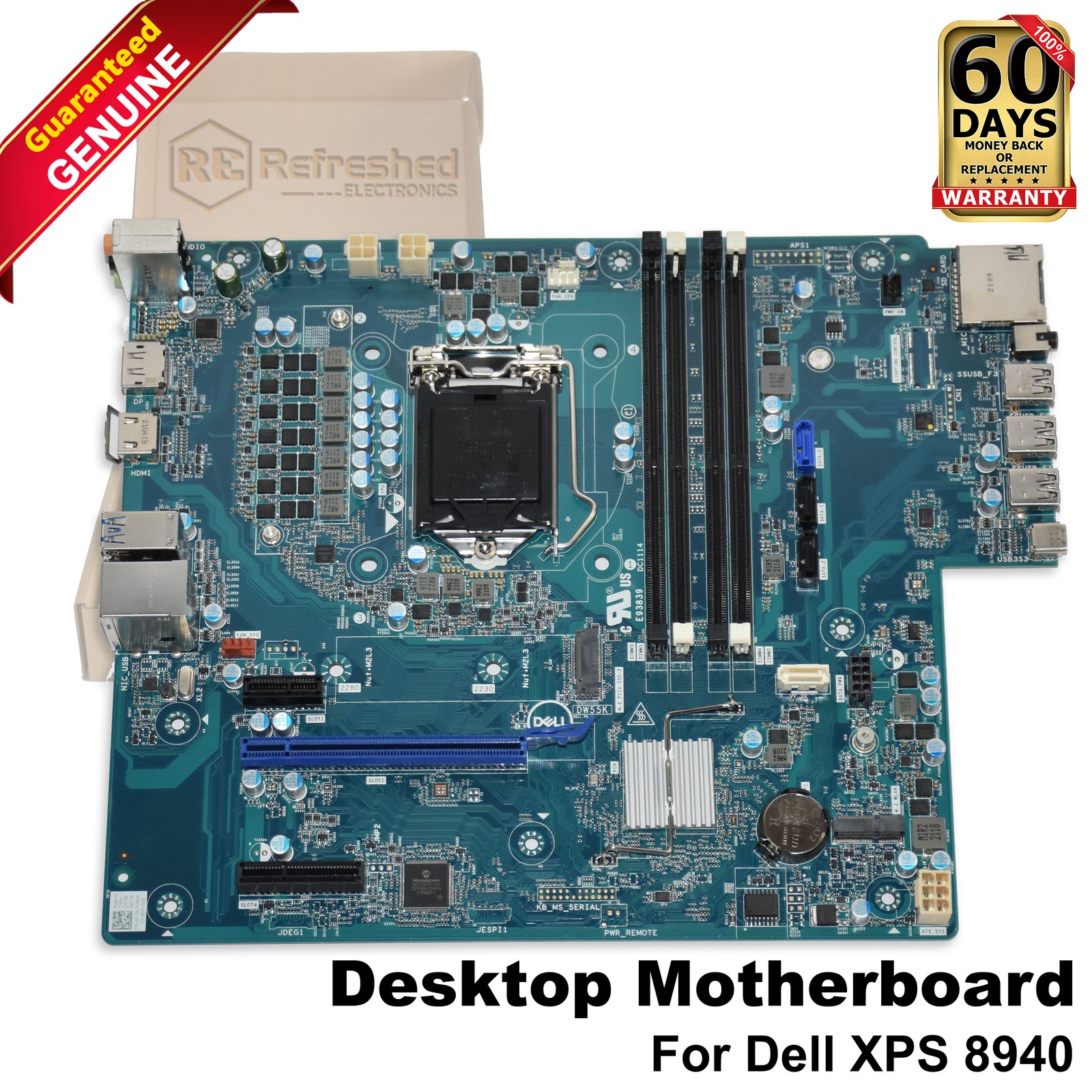

Photos from current listings. Actual item, color, and included accessories may vary.
Desktop Motherboard Buying Guide
Desktop motherboards are the foundational circuit boards that determine CPU compatibility, memory speed, expansion capacity, and physical fit inside a case. The primary trade-off is between chipset features (overclocking, PCIe lanes, USB ports) and form-factor size, where smaller boards sacrifice slots and headers for compact builds. The clear decision rule: match the socket to your CPU generation, the chipset to your feature needs (overclocking or not), and the form factor to your case and expansion card requirements—never buy a board that requires a BIOS update to support your chosen CPU unless it has USB BIOS Flashback.
Key takeaways
- Socket determines CPU generation compatibility: LGA1700 for Intel 12th-14th Gen, AM5 for AMD Ryzen 7000/9000, AM4 for Ryzen 5000 and older, LGA1200 for Intel 10th-11th Gen.
- Chipset tiers gate overclocking and PCIe lanes: Intel Z790 allows CPU overclocking and full PCIe 5.0, B760 locks CPU ratio but allows memory OC; AMD X670E offers PCIe 5.0 on both GPU and M.2, B650 limits to PCIe 4.0.
- Form factor dictates expansion and case fit: ATX (305×244mm) offers up to 7 slots, Micro-ATX (244×244mm) up to 4 slots, Mini-ITX (170×170mm) a single PCIe slot and two DIMM slots.
At a glance
- Category
- CPUs, Motherboards & Memory
- Last updated
- Nov 23, 2026
Current offers
Highlights
- Socket determines CPU generation compatibility: LGA1700 for Intel 12th-14th Gen, AM5 for AMD Ryzen 7000/9000, AM4 for Ryzen 5000 and older, LGA1200 for Intel 10th-11th Gen.
- Chipset tiers gate overclocking and PCIe lanes: Intel Z790 allows CPU overclocking and full PCIe 5.0, B760 locks CPU ratio but allows memory OC; AMD X670E offers PCIe 5.0 on both GPU and M.2, B650 limits to PCIe 4.0.
- Form factor dictates expansion and case fit: ATX (305×244mm) offers up to 7 slots, Micro-ATX (244×244mm) up to 4 slots, Mini-ITX (170×170mm) a single PCIe slot and two DIMM slots.
- Memory topology and QVL matter: 4-DIMM boards run dual-channel with two sticks; 2-DIMM Mini-ITX boards achieve higher stable frequencies but cap capacity at 64GB (32GB per stick).
Best use cases
- Best fit for high-refresh gaming: pick an ATX B760 or B650 board with PCIe 4.0 x16, at least two M.2 slots, and 2.5GbE LAN; skip Z790/X670E unless you plan to overclock the CPU.
- Best fit for compact SFF builds: choose Mini-ITX with a chipset that includes USB BIOS Flashback (e.g., B650I or B760I) so you can update firmware without a supported CPU; skip full ATX boards that won't fit sub-20L cases.
- Wrong fit for workstation multi-GPU: avoid Mini-ITX and most Micro-ATX boards; select ATX X670E or W790 with sufficient PCIe lanes and slot spacing for dual double-width cards.
Buying tips
- Match socket exactly: LGA1700 boards fit Intel 12th-14th Gen; AM5 boards fit Ryzen 7000/9000; LGA1200 fits Intel 10th-11th Gen only. Cross-socket mounting is impossible.
- For memory, buy a 2-stick kit from the motherboard's QVL rather than 4 sticks; 4-DIMM configurations often force lower stable speeds (e.g., DDR5-6000 down to 5200) on mainstream boards.
- Check VRM phase count and heatsink size for high-TDP CPUs: a 16+1 phase board with substantial heatsinks is needed for 200W+ chips; budget boards with 8+1 phases throttle under sustained all-core loads.
- Confirm BIOS support out of the box: 13th/14th Gen Intel on B760 may need a BIOS update; choose a board with USB BIOS Flashback or verify the box carries a "Ready for 14th Gen" label.
Specs
| CPU Socket | LGA1700 / AM5 / AM4 / LGA1200 |
|---|---|
| Form Factor | ATX / Micro-ATX / Mini-ITX |
| Chipset Tier | Z790 / B760 / X670E / B650 |
| Memory Slots | 2 or 4 DIMM (DDR4/DDR5) |
Related searches
What to check before buying
- Measure your case's maximum motherboard support: ATX cases accept Micro-ATX and Mini-ITX, but Mini-ITX cases accept only Mini-ITX—check standoff pattern and clearance for CPU cooler backplate.
- Verify PSU connectors: modern boards need 24-pin ATX plus 8-pin (or 8+4-pin) EPS12V for CPU power; ensure your PSU has the required cables and wattage headroom.
- Confirm CPU cooler socket compatibility and RAM clearance: large tower coolers may overhang DIMM slots on compact boards; low-profile coolers are required for tall VRM heatsinks.
- Check rear I/O needs against the board's port loadout: count USB ports, video outputs (only if using integrated graphics), and whether Wi-Fi is built in or requires an M.2 E-key card.
FAQ
Data sources: eBay / Amazon listings and product attribute feeds. Updated Nov 23, 2026.
Some links on this page are affiliate links. If you buy after clicking one, we may earn a commission at no extra cost to you. This does not change which products appear here or their order. Affiliate disclosure.