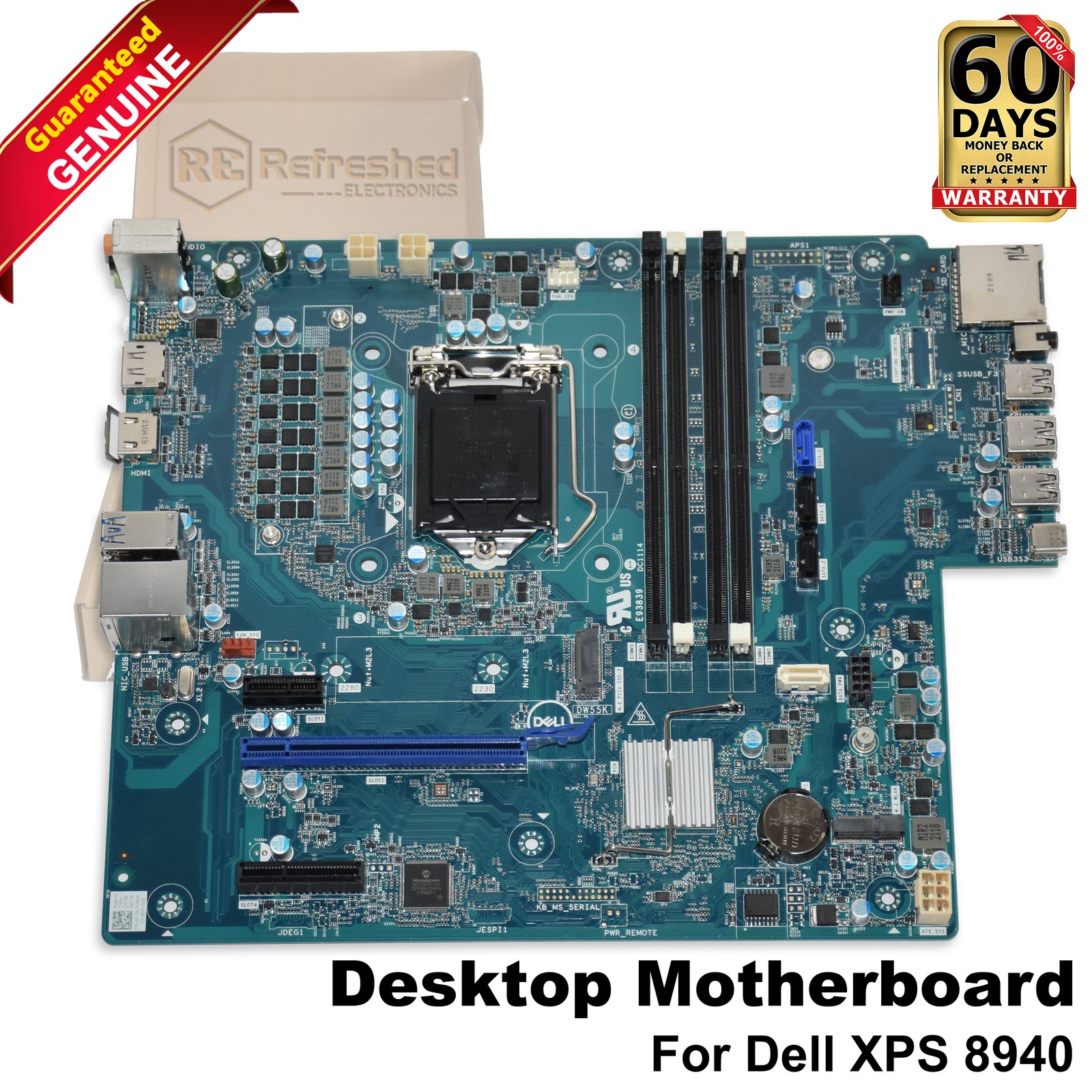

Photos from current listings. Actual item, color, and included accessories may vary.
Dell Xps 8940 Motherboard Buying Guide
The Dell XPS 8940 motherboard is a proprietary micro-ATX board used in Dell's 2020-era XPS desktop, pairing an LGA1200 socket with DDR4 support and Dell-specific power/front-panel connectors. The core trade-off is that it accepts standard 10th/11th Gen Intel CPUs and RAM but locks you into Dell's chassis wiring, cooler mounting, and BIOS update path. Buy a replacement only as a like-for-like board swap; choose a standard retail LGA1200 motherboard instead if you want generic case, PSU, or cooler compatibility.
Key takeaways
- LGA1200 socket supports Intel 10th Gen (Comet Lake) and 11th Gen (Rocket Lake) Core CPUs with BIOS version dependent on CPU generation.
- Dell proprietary 6-pin/8-pin power and front-panel headers mean standard ATX PSUs and cases require adapter cables or rewiring.
- Micro-ATX form factor with Dell-specific standoff and CPU cooler mounting holes; standard LGA1200 coolers may need a Dell retention bracket.
At a glance
- Category
- CPUs, Motherboards & Memory
- Last updated
- Nov 23, 2026
Current offers
Highlights
- LGA1200 socket supports Intel 10th Gen (Comet Lake) and 11th Gen (Rocket Lake) Core CPUs with BIOS version dependent on CPU generation.
- Dell proprietary 6-pin/8-pin power and front-panel headers mean standard ATX PSUs and cases require adapter cables or rewiring.
- Micro-ATX form factor with Dell-specific standoff and CPU cooler mounting holes; standard LGA1200 coolers may need a Dell retention bracket.
- DDR4 DIMM slots run at platform-rated speeds (typically 2933/3200 MHz), but XMP profiles are limited by Dell's locked BIOS.
Best use cases
- Best fit: replacing a dead board in an existing XPS 8940 chassis while keeping the original Dell PSU, cooler, and front-panel harness.
- Best fit: upgrading an XPS 8940 to an 11th Gen CPU only after confirming the board's BIOS revision supports Rocket Lake.
- Wrong fit: building a new PC in a standard ATX case—buy a retail B560/H570 board instead for standard 24-pin power and cooler mounts.
- Wrong fit: transplanting into a different Dell model—XPS 8940 board layouts and connector pinouts differ from XPS 8950 and Inspiron lines.
Buying tips
- Match the Dell part number (e.g., K3CM7, 427JK) exactly; different XPS 8940 board revisions use different power connector pinouts.
- Confirm CPU generation support: 10th Gen works on early BIOS, but 11th Gen requires a board shipped with or updated to a newer BIOS.
- Check that your Dell PSU is the XPS 8940 model—the proprietary 6-pin/8-pin connectors are not interchangeable with standard ATX units.
- Reuse the Dell CPU cooler and retention bracket; standard LGA1200 coolers often lack the correct backplate spacing for this board.
Specs
| Socket | LGA1200 (10th/11th Gen Intel) |
|---|---|
| Form Factor | Dell micro-ATX proprietary |
| Memory Type | DDR4 DIMM, dual-channel |
| Power Connector | Dell 6-pin + 8-pin proprietary |
Related searches
What to check before buying
- Measure your XPS 8940 chassis standoff pattern and confirm the replacement board is the same Dell micro-ATX layout, not a generic mATX board.
- Verify your existing PSU model matches the XPS 8940 proprietary connector scheme before buying a bare board.
- Check the board's BIOS version or service tag support page to confirm compatibility with your installed 10th or 11th Gen CPU.
- Confirm you have the Dell front-panel header pinout and any required adapter cables for power, USB, and audio.
FAQ
Data sources: eBay / Amazon listings and product attribute feeds. Updated Nov 23, 2026.
Some links on this page are affiliate links. If you buy after clicking one, we may earn a commission at no extra cost to you. This does not change which products appear here or their order. Affiliate disclosure.