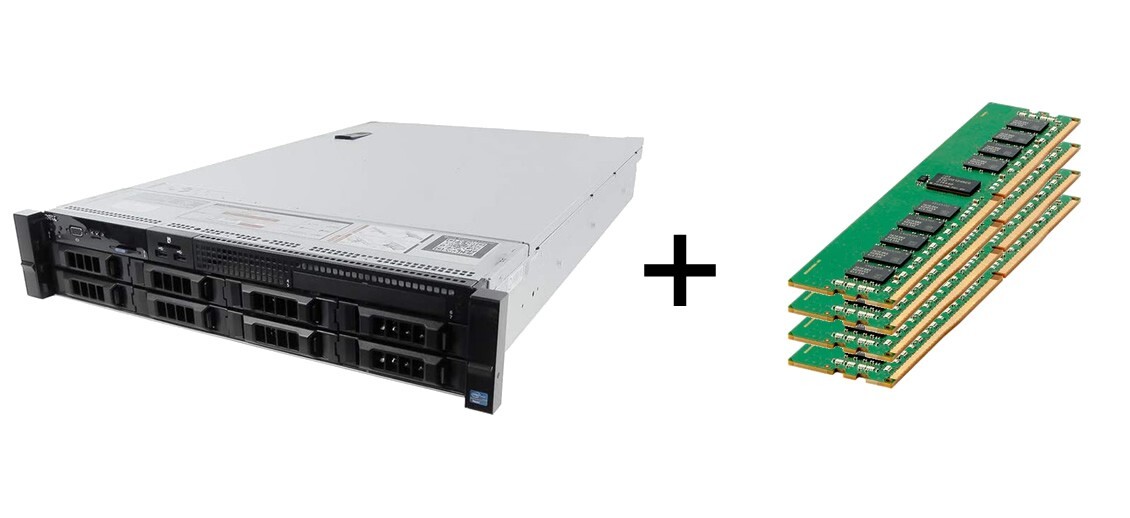

Photos from current listings. Actual item, color, and included accessories may vary.
DDR4 Sdram Buying Guide
DDR4 SDRAM is the mainstream memory standard for Intel 6th–11th Gen and AMD AM4 platforms, defined by 288-pin DIMM or 260-pin SO-DIMM form factors and 1.2V operation. The core trade-off is density/speed versus latency and platform compatibility: higher frequencies (3200 MT/s) and tighter timings improve responsiveness, but only if the motherboard QVL and CPU memory controller support them. The decision rule is simple: match the exact generation, voltage, and form factor your board requires—never mix ECC with non-ECC or UDIMM with RDIMM on consumer boards.
Key takeaways
- DDR4 DIMMs use 288 pins (desktop) or 260 pins (SO-DIMM laptop); DDR3's 240-pin edge notch is physically incompatible.
- Standard DDR4 runs at 1.2V; enthusiast XMP kits may require 1.35V—verify board BIOS supports the voltage before enabling.
- Unbuffered (UDIMM) vs Registered (RDIMM) vs ECC Unbuffered are not interchangeable; consumer boards accept UDIMM only.
At a glance
- Category
- CPUs, Motherboards & Memory
- Last updated
- Nov 23, 2026
Current offers
Highlights
- DDR4 DIMMs use 288 pins (desktop) or 260 pins (SO-DIMM laptop); DDR3's 240-pin edge notch is physically incompatible.
- Standard DDR4 runs at 1.2V; enthusiast XMP kits may require 1.35V—verify board BIOS supports the voltage before enabling.
- Unbuffered (UDIMM) vs Registered (RDIMM) vs ECC Unbuffered are not interchangeable; consumer boards accept UDIMM only.
- JEDEC speed bins run 2133 to 3200 MT/s; CAS latency 14–22 determines real-world response more than peak bandwidth.
Best use cases
- Gaming/desktop builds: pick 2×8GB or 2×16GB DDR4-3200 CL16 UDIMM—skip 4-stick kits unless the board's daisy-chain topology is confirmed.
- Workstation/server upgrade (like DL360 G9): use PC4-2133P/2400T ECC RDIMM in matched ranks—skip consumer UDIMMs entirely.
- Laptop/compact PC: choose 260-pin SO-DIMM DDR4-2666 or 3200—skip 288-pin DIMMs, which will not seat in SO-DIMM slots.
Buying tips
- Match the platform: Intel 6th–7th Gen caps at DDR4-2400 natively; 8th–9th Gen at 2666; 10th–11th Gen and AM4 typically 2933–3200.
- Buy matched dual-channel kits (2 or 4 sticks) rather than mixing single sticks—mismatched ranks force slower JEDEC fallback speeds.
- For 24/7 server use, choose ECC Registered RDIMM with the same rank and part number across all slots; mixed-rank populations can halve bandwidth.
- Verify the motherboard QVL for exact part numbers at rated speed; XMP profiles above 3200 MT/s often require manual voltage and timing tuning.
Specs
| Form Factor | 288-pin DIMM / 260-pin SO-DIMM |
|---|---|
| Voltage | 1.2V JEDEC / 1.35V XMP |
| Speed Bins | 2133–3200 MT/s (JEDEC) |
| Module Type | UDIMM / ECC UDIMM / RDIMM |
Related searches
What to check before buying
- Confirm slot type and count: 288-pin DIMM for desktop, 260-pin SO-DIMM for laptops, and available free slots before ordering.
- Check CPU memory-controller spec (Intel ARK or AMD) for maximum native DDR4 frequency and capacity per channel.
- Measure clearance under large CPU coolers; tall heat-spreader DIMMs can conflict with dual-tower air coolers.
- Confirm motherboard BIOS version supports the intended XMP profile and that PSU delivers stable 1.2/1.35V rails.
FAQ
Data sources: eBay / Amazon listings and product attribute feeds. Updated Nov 23, 2026.
Some links on this page are affiliate links. If you buy after clicking one, we may earn a commission at no extra cost to you. This does not change which products appear here or their order. Affiliate disclosure.