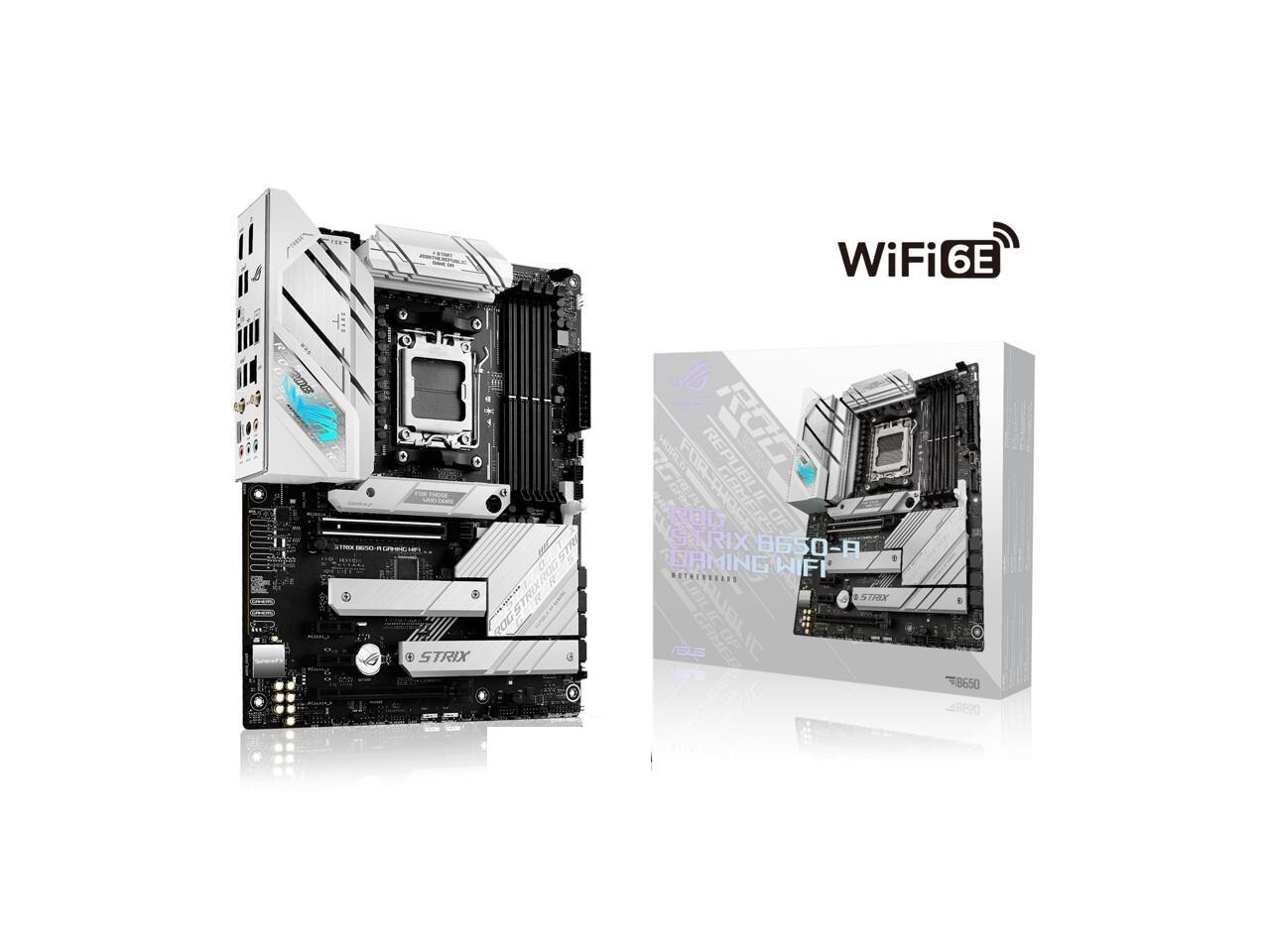

Photos from current listings. Actual item, color, and included accessories may vary.
Amd Motherboard Buying Guide
An AMD motherboard is the foundation that determines which Ryzen CPUs you can run, how much memory bandwidth and PCIe connectivity you get, and how far the board can scale with future upgrades. The core trade-off is chipset tier versus VRM and connectivity quality: entry chipsets cut PCIe lanes, USB ports, and power delivery, while premium chipsets add PCIe 5.0, more M.2 slots, and robust VRMs for high-core CPUs. The decision rule is simple—match the chipset to your CPU's power draw and your required PCIe/USB/M.2 loadout, and never buy a board whose VRM cannot sustain your planned CPU at full boost.
Median $134.99
Key takeaways
- AM5 socket boards split by chipset: B650/B650E (mainstream, PCIe 4.0/5.0 mix), B850 (updated mainstream, mandatory PCIe 5.0 for GPU), X670/X670E (enthusiast, more lanes), X870/X870E (flagship, USB4 and PCIe 5.0 everywhere).
- VRM phase count and heatsink mass decide real CPU support: 12+2+1 stages with 60A+ power stages handle Ryzen 9 7950X/9950X, while 8+2+1 budget boards throttle high-core chips under sustained all-core loads.
- DDR5 only on AM5: two DIMM slots favor high-speed EXPO kits (6000 MT/s CL30 sweet spot), four-DIMM boards cap stable speeds lower (often 5600–6000 MT/s) due to memory controller load.
At a glance
- Category
- CPUs, Motherboards & Memory
- Last updated
- Nov 23, 2026
Current offers
Highlights
- AM5 socket boards split by chipset: B650/B650E (mainstream, PCIe 4.0/5.0 mix), B850 (updated mainstream, mandatory PCIe 5.0 for GPU), X670/X670E (enthusiast, more lanes), X870/X870E (flagship, USB4 and PCIe 5.0 everywhere).
- VRM phase count and heatsink mass decide real CPU support: 12+2+1 stages with 60A+ power stages handle Ryzen 9 7950X/9950X, while 8+2+1 budget boards throttle high-core chips under sustained all-core loads.
- DDR5 only on AM5: two DIMM slots favor high-speed EXPO kits (6000 MT/s CL30 sweet spot), four-DIMM boards cap stable speeds lower (often 5600–6000 MT/s) due to memory controller load.
- PCIe 5.0 M.2 slots run hot—boards with dedicated M.2 heatsinks and at least one CPU-direct PCIe 5.0 x4 slot are the durable pick; chipset-fed M.2 slots share bandwidth with SATA or USB ports.
Best use cases
- Gaming-first builds with Ryzen 5/Ryzen 7: pick a B650 or B850 board with 12+2+1 VRM and one PCIe 5.0 M.2—skip X870E unless you need USB4 or triple M.2.
- High-core productivity (Ryzen 9, rendering, VMs): choose X670E or X870E with 14+2+2 or better VRM, heatsinked VRM, and four DIMM slots for capacity over speed.
- Small-form-factor (mATX/ITX) AM5 builds: select B650/B850 ITX boards with 8+2+1 VRM minimum and confirm CPU cooler height and DIMM clearance—skip full ATX boards that won't fit the case.
- Budget office/HTPC builds: a B650 mATX with 2 DIMM slots and PCIe 4.0 is sufficient; avoid premium chipsets where the extra lanes and USB4 go unused.
Buying tips
- Match VRM to CPU TDP: Ryzen 5 7600/9600 (65W) runs fine on 8+2+1; Ryzen 7 7700X/9700X (105W+) needs 12+2+1; Ryzen 9 7900X/7950X/9950X demands 14+2+2 with 60A+ stages.
- For DDR5, buy a 2×16GB or 2×32GB EXPO kit rated 6000 MT/s CL30—four-DIMM configurations force lower stable speeds and stress the memory controller.
- Check PCIe lane allocation: on B650/B850, the primary PCIe 5.0 x16 slot may drop to x8 if a second M.2 is populated; X870E boards typically keep x16 plus more CPU-direct M.2.
- BIOS flashback (USB BIOS Flashback) is essential for AM5—it lets you update firmware for newer Ryzen 7000/9000 CPUs without a supported CPU installed.
Specs
| Socket | AM5 (Ryzen 7000/8000/9000) |
|---|---|
| Chipset Tier | B650 / B850 / X670E / X870E |
| Memory Type | DDR5, 2 or 4 DIMM, EXPO |
| PCIe GPU Slot | PCIe 4.0 or 5.0 x16 |
Related searches
What to check before buying
- Confirm case form factor: ATX boards need 7 expansion slots and ~305×244mm clearance; mATX needs 4 slots; ITX requires a dedicated small case.
- Verify PSU connectors: modern AM5 boards need 24-pin ATX plus 8-pin (sometimes 8+4 or 8+8) EPS CPU power—check your PSU has the right EPS cables.
- Measure CPU cooler clearance: large tower coolers can block the top M.2 heatsink or first PCIe slot; check board layout diagrams for DIMM and socket offsets.
- Confirm RAM QVL: use the motherboard vendor's qualified vendor list for your exact EXPO kit to guarantee boot at rated speed; board tracing and BIOS maturity vary by model.
FAQ
Data sources: eBay / Amazon listings and product attribute feeds. Updated Nov 23, 2026.
Some links on this page are affiliate links. If you buy after clicking one, we may earn a commission at no extra cost to you. This does not change which products appear here or their order. Affiliate disclosure.