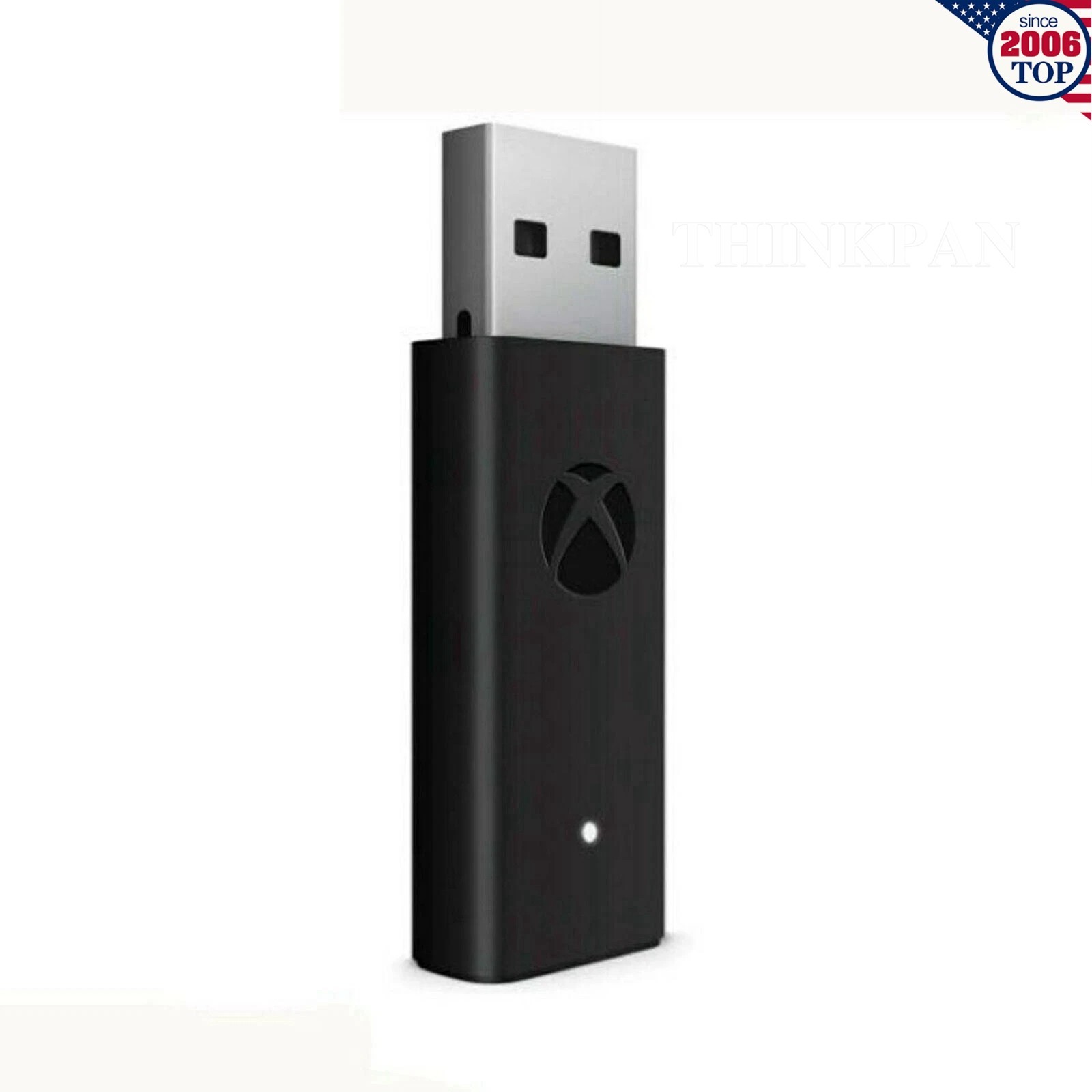

Photos from current listings. Actual item, color, and included accessories may vary.
Xbox Wireless Adapter Buying Guide
An Xbox Wireless Adapter is a USB dongle that lets you connect Xbox controllers (and sometimes headsets) to a PC or laptop using Microsoft's proprietary 2.4 GHz wireless protocol instead of Bluetooth. The main trade-off is controller generation compatibility and build quality: first-party Microsoft adapters use a dedicated Xbox Wireless radio for low-latency, multi-controller support, while third-party clones often cut corners on range, controller count, and firmware updates. The clear decision rule is to match the adapter to your controller's generation (Xbox One/Series vs Xbox 360) and to prefer genuine or licensed adapters when you need reliable multi-controller play or headset audio, while budget third-party units are acceptable for single-player, close-range use.
Key takeaways
- Xbox One/Series adapters use the Xbox Wireless protocol (2.4 GHz) and support up to 8 controllers plus 4 chat headsets simultaneously, with a dedicated pairing button and LED indicator.
- Xbox 360 wireless receivers use a different 2.4 GHz protocol and only pair with Xbox 360 controllers; they will not work with Xbox One or Series controllers.
- Genuine Microsoft adapters (model 1790 and similar) include a USB extension cable and are firmware-updatable through Windows, while most clones are not updatable and may lack audio support.
At a glance
- Category
- Controllers & Gaming Accessories
- Last updated
- Nov 28, 2026
Current offers
Highlights
- Xbox One/Series adapters use the Xbox Wireless protocol (2.4 GHz) and support up to 8 controllers plus 4 chat headsets simultaneously, with a dedicated pairing button and LED indicator.
- Xbox 360 wireless receivers use a different 2.4 GHz protocol and only pair with Xbox 360 controllers; they will not work with Xbox One or Series controllers.
- Genuine Microsoft adapters (model 1790 and similar) include a USB extension cable and are firmware-updatable through Windows, while most clones are not updatable and may lack audio support.
- Third-party adapters vary widely in radio quality: look for units that explicitly state Xbox One/Series compatibility, support multiple controllers, and include a pairing button rather than auto-pair only.
Best use cases
- Best fit: PC gamers with Xbox One or Series controllers who want low-latency wireless with multiple controllers and headset audio — choose a genuine or licensed Xbox One/Series adapter.
- Best fit: Xbox 360 controller owners on PC — choose a dedicated Xbox 360 wireless receiver, not an Xbox One adapter, because the protocols are incompatible.
- Wrong fit: Users who already have Bluetooth built into their PC and only need a single controller for casual play — skip the adapter and pair directly via Bluetooth to save a USB port.
- Wrong fit: Console-only players — the adapter is for PC use; Xbox consoles have built-in wireless and do not need this dongle.
Buying tips
- Match the adapter to your controller generation: Xbox One/Series controllers require an Xbox One/Series adapter (e.g., model 1790), while Xbox 360 controllers require a 360-specific receiver.
- For multi-controller or headset use, choose an adapter rated for up to 8 controllers and 4 headsets; budget clones often support only one controller and no audio.
- Prefer adapters that include a USB extension cable so you can position the dongle away from the PC case for better line-of-sight and reduced interference.
- Check that the adapter supports Windows 10/11 without additional drivers; genuine Microsoft adapters are plug-and-play, while some clones require manual driver installation or are limited to older Windows versions.
Specs
| Compatible Controller | Xbox One/Series vs Xbox 360 |
|---|---|
| Wireless Protocol | Xbox Wireless 2.4 GHz (proprietary) |
| Max Controllers | Up to 8 (genuine) / 1-2 (clones) |
| Headset Audio Support | Yes (genuine) / Rare (clones) |
Related searches
What to check before buying
- Confirm your controller model: Xbox One, Series X/S, or Xbox 360 — each uses a different wireless protocol and needs a matching adapter or receiver.
- Verify you have a free USB-A port (or a USB-A to USB-C adapter if your PC is USB-C only); the dongle is USB-A in nearly all cases.
- Check your PC's Bluetooth capability: if you only need one controller and your PC has Bluetooth 4.0+, you can skip the adapter entirely.
- Ensure the adapter is positioned away from metal PC cases and USB 3.0 ports to minimize 2.4 GHz interference; use the included extension cable.
FAQ
Data sources: eBay / Amazon listings and product attribute feeds. Updated Nov 28, 2026.
Some links on this page are affiliate links. If you buy after clicking one, we may earn a commission at no extra cost to you. This does not change which products appear here or their order. Affiliate disclosure.