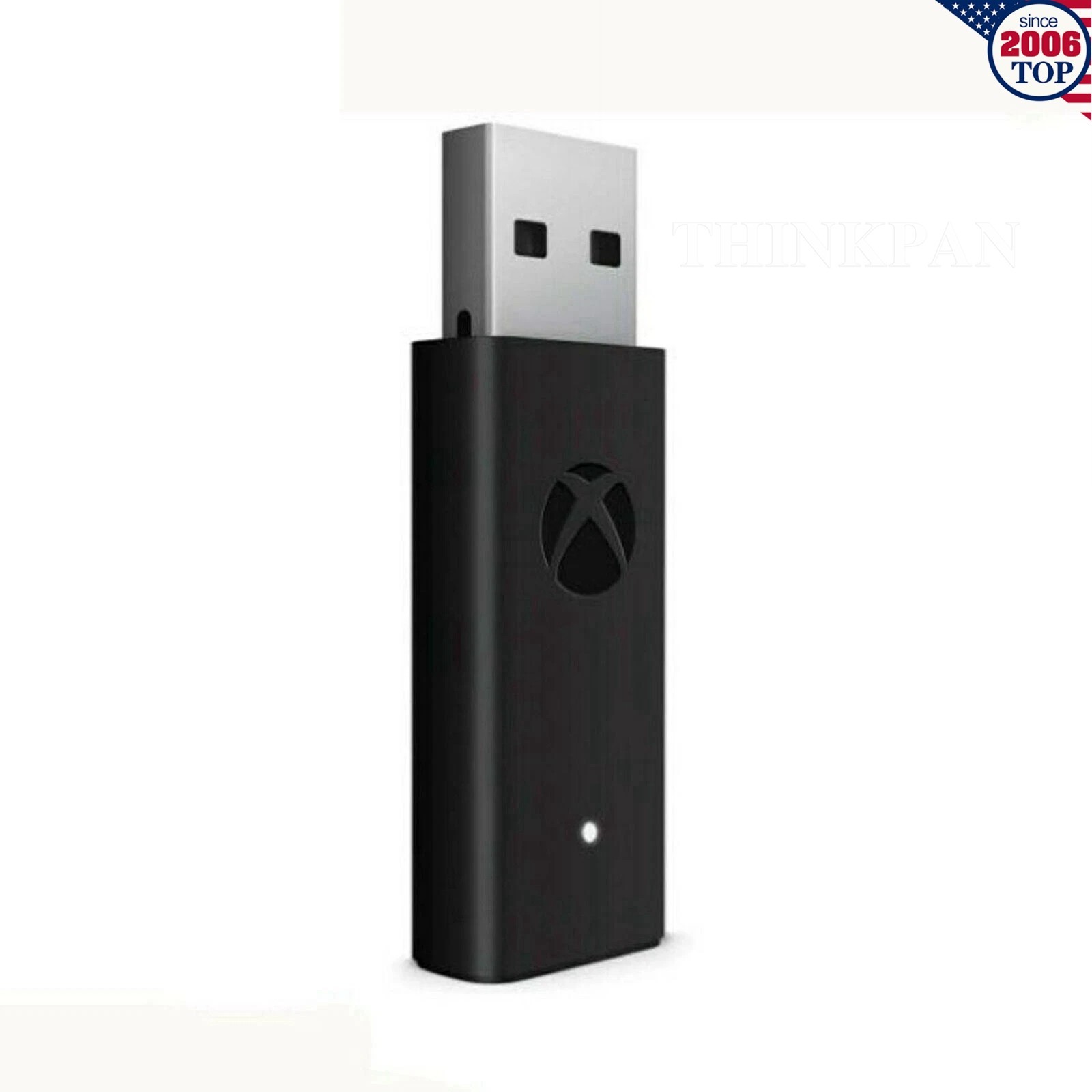

Photos from current listings. Actual item, color, and included accessories may vary.
Xbox One Wireless Adapter Buying Guide
The Xbox One Wireless Adapter is a USB dongle that lets you use Xbox One and Series X|S controllers wirelessly on Windows PCs, solving the problem of Bluetooth's limited controller support and higher latency. The key trade-off is between the official Microsoft model (stable driver support, 8-controller capacity, Xbox button passthrough) and third-party clones (cheaper but often drop connections or lack firmware updates). Buy the official Model 1790 for guaranteed compatibility; skip generic dongles unless you only need single-controller casual use.
Key takeaways
- Official Model 1790 supports up to 8 wireless controllers simultaneously and includes a 3.5mm headset jack passthrough for chat audio.
- Uses a proprietary 2.4GHz Xbox Wireless protocol with lower latency than Bluetooth and no driver installation needed on Windows 10/11.
- Compact plastic housing with a single USB 2.0 Type-A plug; no external antenna or power adapter required.
At a glance
- Category
- Controllers & Gaming Accessories
- Last updated
- Nov 28, 2026
Current offers
Highlights
- Official Model 1790 supports up to 8 wireless controllers simultaneously and includes a 3.5mm headset jack passthrough for chat audio.
- Uses a proprietary 2.4GHz Xbox Wireless protocol with lower latency than Bluetooth and no driver installation needed on Windows 10/11.
- Compact plastic housing with a single USB 2.0 Type-A plug; no external antenna or power adapter required.
- Third-party clones often use the same chipset but lack firmware updates, reducing long-term stability and controller compatibility.
Best use cases
- Best fit: PC gamers using Xbox One or Series X|S controllers for multiplayer sessions — pick the official adapter for stable 8-controller support and headset audio.
- Wrong fit: Single-player gamers who already have Bluetooth 4.0+ on their PC — skip the adapter and pair directly via Bluetooth to save a USB port.
- Best fit: Windows 7/8.1 users or older laptops without Bluetooth — the adapter adds wireless Xbox controller support where Bluetooth is absent or unreliable.
- Wrong fit: Competitive FPS players on wired connections — a USB cable still offers the lowest latency; the adapter is for convenience, not pro-level input lag.
Buying tips
- Confirm you need the 2.4GHz Xbox Wireless protocol, not Bluetooth: the adapter works with Xbox One, Series X|S, and Elite Series 2 controllers, but not Xbox 360 controllers.
- Check for the official Model 1790 label — counterfeit units often use model numbers like 1713 or lack a QR code; genuine units have a Microsoft warranty seal.
- Ensure your PC has a free USB 2.0/3.0 Type-A port; the adapter is bus-powered and does not require an external power source.
- For multiplayer, the official adapter supports up to 8 controllers; third-party dongles typically cap at 1-2 controllers with higher dropout rates.
Specs
| Connection Type | Proprietary 2.4GHz Xbox Wireless |
|---|---|
| Max Controllers | 8 (official) / 1-2 (third-party) |
| Windows Support | Win 10/11 plug-and-play; Win 7/8.1 driver |
| Controller Compatibility | Xbox One, Series X|S, Elite Series 2 |
Related searches
What to check before buying
- Verify your controller is an Xbox One or Series X|S model with the Xbox Wireless radio (all standard and Elite controllers except the original 2013 model without 3.5mm jack).
- Check your Windows version: Windows 10/11 support is plug-and-play; Windows 7/8.1 requires downloading the Xbox Wireless Adapter driver from Microsoft.
- Measure USB port clearance: the adapter protrudes about 2 cm from the port, so avoid blocked or recessed USB ports on tight cases.
- Confirm you have a free USB-A port; if your laptop only has USB-C, you will need a USB-C to USB-A adapter (not included).
FAQ
Data sources: eBay / Amazon listings and product attribute feeds. Updated Nov 28, 2026.
Some links on this page are affiliate links. If you buy after clicking one, we may earn a commission at no extra cost to you. This does not change which products appear here or their order. Affiliate disclosure.