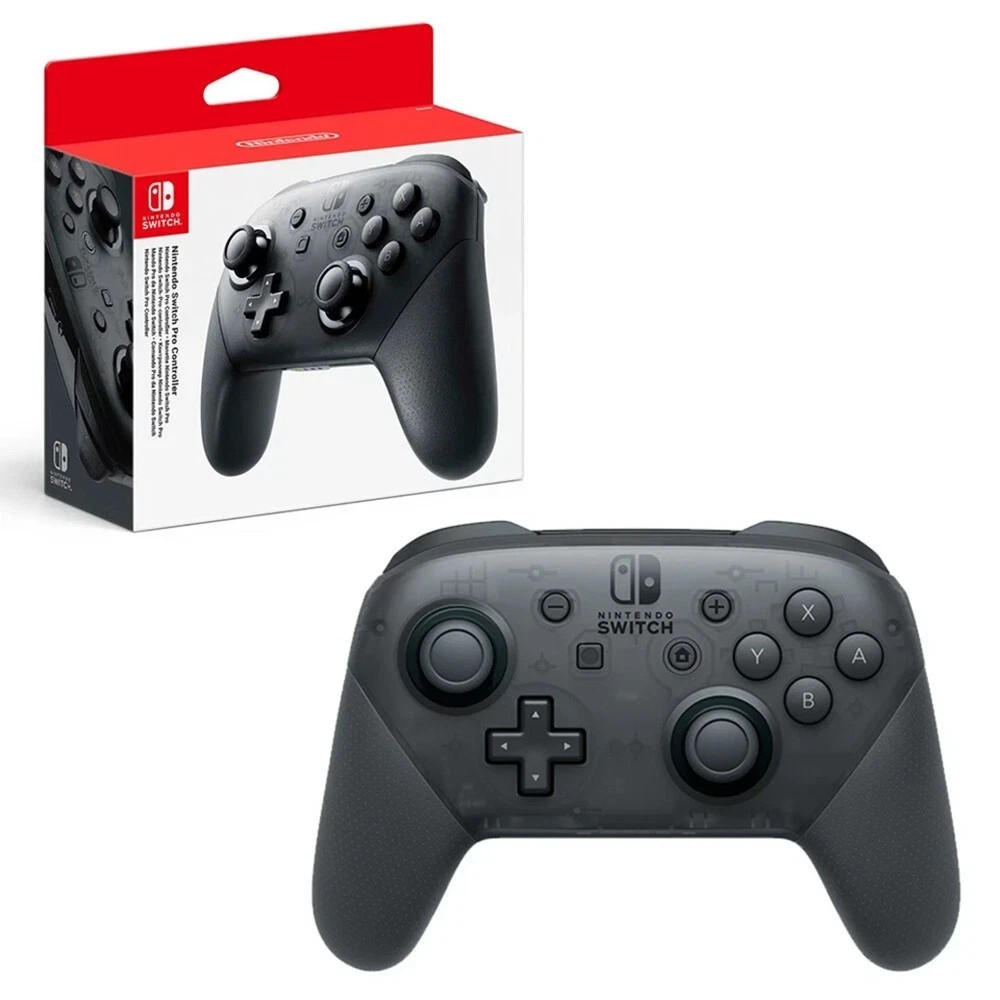

Photos from current listings. Actual item, color, and included accessories may vary.
Nintendo Switch Wireless Controller Buying Guide
A Nintendo Switch wireless controller is either a full-size Pro-style gamepad or a pair of modular Joy-Con replacements, and the core trade-off is first-party HD rumble/amiibo/NFC integration versus third-party cost savings that often drop those features. The decision rule: buy first-party or officially licensed Pro controllers for guaranteed firmware compatibility and motion controls; choose third-party pairs only for casual multiplayer on a budget, accepting weaker rumble and no NFC.
Key takeaways
- Pro-style controllers use Bluetooth 3.0/5.0 with built-in 6-axis gyro and accelerometer; third-party units often omit gyro, breaking motion-controlled games like Splatoon 3.
- First-party Pro Controllers include NFC for amiibo scanning and HD rumble; most third-party Pro gamepads lack NFC entirely and use standard ERM rumble.
- Joy-Con pairs slide onto the console rails via physical connectors; third-party replacements often have looser rail tolerances, causing wobble and disconnects in handheld mode.
At a glance
- Category
- Controllers & Gaming Accessories
- Last updated
- Nov 28, 2026
Current offers
Highlights
- Pro-style controllers use Bluetooth 3.0/5.0 with built-in 6-axis gyro and accelerometer; third-party units often omit gyro, breaking motion-controlled games like Splatoon 3.
- First-party Pro Controllers include NFC for amiibo scanning and HD rumble; most third-party Pro gamepads lack NFC entirely and use standard ERM rumble.
- Joy-Con pairs slide onto the console rails via physical connectors; third-party replacements often have looser rail tolerances, causing wobble and disconnects in handheld mode.
- Battery capacity separates tiers: first-party Pro Controller ~1300 mAh (40 hr), quality third-party 800–1000 mAh (15–20 hr), budget units 400–600 mAh (8–10 hr).
Best use cases
- Dock-only TV play with motion aiming: pick a first-party Pro Controller or officially licensed model with gyro and NFC; skip any budget third-party pad that lists no gyro support.
- Local multiplayer on a budget: buy a third-party Joy-Con pair (L/R) for two extra players; accept no HD rumble and no amiibo, and avoid using them as your primary handheld controllers due to rail wobble.
- Handheld mode replacement: choose first-party Joy-Con pairs or HORI Split Pad Pro (handheld-only, no wireless); skip generic wireless Joy-Con clones because rail fit and wireless sync degrade in handheld play.
- PC/Switch cross-use: a Pro-style controller with Bluetooth and XInput/D-input switching works on both; dedicated Switch-only Joy-Con pairs will not function as standard PC gamepads without extra software.
Buying tips
- Match controller type to play mode: Pro-style for docked TV gaming with full-size grips; Joy-Con pairs for handheld, tabletop, and two-player local sessions.
- Confirm gyro and NFC before buying: listings that omit '6-axis' or 'amiibo' are motion-sensor-free and cannot scan amiibo — critical for Splatoon, Mario Odyssey, and Zelda puzzles.
- Check battery tier: 1300 mAh first-party ≈ 40 hr; 800–1000 mAh third-party ≈ 15–20 hr; under 600 mAh means frequent charging and is a red flag for cheap internals.
- For Switch OLED/Lite compatibility, any Bluetooth Pro controller works across all three models; Joy-Con rails are identical, but Lite cannot dock, so Pro-style is the only TV option for Lite owners.
Specs
| Controller Type | Pro-style full gamepad vs Joy-Con pair |
|---|---|
| Motion & NFC | 6-axis gyro + amiibo NFC vs none |
| Battery Tier | 1300 mAh / 800–1000 / 400–600 |
| Switch Compatibility | Standard / OLED / Lite (all Bluetooth) |
Related searches
What to check before buying
- Verify your Switch model: standard, OLED, or Lite — all accept Bluetooth Pro controllers, but Lite has no dock and requires a Pro-style pad for TV play via HDMI (Lite cannot output to TV).
- Measure hand size and grip preference: Pro-style pads are ~150 mm wide with full grips; Joy-Con pairs in grip are narrower and better for small hands or children.
- Confirm you have a USB-C cable and charger for Pro controllers (most include one); Joy-Con pairs charge only on the console rails or a dedicated charging dock.
- Check rail condition on your console: worn rails cause third-party Joy-Con disconnects; first-party rails have tighter tolerances and are the safer fit for aging consoles.
FAQ
Data sources: eBay / Amazon listings and product attribute feeds. Updated Nov 28, 2026.
Some links on this page are affiliate links. If you buy after clicking one, we may earn a commission at no extra cost to you. This does not change which products appear here or their order. Affiliate disclosure.