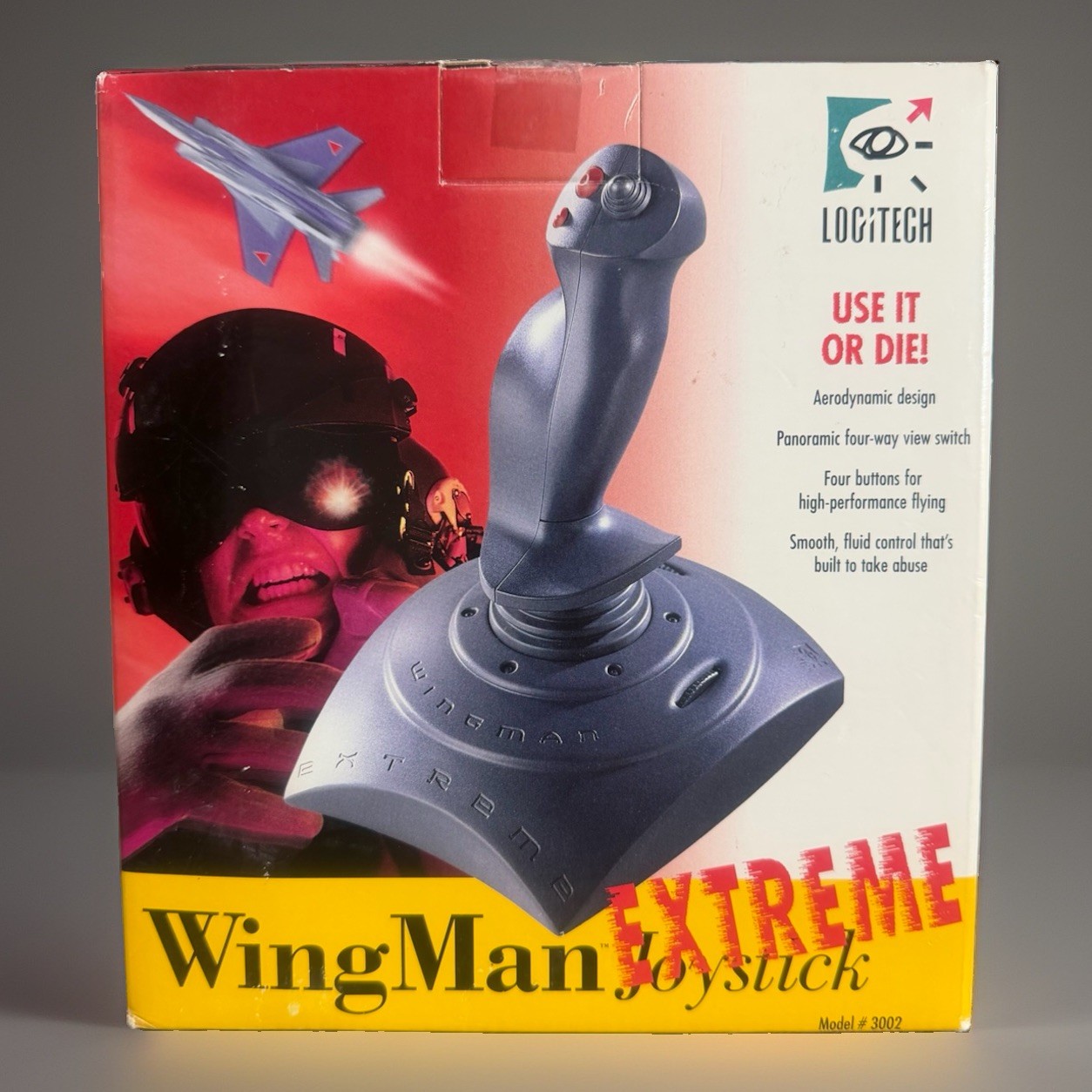

Photos from current listings. Actual item, color, and included accessories may vary.
Logitech Extreme 3D Buying Guide
The Logitech Extreme 3D is a USB flight stick joystick built around a twist-rudder 3-axis stick with a throttle wheel and 12 programmable buttons, aimed at PC flight-sim and space-sim players. The critical trade-off is between the legacy WingMan Extreme Digital 3D (gameport-era, no twist) and the modern Extreme 3D Pro (USB, twist Z-axis, faster polling) — the Pro is the only tier worth buying for current sims. Decision rule: buy the USB Extreme 3D Pro for any modern PC setup; avoid gameport WingMan variants unless you are restoring retro hardware.
Median $19.49
Key takeaways
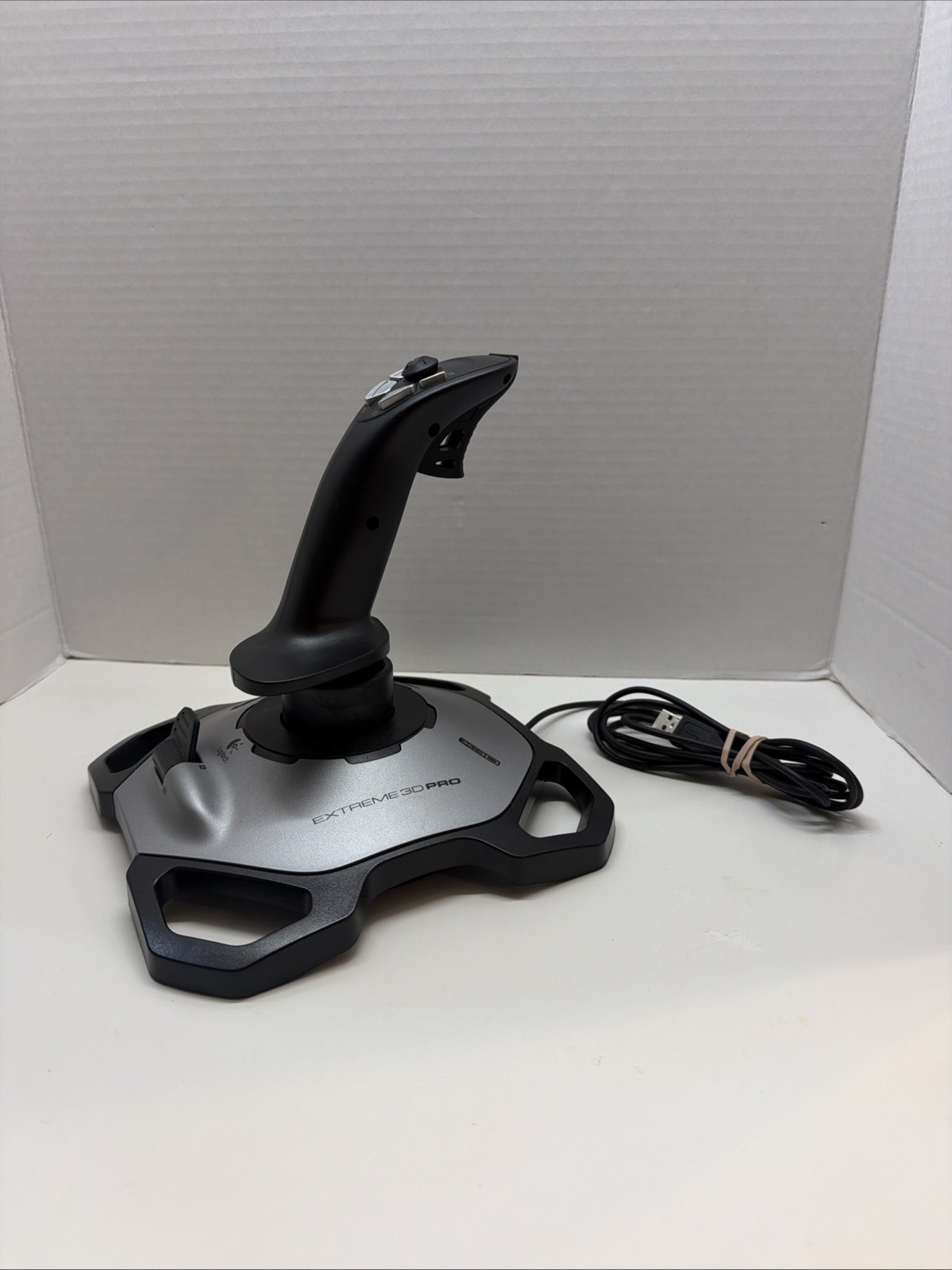
- Extreme 3D Pro (963193-0403) uses a USB-A wired interface with 3 axes (X/Y/Z twist), 12 buttons, 8-way hat, and a sliding throttle — no force feedback.
- WingMan Extreme Digital 3D is a legacy gameport stick: 3 axes plus throttle, but no twist rudder and no USB; it needs a gameport or adapter and older drivers.
- Both models use a plastic gimbal and plastic grip; the Pro’s twist rudder is a Z-axis rotation in the grip, not a separate rudder pedal input, which limits fine yaw control.
At a glance
- Category
- Controllers & Gaming Accessories
- Status
- Listings available
- Last updated
- Nov 28, 2026
Current offers
Highlights
- Extreme 3D Pro (963193-0403) uses a USB-A wired interface with 3 axes (X/Y/Z twist), 12 buttons, 8-way hat, and a sliding throttle — no force feedback.
- WingMan Extreme Digital 3D is a legacy gameport stick: 3 axes plus throttle, but no twist rudder and no USB; it needs a gameport or adapter and older drivers.
- Both models use a plastic gimbal and plastic grip; the Pro’s twist rudder is a Z-axis rotation in the grip, not a separate rudder pedal input, which limits fine yaw control.
- The Pro is plug-and-play on Windows 10/11 via standard HID; button mapping is done in-sim or via Logitech Gaming Software/G HUB, and it has no onboard memory for profiles.
Best use cases
- Best fit: PC flight sims and space sims (Microsoft Flight Simulator, X-Plane, Elite Dangerous, Star Citizen) where you want a low-cost twist-rudder stick with throttle and hat — choose the USB Extreme 3D Pro.
- Wrong fit: serious helicopter or warbird simmers needing precise yaw — skip the Extreme 3D Pro and buy a stick with a separate rudder axis or add rudder pedals, because the twist Z-axis is coarse.
- Best fit: retro gaming/restoration with a gameport sound card or adapter — the WingMan Extreme Digital 3D is period-correct, but skip it if you only have USB.
- Wrong fit: competitive shooters or twin-stick space combat requiring fast, high-precision aim — skip both; the plastic gimbal and 8-bit-era resolution feel loose compared with hall-effect sticks.
Buying tips
- Buy the USB model marked Extreme 3D Pro (MPN 963193-0403, UPC 0097855007100); a WingMan Extreme Digital 3D is gameport-only and will not plug into a modern PC without an adapter.
- Check the connector before buying used: USB-A plug = Pro (modern, works with Windows 10/11); DA-15 gameport plug = legacy WingMan, which needs a gameport-to-USB adapter and older driver support.
- Expect a plastic gimbal: if you fly more than a few hours a week, plan on eventual centering drift and consider a hall-effect or metal-gimbal stick instead of the Extreme 3D Pro.
- The throttle is a small sliding wheel on the base, not a full HOTAS throttle — if you need split throttle or detents, this stick is the wrong tier.
Specs
| Connection | USB-A wired (Pro) / Gameport (WingMan) |
|---|---|
| Axes | 3 axes + twist rudder + throttle slider |
| Buttons | 12 buttons + 8-way hat switch |
| Force Feedback | None (spring-centered) |
Alternatives to compare
Related searches
What to check before buying
- Confirm you have a free USB-A port (the Pro is wired USB-A; USB-C-only laptops need a USB-C to USB-A adapter).
- Check your sim supports DirectInput/HID joysticks and lets you map a twist Z-axis to rudder — most modern sims do.
- Measure desk space: the stick base is roughly 8 x 8 inches and needs clearance for full forward/back stick travel.
- If buying used, verify the twist rudder returns to center and the hat switch clicks in all 8 directions — these are the first parts to wear.
FAQ
Data sources: eBay / Amazon listings and product attribute feeds. Updated Nov 28, 2026.
Some links on this page are affiliate links. If you buy after clicking one, we may earn a commission at no extra cost to you. This does not change which products appear here or their order. Affiliate disclosure.