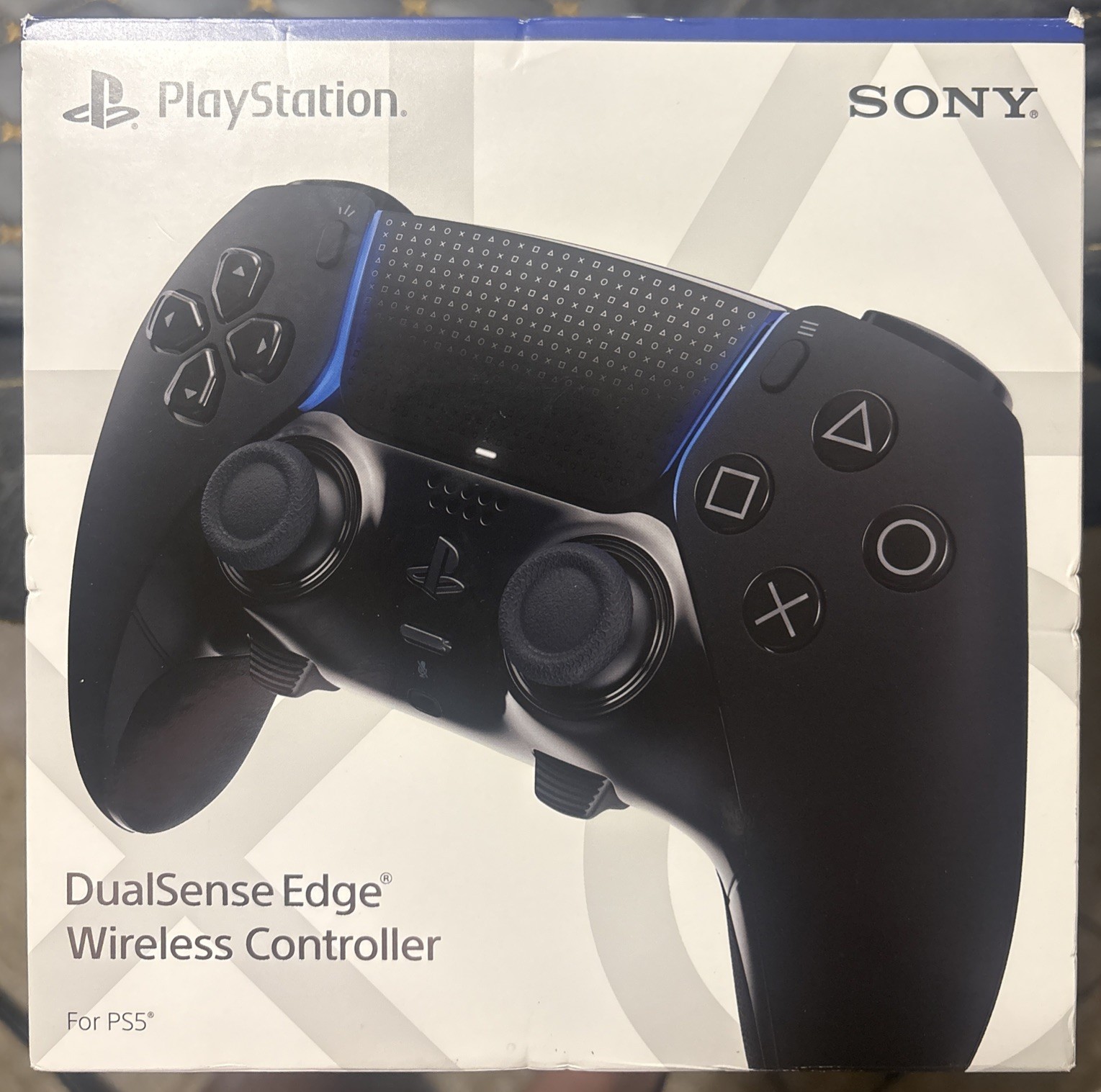

Photos from current listings. Actual item, color, and included accessories may vary.
Dualsense Edge Buying Guide
The DualSense Edge is Sony's pro-grade controller for PlayStation 5 and PC, adding swappable stick modules, rear paddles, and trigger stops to the standard DualSense platform. The core trade-off is modular repairability and customization versus a higher price and slightly shorter battery life than the base controller. Choose the Edge if stick drift and competitive ergonomics matter; skip it if you need maximum wireless endurance or only play casually.
Key takeaways
- Swappable stick modules (sold separately) let you replace worn potentiometers instead of buying a whole controller—the Edge's defining durability feature.
- Rear paddle buttons and adjustable trigger stops deliver competitive FPS/TPS input advantages that the standard DualSense cannot match.
- Built-in Fn button and on-controller profiles store custom button maps and stick sensitivity curves without opening console menus.
At a glance
- Category
- Controllers & Gaming Accessories
- Last updated
- Nov 28, 2026
Current offers
Highlights
- Swappable stick modules (sold separately) let you replace worn potentiometers instead of buying a whole controller—the Edge's defining durability feature.
- Rear paddle buttons and adjustable trigger stops deliver competitive FPS/TPS input advantages that the standard DualSense cannot match.
- Built-in Fn button and on-controller profiles store custom button maps and stick sensitivity curves without opening console menus.
- Battery capacity is smaller than the standard DualSense to accommodate modular hardware, so expect roughly 4-6 hours of wireless play versus 8-12 hours.
Best use cases
- Best fit: competitive shooter players who need paddle inputs and trigger stops—pick the Edge and budget for spare stick modules.
- Best fit: players who have replaced standard DualSense controllers due to stick drift—the Edge's modular sticks pay off over time.
- Wrong fit: casual single-player gamers who rarely use rear buttons—the standard DualSense delivers the same haptics and adaptive triggers for less.
- Wrong fit: marathon wireless sessions where charging mid-game is impractical—choose the standard DualSense or plan to play wired.
Buying tips
- Confirm the controller is the DualSense Edge model (CFI-ZCP1), not the standard DualSense—both share the same shape but only the Edge has swappable sticks and paddles.
- Buy at least one spare stick module pair at purchase; replacement modules are the Edge's key wear item and stock can be intermittent.
- The Edge includes a braided USB-C cable and carrying case—no separate cable purchase is needed for wired play or charging.
- For PC use, the Edge works wired and wirelessly, but full customization (paddles, profiles, stick curves) requires the PlayStation Accessories app on Windows.
Specs
| Stick Modules | Swappable (Edge-specific) |
|---|---|
| Rear Inputs | 2 paddle buttons + Fn |
| Battery Life | 4-6 hr wireless (approx.) |
| Connectivity | USB-C wired / Bluetooth |
Related searches
What to check before buying
- Verify you own a PlayStation 5 or a PC with USB-C—the Edge does not support PlayStation 4 consoles.
- Check that your grip style leaves room for rear paddles; claw-grip players may accidentally press them until remapped.
- Account for shorter battery life: plan a charging routine or keep the included USB-C cable connected during long sessions.
- If buying replacement stick modules, match the exact Edge module part—standard DualSense sticks are not interchangeable.
FAQ
Data sources: eBay / Amazon listings and product attribute feeds. Updated Nov 28, 2026.
Some links on this page are affiliate links. If you buy after clicking one, we may earn a commission at no extra cost to you. This does not change which products appear here or their order. Affiliate disclosure.