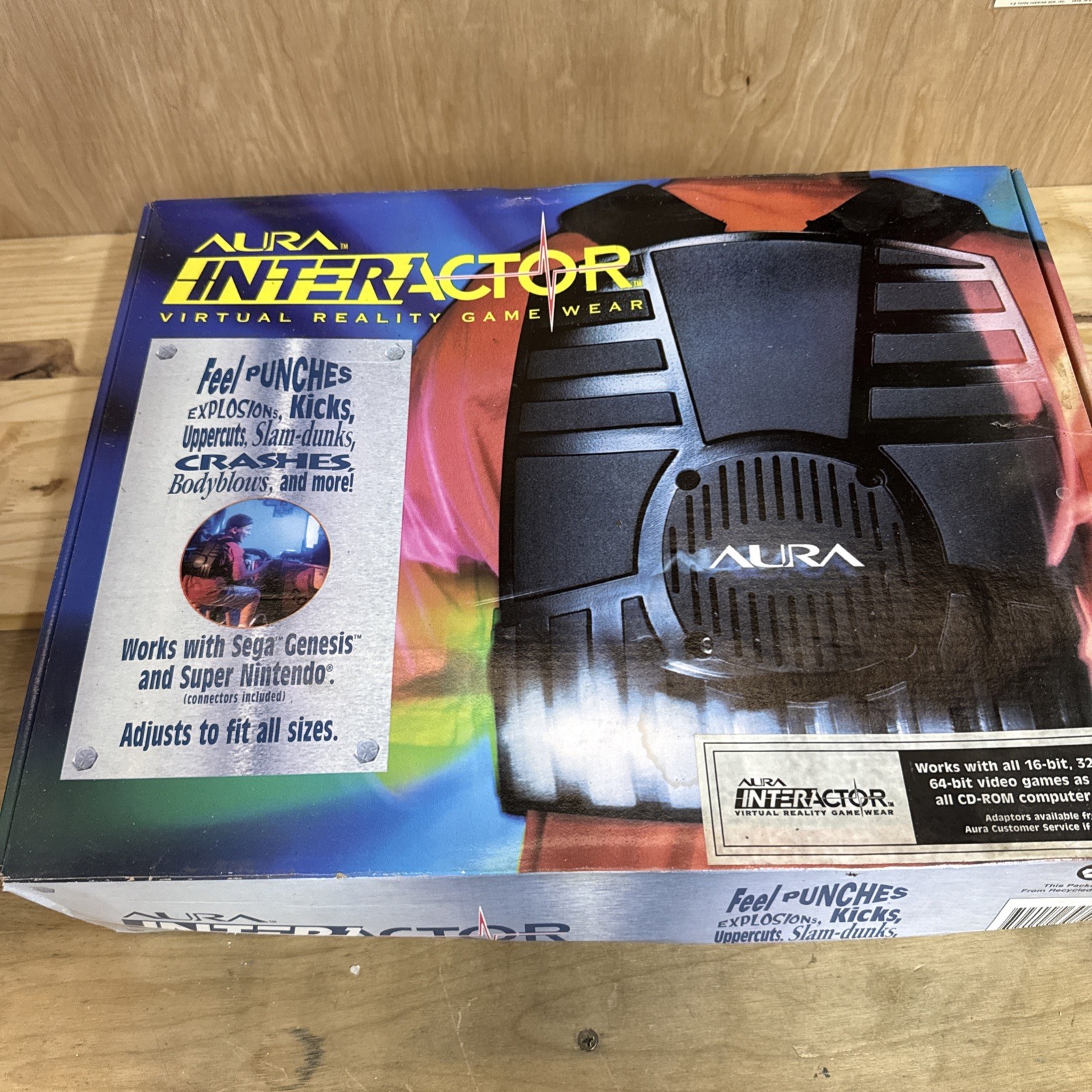

Photos from current listings. Actual item, color, and included accessories may vary.
Aura Interactor Buying Guide
The Aura Interactor is a vintage tactile-feedback gaming vest from the early 1990s that uses low-frequency audio transducers to physically shake the wearer in sync with game sound, not a modern haptic suit with per-motor spatial feedback. The core trade-off is authenticity versus usability: original units suffer brittle 30-year-old plastics, oxidized potentiometers, and mono RCA-only input, while any modern alternative must be judged on transducer count, latency, and platform compatibility. The decision rule is simple: buy the Interactor only as a collectible or for retro-PC immersion, and skip it entirely if you expect plug-and-play console support or directional haptics.
Key takeaways
- Single low-frequency transducer (bass shaker) mounted on the back panel, driven by an inline amplifier box with adjustable gain and a mono RCA audio input.
- Original interface is line-level RCA pass-through, not USB or Bluetooth, so it requires a splitter or an audio source with a dedicated RCA output.
- Hard-shell ABS front and back plates with nylon webbing straps; the load-bearing failure points are the strap buckles and the transducer mount screws.
At a glance
- Category
- Controllers & Gaming Accessories
- Last updated
- Nov 28, 2026
Current offers
Highlights
- Single low-frequency transducer (bass shaker) mounted on the back panel, driven by an inline amplifier box with adjustable gain and a mono RCA audio input.
- Original interface is line-level RCA pass-through, not USB or Bluetooth, so it requires a splitter or an audio source with a dedicated RCA output.
- Hard-shell ABS front and back plates with nylon webbing straps; the load-bearing failure points are the strap buckles and the transducer mount screws.
- No spatial or per-channel feedback: it reproduces a summed low-frequency envelope, so stereo and surround positional cues are absent by design.
Best use cases
- Best fit for retro-PC and DOS-era gaming rigs with RCA or 3.5mm-to-RCA audio splitting, where the vest's mono bass-shaker rumble matches period-correct immersion.
- Best fit for collectors and prop/cosplay display, where the hard-shell silhouette and early-90s branding are the point and functional use is secondary.
- Wrong fit for modern console players (PS5, Xbox Series, Switch): no USB, no wireless, and no platform handshake means it will not deliver game-integrated haptics without external audio routing.
- Wrong fit for buyers wanting directional or per-limb feedback: choose a multi-motor haptic vest or controller-based haptics instead, since the Interactor has one transducer.
Buying tips
- Verify the inline amplifier box is included: the vest cannot be driven directly from a headphone jack at line level, and replacement boxes are not standardized.
- Inspect strap webbing and buckle plastic for cracking; 30-year-old nylon and ABS embrittle, and a snapped buckle is not repairable with generic hardware.
- Confirm the transducer cone and surround are intact: a torn cone produces rattle instead of clean low-frequency output and is effectively end-of-life.
- Plan audio routing before buying: you need an RCA splitter or a source with line-out, because the Interactor taps the signal in-line and does not pass HDMI or optical audio.
Specs
| Feedback Type | Single mono bass transducer |
|---|---|
| Audio Input | Line-level RCA via inline amp |
| Shell Material | Hard ABS plates + nylon straps |
| Platform Support | Retro PC / RCA audio only |
Related searches
What to check before buying
- Measure your torso and check the strap adjustment range: original Interactor straps fit roughly adult medium-to-large chests, and short straps limit larger builds.
- Confirm your audio source has RCA line-out or a 3.5mm jack you can split to RCA; HDMI-only or optical-only consoles will need an extractor.
- Inspect the hard-shell plates for cracks around the screw bosses, since the transducer vibration stress-concentrates at those mounts.
- Check the power requirement of the inline amplifier (battery or AC adapter) and confirm the correct adapter is present, as the connector is non-standard.
FAQ
Data sources: eBay / Amazon listings and product attribute feeds. Updated Nov 28, 2026.
Some links on this page are affiliate links. If you buy after clicking one, we may earn a commission at no extra cost to you. This does not change which products appear here or their order. Affiliate disclosure.